Is this a…:
Standard bug Steps to reproduce this issue:
Select an existing community schedule
Select edit
Skip to step 3 (excluded dates)
Add a date that is between two other dates that already exist in the community schedule.
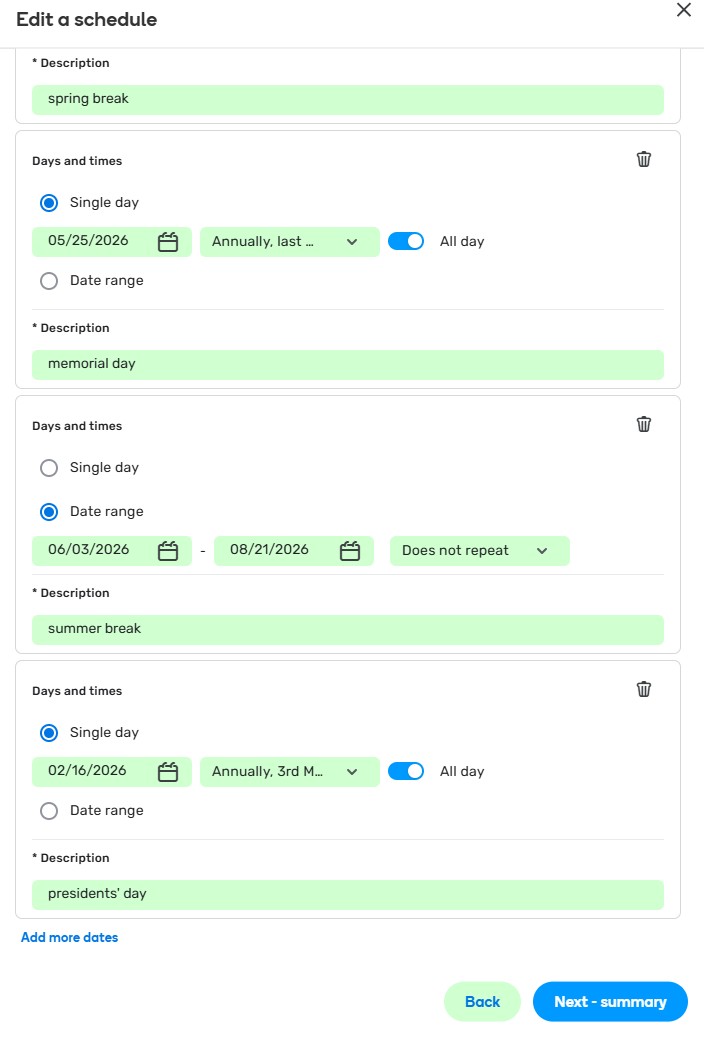
The new date shows at the bottom and doesn’t sort itself (by date descending)
Is this a bug or working as designed?
Environment where the bug occurs…:
NA Permalink: waze.com/en-US/editor?env=usa&lon=-77.21839&lat=40.65638&zoomLevel=17 Browser name and version:
Chrome Version 145.0.7632.117 (Official Build) (64-bit) Are you using scripts? Please detail which ones.:
No scripts/extensions used
Thank you for your input.
May I just ask which specific date you are referring to and whether it is for this schedule?
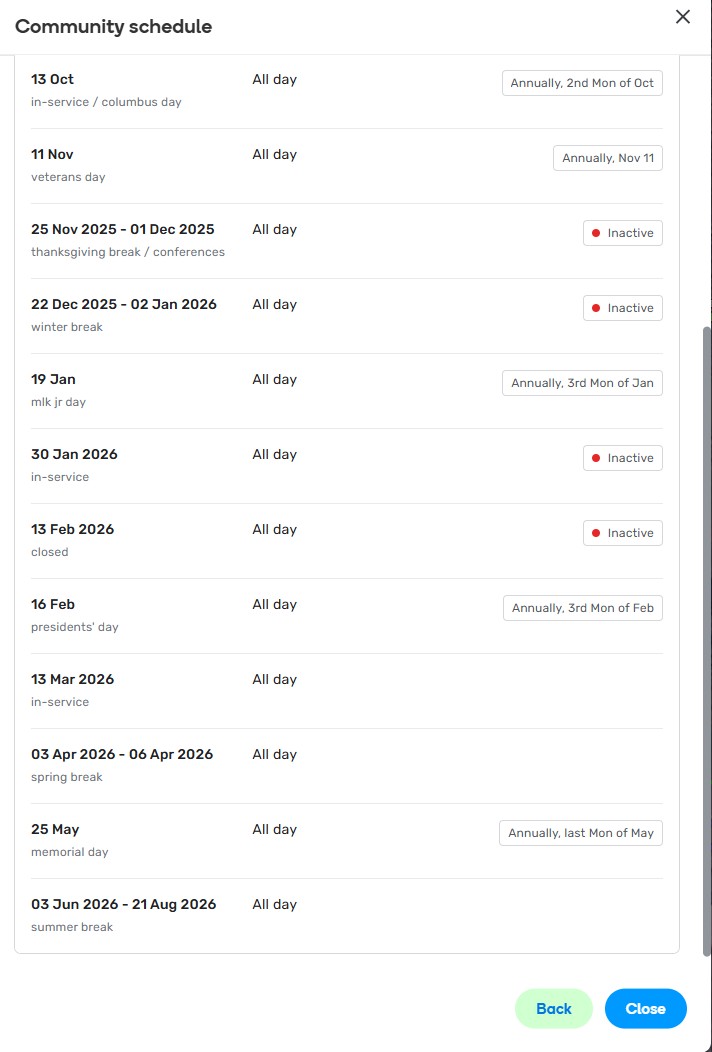
The last item I see is a date range and all exclusions seem to be sorted correctly.
Any further details will be much appreciated.
When I edit the community schedule (US-PA-Juniata SD) and add February 16th, 2026, it appears at the bottom (in the incorrect order). It shows in the correct order when you preview it. Any new dates you add when editing always show at the bottom in the edit view and do not resort themselves.
Thank you for the clarification @G_W1Z.
I have discussed this behavior with the team, and they confirmed that each new “block” on the editing time-frames page goes to the bottom. A lack of sorting is there by design; in other words, every click on “Add new dates” just adds a new item to the end of the list.