There seems to have been a typo in the imagery copyright code because the “< span>” tags can be seen:

There seems to have been a typo in the imagery copyright code because the “< span>” tags can be seen:
HNs occasionally don’t go away when zoomed out. In this screenshot I had to zoom in to level 20 to see HNs, then when I zoomed out to 15 they remained. After a refresh, it didn’t have the same issue:

Can you duplicate this without scripts running?
Hi Nataliia,
Anything interesting for us fixed?
I see that this morning a minor update was installed.
Old version: v2.217-13-g1d79af085
New version: v2.217-14-g00c251640
Best regards,
Dirk
Hi Dirk,
There are no visible changes for editors at the moment. From what I understand, the team has added an additional check model to address script-related issues. This was the main focus of the recent release.
Thank you for rechecking.
Nataliia
Hello,
With URC-E being nonfunctional handling URs is very tough. Can bringing URC-E back online be made a priority?
Thanks,
Ted
There is a lot of discussion on the Scripts Discord channel for URC-e
This is not a staff issue, it is a script issue and should be discussed in Discord or the script forum.
Hi! Below issue has been in WME for a long time, Am I the only one having it? Has it then to do with resolution of your screen?
When opening map reports (any kind), the details frame are covering the Country, City information partly up in the left corner of the map, that is heavily used for orientation of where you are on the map at the moment.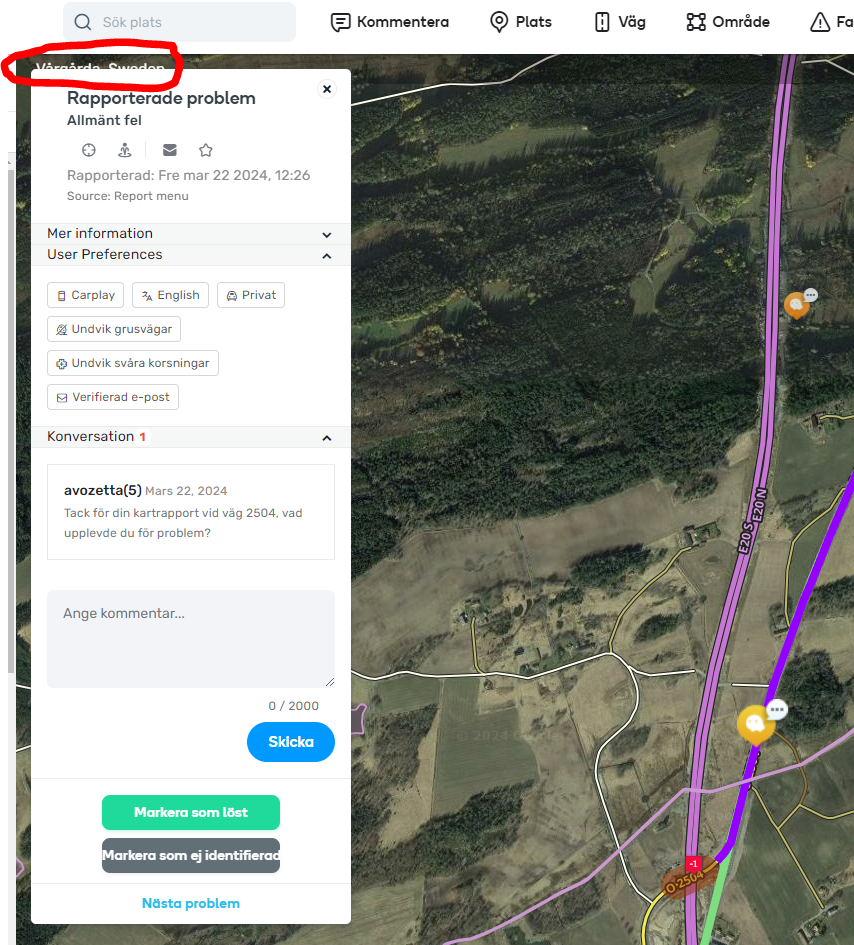
You are correct this issue has been in WME for a long time and You are not the only one.
This is known. They are working on a solution.
Hello,
I’m not reporting a problem, but it’s just a remark to make the graphic look more coherent:


Thanks
I have been using Waze since 2012 and editing and this is the worst editing version I have ever seen released. It broke many scripts and even when running unscripted, it has problems. One small example is that it keeps switching back to ‘Metric’ mode from ‘Imperial’ despite my having it set to ‘North America Only’ in the ‘ADVANCED PREFERENCES’ .
There was nothing reported like this until now in WME Beta.
Happens this every time you new login in to the WME? Then please check if you clear every time after you close the browser delete cookies. When I’m correct there will the local config be saved.
North America Only setting has nothing to do with the unit measurements. The unit measurement issue has absolutely nothing to do with Waze or this version. This has been an issue for over a year and is related to TamperMonkey.
Since then I haven’t been able to duplicate it with or without scripts running. Every once in awhile the HNs hang out on screen long enough for me to think about snapping another screen shot, but then they go away like they’re supposed to. They’re also coming on earlier than zoom level 20. It seems like the issue went away.
Hello everyone! I have a problem with adding house numbers in the wme editor, it alerts me that a number exists even though it doesn’t. Both in beta and product. Chrome browser without scripts. Attached is a picture (in Hebrew, sorry) and a link to an example street (house numbers 2 and 4).Thank you very much, Moshe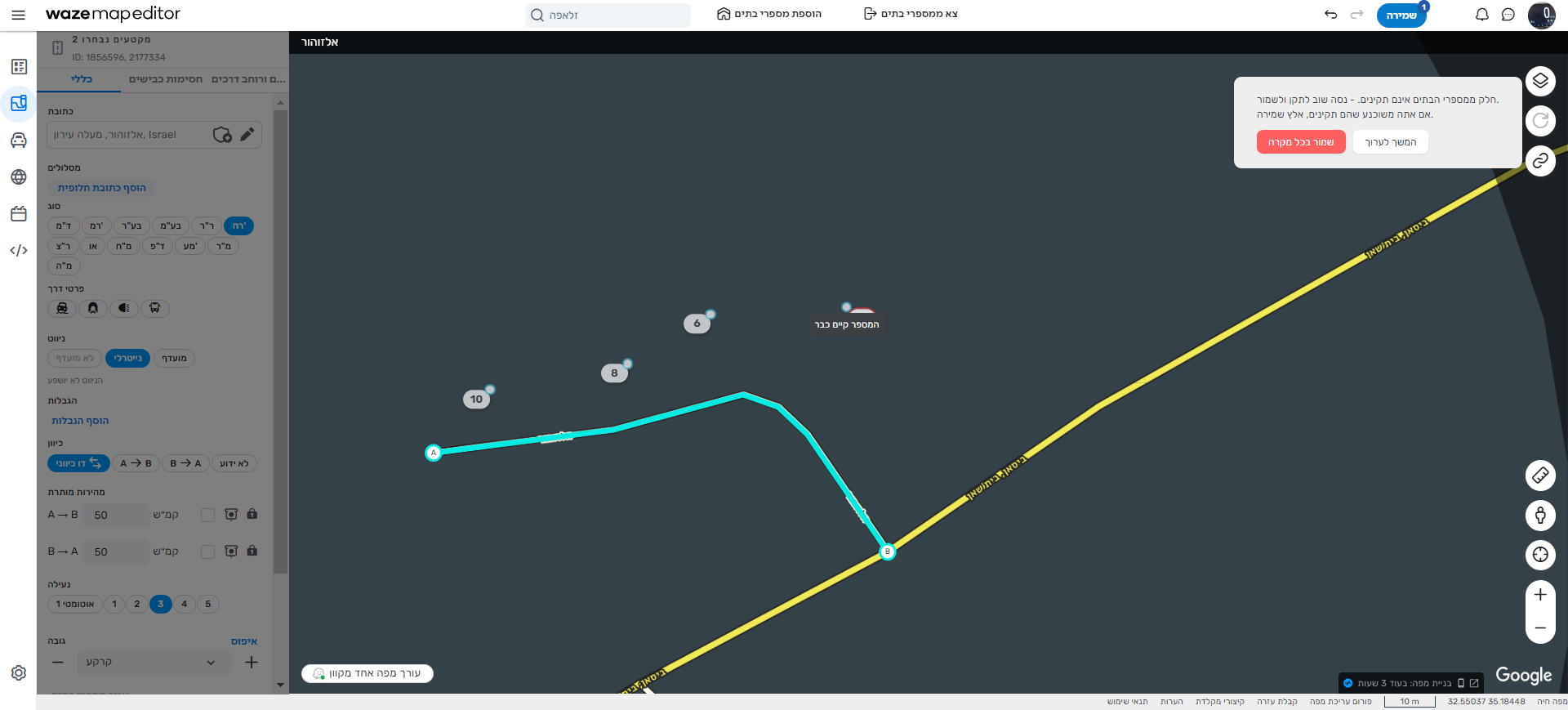
with help from google translate (maybe it is wrong lol)
but i found this segment further eastwards and google translate say its the same name as mentioned in the permalink you provided above, and the below segment already has number 2 & 4?
https://waze.com/en-GB/editor?env=il&lat=32.54997&lon=35.18971&marker=true&zoomLevel=19&segments=1856596
You (and Google Translate😊) are right, thank you, Moshe