Request to restore editing permissions for NA/ROW server overlap areas

Steps to reproduce this issue:
For the past few months, I have been unable to edit in both the NA and ROW environments within the specific server overlap areas that do not appear in the app. I understand that the other Country Managers for my country still have full editing permissions in these zones.

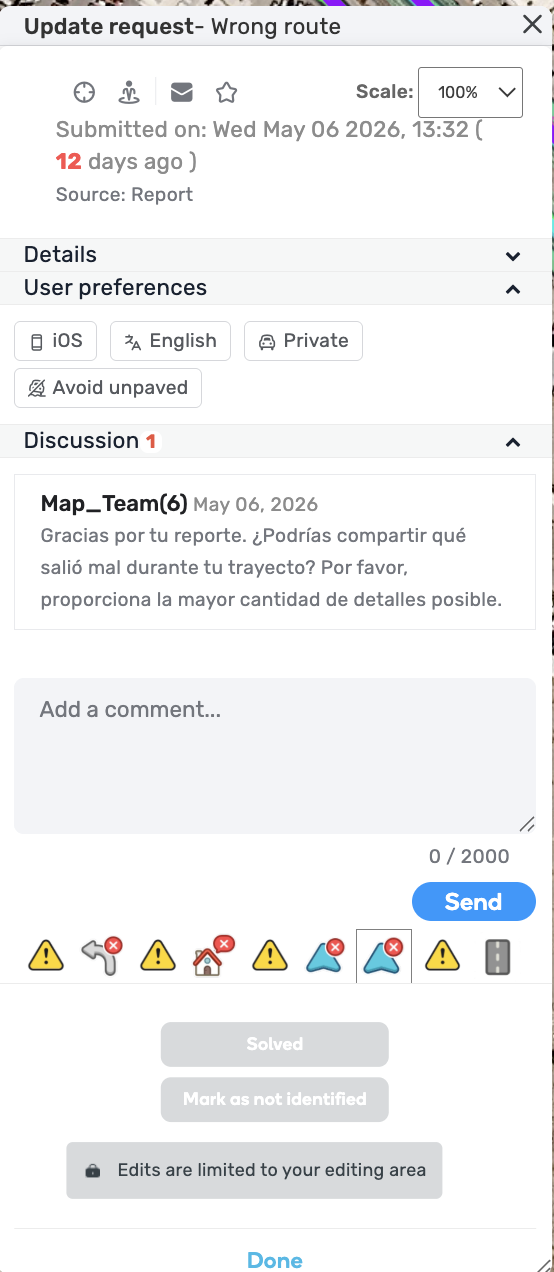
On many occasions, User Requests (URs) pop up on the wrong side of the server and need to be closed. For example: https://waze.com/es/editor?env=row&lat=31.70745&lon=-106.45523&zoomLevel=16&mapUpdateRequest=26097860

Carloslaso (Mexico Coordinator) mentioned to me that he is unable to resolve this from his end, which is why I am reaching out here. Could you please help me check why my permissions were restricted in these areas and help restore them?

Thank you,

Permalink:
https://waze.com/es/editor?env=row&lat=31.70745&lon=-106.45523&zoomLevel=16&mapUpdateRequest=26097860
Are you using scripts? Which ones?:
None
Hi @velezss,

Thank you for your report.
Just to clarify, in the context of your editing permissions, do I understand correctly that when you are trying to make any changes to this segment for instance, you’re unable to save directly, instead, you end up in Suggest an Edit mode, but when making changes to what seems like the same segment but in NA, you can save your changes normally?

The UR example appears to be related to this other issue you raised before.

Best regards,
Olesya

Hi Olesya,

I get this message:

With the URs I get:

Thanks,

It is not the same problem.

The other issue is related to PURs that appeared far away from the border, like this case:

https://waze.com/en-US/editor?env=usa&lat=20.65861&lon=-105.24967&zoomLevel=20&venues=166985935.1669531666.5192539

Thanks,

Thank you @velezss,

I’ll ask the team to check this UR issue specifically.

Best,
Olesya

1 Like