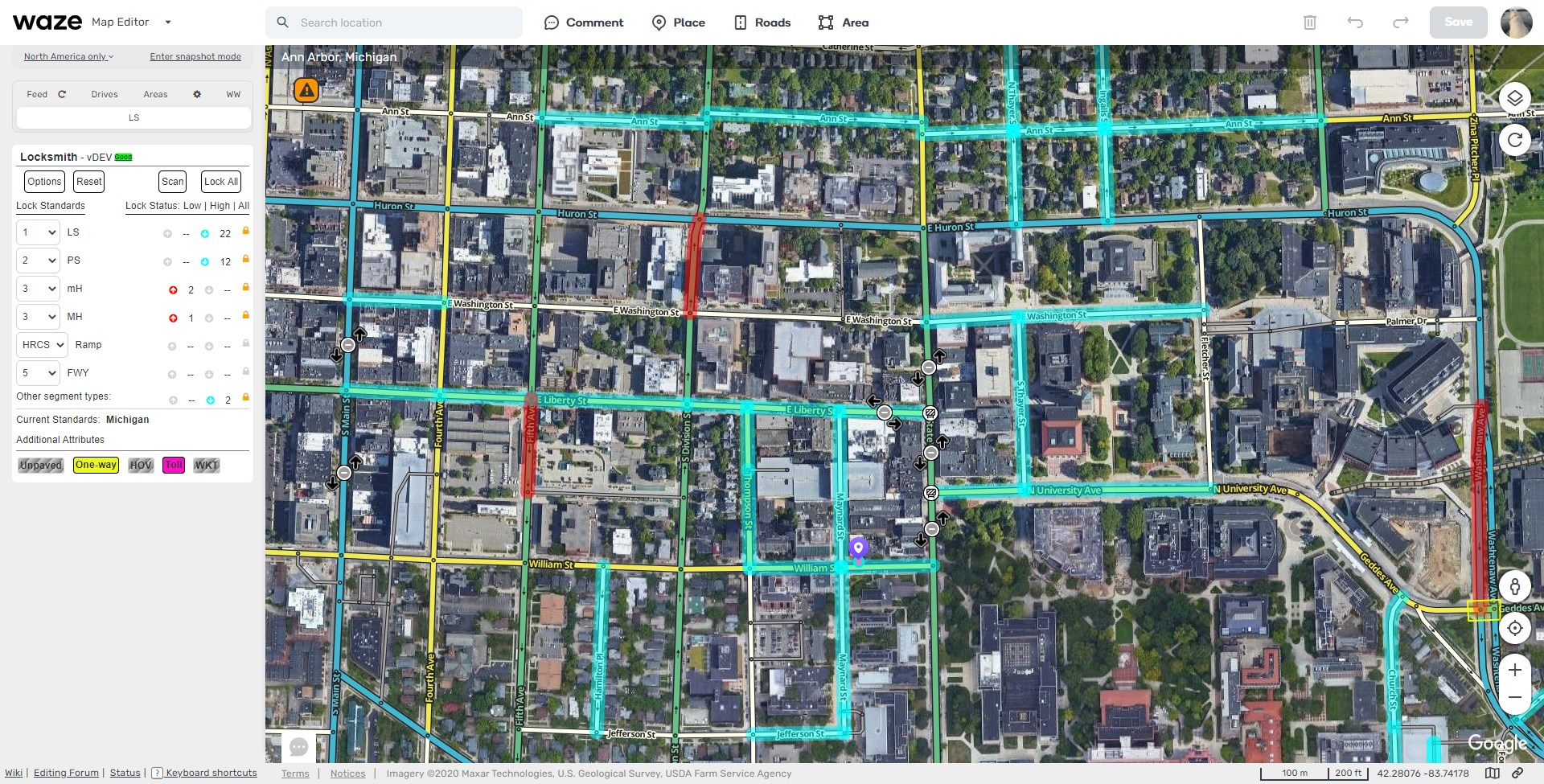
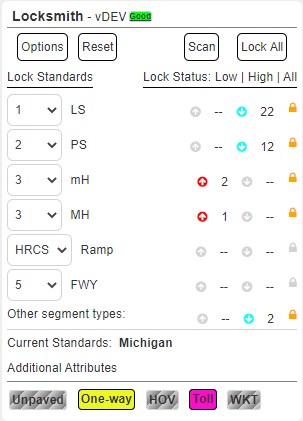
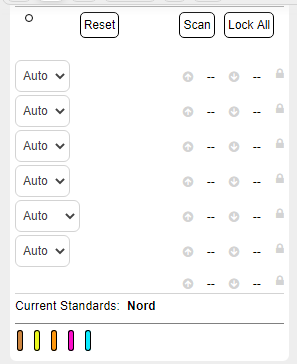
I’d like to introduce everyone to a new script known as Locksmith! This script is a highlight and lock script based loosely off relock which some of you have used. Locksmith pulls it’s per State locking standards from a spreadsheet which can be updated with changing community standards as needed, so the script will always be using the correct standards without needing to rewrite any of the code! It also accounts for polygon or city name based variations in the standard.
Locksmith will initially load with the current state (and will update the state when appropriate) and display the locking standards for that state, which can be overridden manually by changing the drop-downs if desired. The custom lock dropdown will only show values up to the editors rank, they will need to hit “reset” to get the higher standards back.
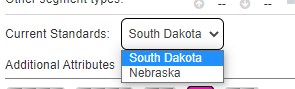
If multiple states are available then a popup will be displayed on screen which will prompt you to select the “Manual State Select” in the options menu and then select the correct State. This pop-up can be disabled in the options menu
Reset will clear the UI, any highlights on the map, and return any custom lock overrides to the state standards.
Scan will perform a on-time scan of the current map and, depending on the options set, update the UI and highlights appropriately.
Lock All will simply lock any segments the editor is able to edit to the correct standard without setting highlights or updating the UI.
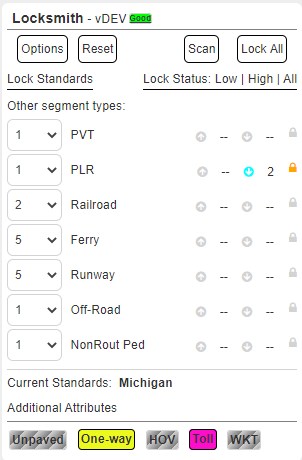
Clicking on the “Other Segment Types” text will switch the UI to display the standards for alternative segment types.
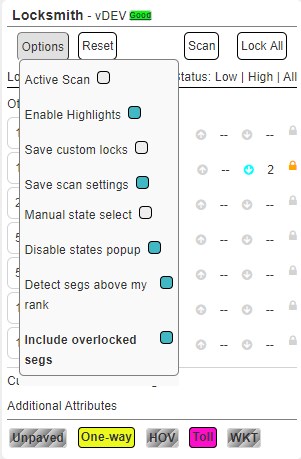
The options menu provides several ways to customize how the script functions and what displays.
Active Scan is what it sounds like, as you pan around the map with this enabled the script will run and update the UI with the results as it goes
Enable Highlights will result in the relevant segments on the map being highlighted with red for segments locked below standards and blue for those locked above standards
Detect Segs Above my Rank will let the script update the UI and highlights to include segments which you either are unable to lock to the standard (think R4 SM with freeways) as well as segments locked above your rank
Save Scan Settings will cause the following settings to persist between refreshes: Active Scan, Enable Highlights, Detect Segs Above my Rank, and Include Overlocked Segs. Locksmith is set up to use both local storage and if the editor desires, WazeWraps cross browser settings storage
Manual State Select allows the state to be manually set and will not update while panning
Disable States Popup will prevent the warning about multiple states being available while panning with active scan enabled
Include Overlocked Segs allows segments locked over the standard to be highlighted and included in the UI results
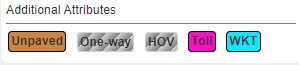
At the bottom there are several Additional Attributes that are colored (enabled) based on entires in the spreadsheet. These include when segments have a one-way, unpaved, HOV, or toll standard different from the regular state standard, as well as when a state has a polygon (WKT) or city name based standard. These settings (when available) can be toggled enabled/disabled by clicking on them.
Currently the locking functions are only available to R3+ editors, R1/2 editors can still utilize the scripts highlighting and custom override functions, but the locking functions are disabled. Currently this is not configurable by country, but I may include that or remove this requirement all together if it is just causing issues.
This script is also built to allow localization, so if the script doesn’t load in your WME set language please feel free to contact me and we can change that!
Also - if there is currently no standards for your country/state please contact me and I can get those in very quickly.
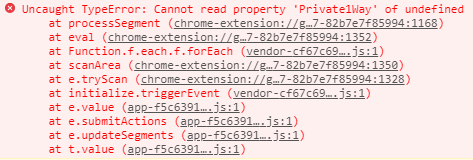
Definitely a nice extension, but I’ve been having hit and miss luck with it running consistently. I’ve not yet tracked down if it’s conflicting with other scripts, but it seems to have issues fetching data from the sheet, which results in a lot of undefined error messages.
I’d originally thought it was conflicting with Toolbar, but even with it disabled, this sporadically pops up. I’ll try digging some more to see if there is any particular trigger.
In the latest version I’ll release in the next few days this is hopefully addressed a bit. It just comes down to loading times, and if there is high usage as the script loads and it can’t grab all the spreadsheet values before other parts of the script start firing off then these errors occur.
I’ve increased some time limits in minor places that shouldn’t be noticeable to users, but should increase the loading reliability a lot. (fingers crossed)
New version released. Beta testers have indicated increased reliability. Please let me know if anyone still has consistent issues and we’ll look at your circumstances and go from there.
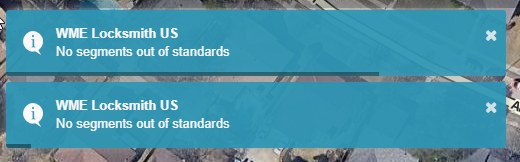
Noticed when I get in areas near a state border, it gets awful pushy about making sure I have a state selected. I can have up to 4 instances of the error window on my screen at a time. Any movement will cause more of the error to appear.
Correct, this was a tricky feature to handle so I simply added the ability to suppress the popup. In the original post it’s listed in the explanation of the options menu:
Would there be any reason why, if you have active scans enabled, you get this pop-up after nearly every action?
Zoom out, it pops up. Zoom in, it pops up. Scroll right a few times, and you get a new pop-up for every scroll. Go into HN editor mode, pops up. Add an HN, pops up. I saw the comment on state proximity, but I’m editing in the middle of Texas, and this isn’t the state notification.
Only way I appear to be able to turn it off is completely disable active scans. It doesn’t show up if there are segments that do not match state standards.
I was working on troubleshooting when a different project took my priority. However, I have that one about wrapped up for what it’s going to be at this time, so I can get back to looking at LS.
It was recognizing that the segments were in the poly/city deviation, but wasn’t correctly applying the right lock after.
Hopefully I can have an update for you in the next couple days as long as nothing slams me too hard IRL.
Hey, looks like a good script
However, it might be broken
I know this script is a bit old but it is still useful
Also i can provide French translations and locks if you’re interested
Thank you for reporting this! I found the issue with the way the script loaded certain strings when the language hadn’t been translated yet, this should now work.
I’ll shoot you a PM about the standards and translations, they are quick to set up.