Using MagicWand prevents the Save button from activating when I delete a place or map comment. Turning off this script and then performing that action works as expected.
I don’t think this is updated anymore. Most of this script’s functionality has been replicated in PIE.
Even though many functions are covered by PIE, the part where you can create a place by colour similarity (e.g. lake) isn’t possible with PIE.
And frankly this is the only feature I miss a lot because in Ireland we have gone very far with natural features 
For those who are still looking for a working version of this script: via this link I have placed a working version of the script.
This is because WME MagicWand is not maintained by the contributors anymore. Except for the bug fix, no part of this script is written by myself, many thanks to all contributors as described in the script itself.
Don’t know if it is just with me but, when I have this script active, “Control A” shortcut and “Select entire street” button are not working …
Due to some back-end changes, there where some problems. I uploaded a fix a few minutes ago.
It seems to be working properly again
Thanks
Hello,
This script is creating a strange behavior: if I turn it on in tampermonkey, it blocks me the possibility to change the geometry of any landmark. If I turn it off, I can change landmark geometry again …
Thanks
I used to like this script very, very much, very handy in a country that has over 180 thousand lakes and 97 thousand islands. But it hasn’t worked for me anymore for a while now. Not even on another Google profile that I made solely for it and it has no other scripts at all. Clicking for example lake area doesn’t do anything anymore, just reads “Waiting for click”. Also, it freezes, cannot disable it with it’s own button, have to refresh the page.
Hey Guys,
I’ve been also wondering, whether this script is still alive. I ended up with editing location with many islands surrounded by ocean. (where sea/land tiles are totally wrong.)
It would be super-helping to have exactly such tool at a hand.
Any clue?.. Anyone?
Thanks
Horizon911
Tried everything now. With the attached updates I get a 500 server error. After disabling the extension everything goes back to normal. Is anybody willing to look into this? Sadly I don’t have the skills to do it.
Best regards
Buenisimo
I really need this working to add multiple green areas.
Been having an odd problem with this too, hasn’t worked with my other PC for quite a while it worked fine in the other. Today I might have found the reason by accident. I had windows scaling set to 150% in the PC the script worked, changed it to 125% and the script stopped working. Changed it back to 150% and script works again…
EDIT: Now I tested with my other PC. Scaling was set to 125%, script didn’t work. Changed it to 100% and the script works. So something in that 125% scaling causes the script to fail…
Alpha version of the new Magic Wand is being tested. Some of the functionality of the Original like Orthogonalization, Cloning, etc has been moved to Place Interface Enhancements Script.
Stay tuned.
1 Like
As promised:
WME Magic Wand
New Magic Wand Script
Currently only allowed to run in Beta. Once sufficiently tested and features stabilized will be released for Production use.
2 Likes
I’m very pleased to hear this is getting upgraded since I need this a lot but some tweaking is definitely needed.
First, why there is a zoom level 17 restriction? For example, I sometimes need to go to for example zoom 13 or 12 to be able to create the biggest missing places. Example of old script creating a place on zoom level 13, result is quite OK.
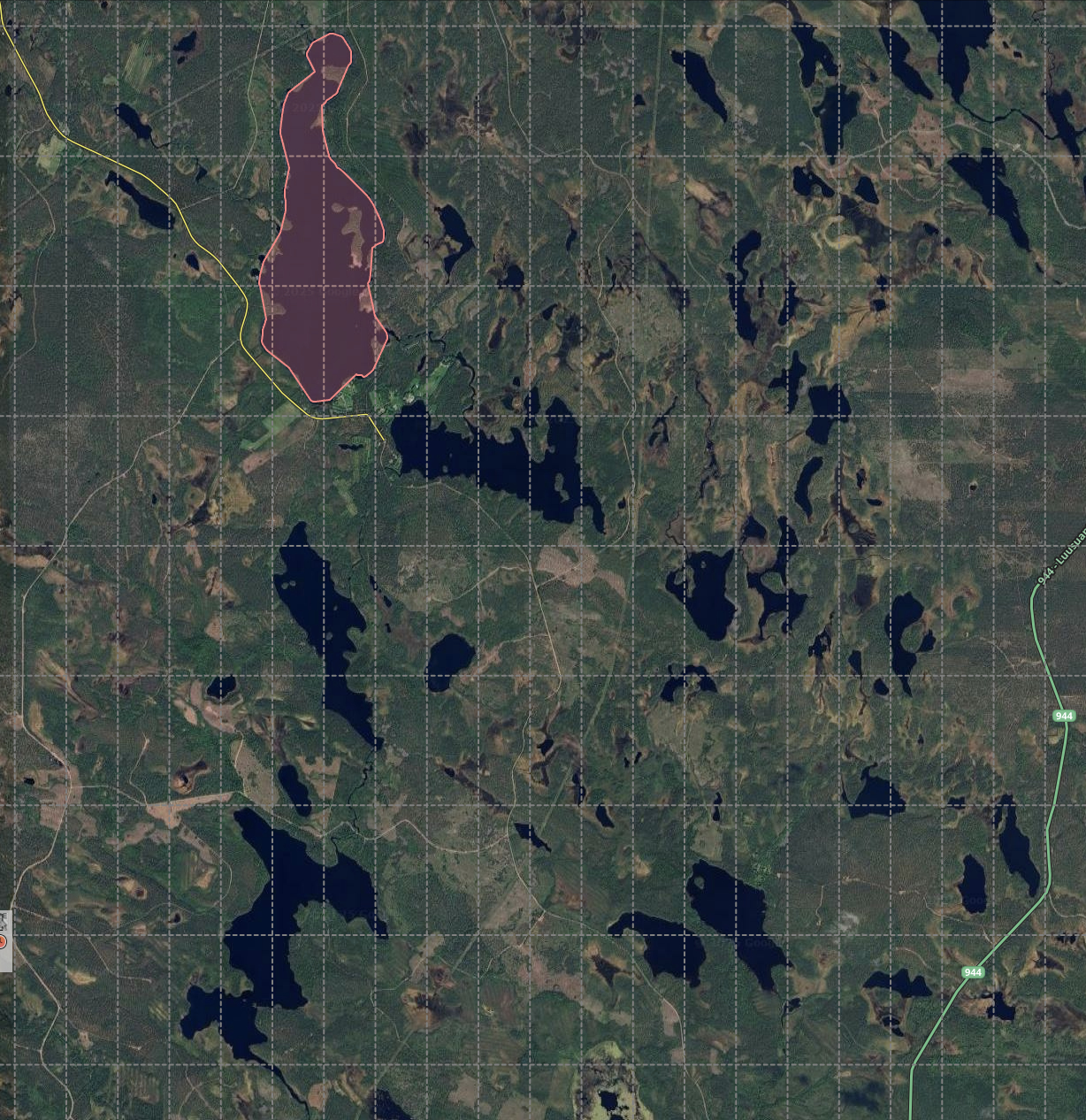
With new script on that max zoom level 17 all you often get when trying to create place as big as that: Page not responding.
Well, it might happen with old one too when you’re trying to create place on too big zoom level and definitely it the place doesn’t fit to the viewable area, it either freezes or creates place that is so crooked it cannot even be saved.
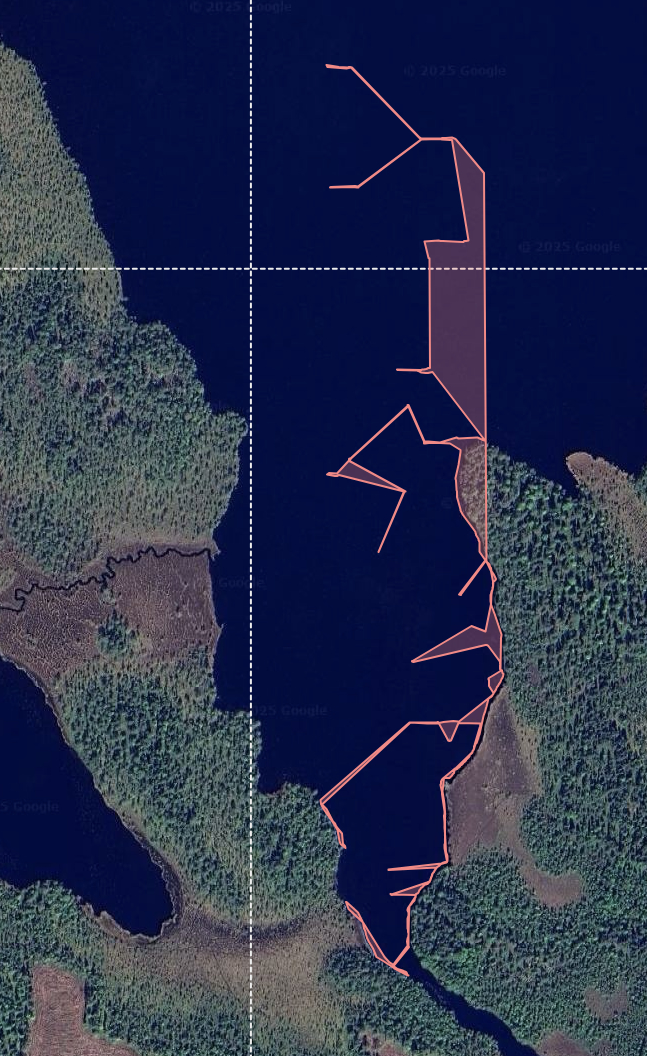
Or something much smaller than the actual place:
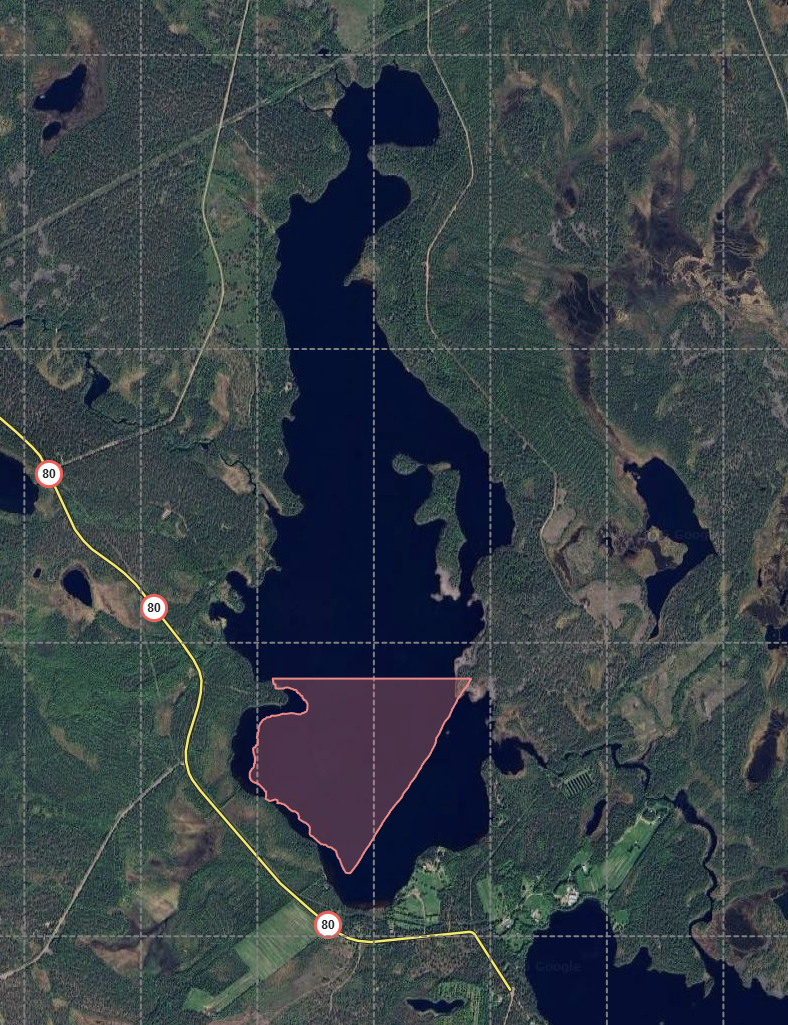
For comparison, same lake made with old script on zoom level 14. Size seems to be 1945942 m2.
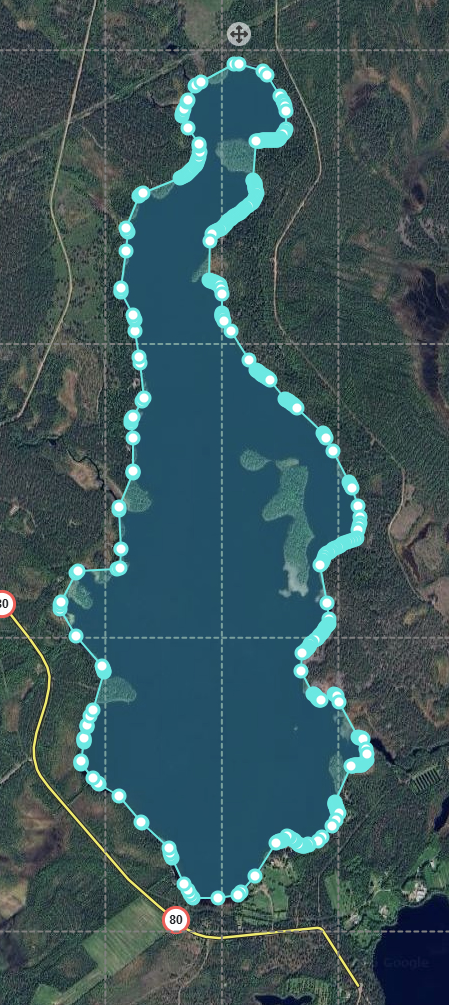
Also, new way of having to select the place type every time after creation and then re-enabling the script again since it disabled itself is not good at all in creating multiple places, it’s extremely slow procedure and way too many clicks compared to old one. I sometimes make way over 100 lakes on single evening, on this new setup I would most likely get fed up before 20. Finland has over 180k lakes and quite many are still missing from Waze map… 
And about the place creation itself, there’s also another odd thing…
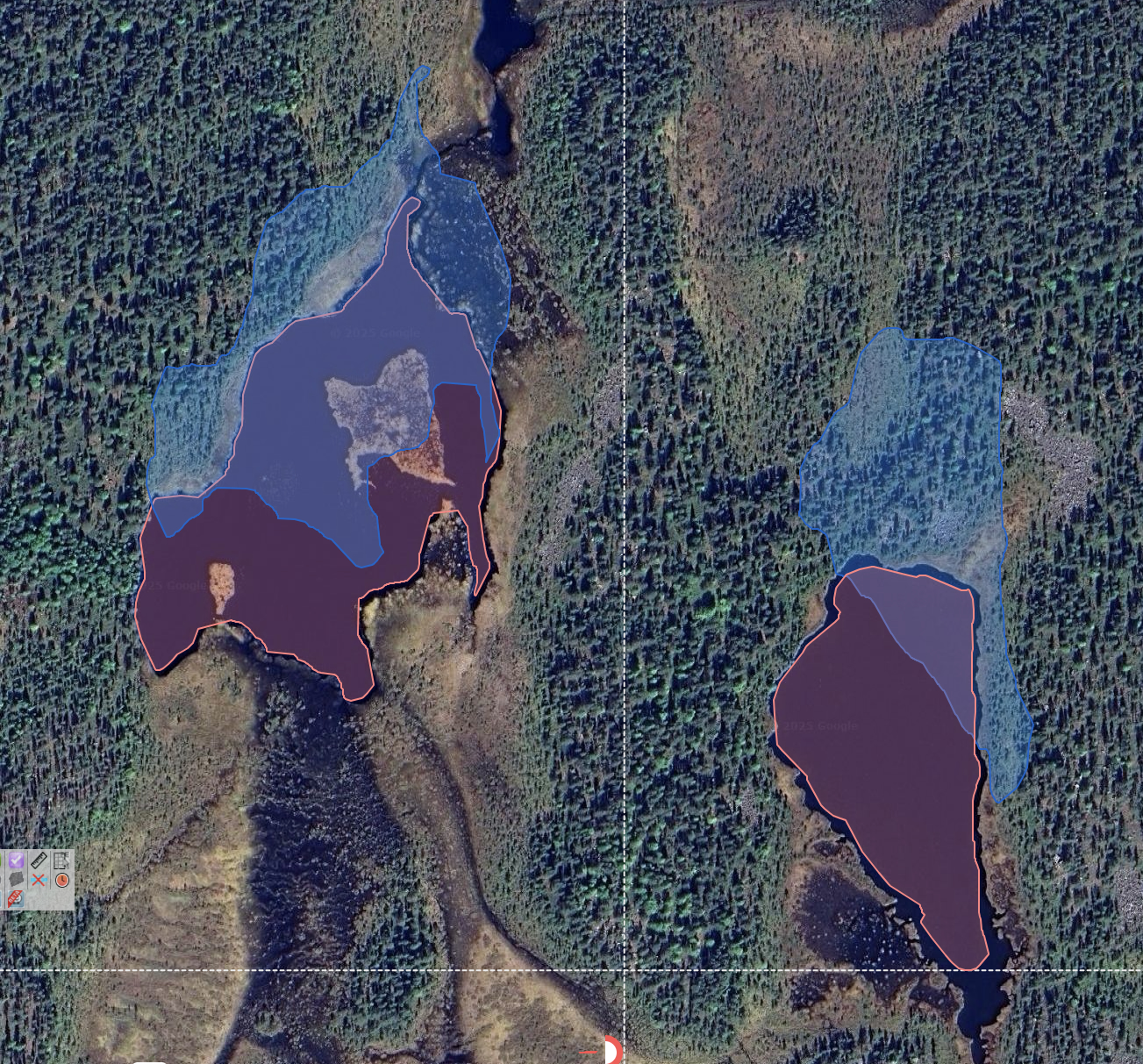
2 more examples, made with new one and I did not move those or the map during creation, script created those to wrong locations:
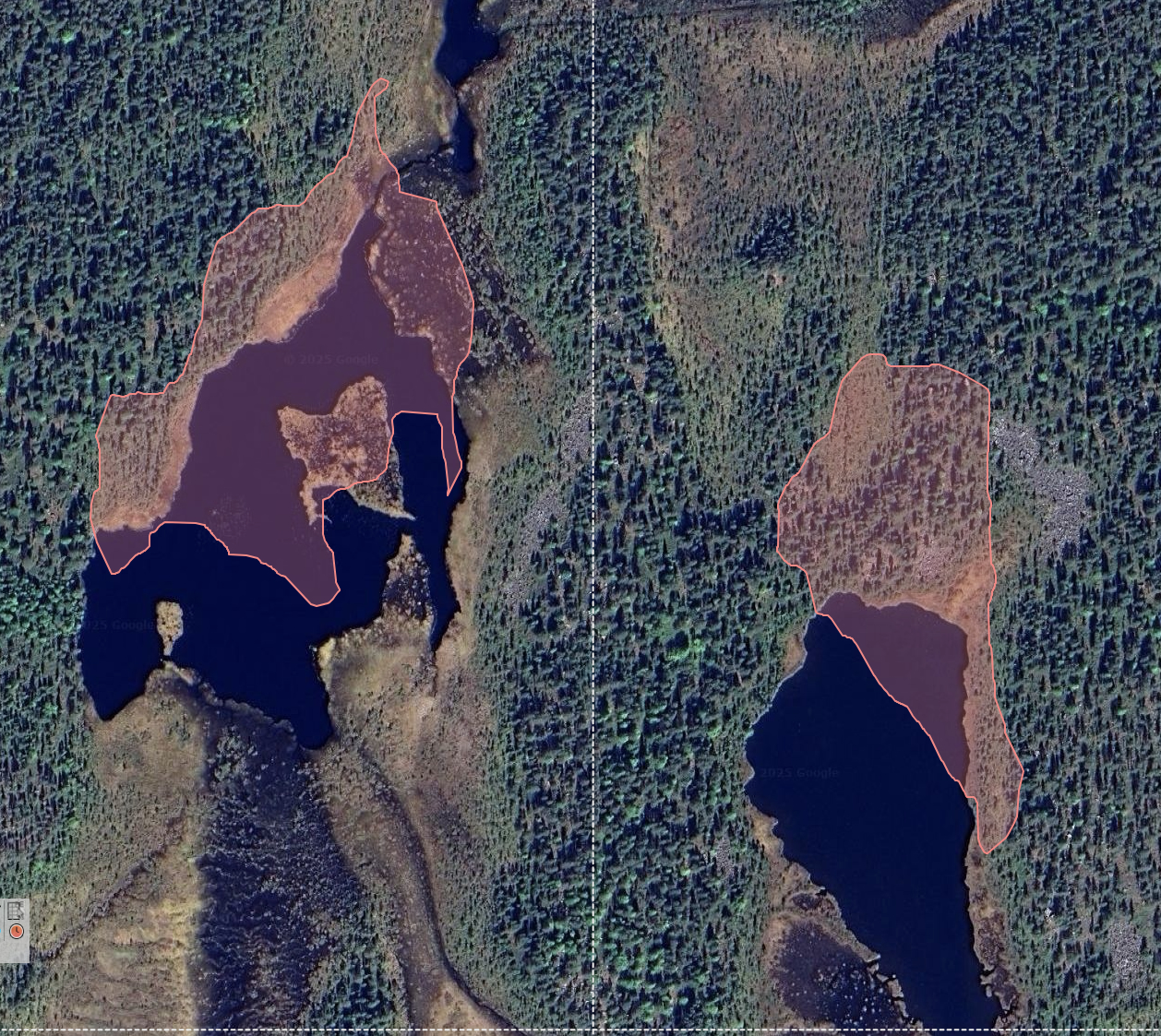
And another pic from same location with the reddish ones made with old script for comparison (in under 10 seconds):
Still kinks to work out. Zoom 17 restriction is to work out the point under the mouse correctly. SDK has limitations in that respect.
1 Like