Set your layers to this?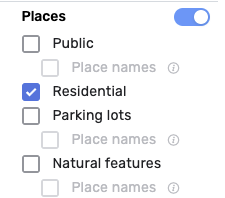
I guess I didn’t explain myself, I would like to see all Places on the map but see only the RPP numbers and not also the names of the other Point Places. Now if I enable the Show Point Names option in PIE I also see the Public Point Places names.
Try the WME HN NavPoints script.
That only shows HN numbers, not RPP addresses.
RPPs already show the HN and lock level (with that feature enabled) when the “Show Place names” and “Show point names” features are enabled. I have no desire to split RPP out from public places for this feature.
The WME now allows by default to display the names of the Places, both Area and Point, but does not allow the display of the RPP numbers.
Could you consider eliminating the display of Place names from the script, leaving only the display of RPP numbers?
This way the script would also be lighter I think
No.
Thank you sooooo much for moving the photo viewer icon to the right 
Not sure why you would ask to have a feature completely eliminated that is used by many editors. Having an option display or not would make more sense that requesting the elimination of the feature.
Hi, simply because now this function is natively present in WME and therefore eliminating it from the script would make it lighter in my opinion, obviously leaving the functions still useful such as displaying the RPP numbers.
As more functions are added directly by developers into WME, eliminating them from the scripts to make it lighter I think is a correct solution,
Obviously it’s just my opinion, I have the utmost respect and gratitude towards those who develop the scripts.
I already said no multiple times and my reasons are documented elsewhere in this thread.
Thanks anyway
I did not know about the unicorn. Thank you 
I did however know about the dragon that flies around Wales.
Hi,
Could someone tell me if I am doing something wrong?
I have the following options on:(unavailable attachment: Captura de pantalla 2024-07-13 a la(s) 6.41.28 a.m…png)
But when I create new places, the street information is not taken into consideration:(unavailable attachment: Captura de pantalla 2024-07-13 a la(s) 6.41.48 a.m…png)
Thanks,
After yesterday’s WME prod release the “show place names” under Map Features no longer works.
I’m not sure if it’s related, but this console error shows up twice:
userscript.html?name=WME-Place-Interface-Enhancements.user.js&id=06ede3c0-aee0-4ef4-8af1-bdf8d3730889:7066 mapExtent.intersectsBounds is not a function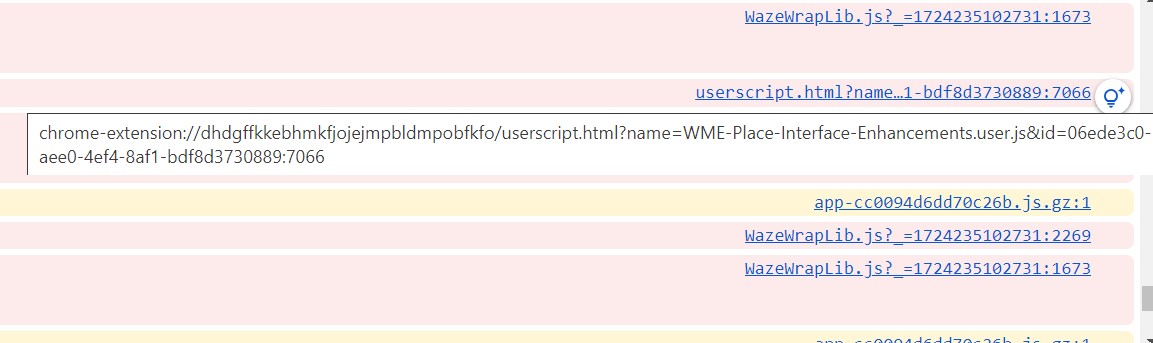
The photo viewer feature is no longer working. The photo viewer will open, but no photos show even when there are place photos in the area it covers.
After having it open, I close it and this immediately shows in the console: Cannot read properties of undefined (reading 'closestPoint')
Photo viewer and show places names are now both back!
Looks to be due to a WME prod hotfix: https://www.waze.com/forum/viewtopic.php?p=2468961#p2468961
Is there a means to reset keyboard shortcuts to default? I accidentally defined one as ‘d’, and despite changing it, I can’t seem to delete geo nodes now.
Find the keyboard shortcut for deleting geometry nodes and set it to ‘d’.
Thanks. Of course it would be designed well enough to not allow the same shortcut for multiple functions! 