No problém.
New version 1.23 with following changes:
- additional compare conditions for the speed limits
- global check-boxes’ values are permanently saved in browser
- new global check-box On Screen
- URL for beta editor updated
1 Like
Ooh, I like the global check box for On Screen too! Good suggestion, TruckerGerrit! 
Is there a way to add a “Verified” or a “Non Verified” for checking SL’s? Thanks
I’m not sure I understand your question.
For selecting Not Verified SL’s use:
Has unverified speed limitFor selecting Verified SL’s use:
! Has unverified speed limitThis worked Thanks
I suspect there is a bug in checking the “unverified” speed limits in terms of forward and reverse speeds.
This is the code at line 777-779
				case 6: // "unverified"
					result = (fwdRes && segment.attributes.fwdMaxSpeedUnverified) || (revRes && segment.attributes.fwdMaxSpeedUnverified);
					break;
It’s checking the fwdMaxSpeedUnverified for the revRes. Should that not read:
result = (fwdRes && segment.attributes.fwdMaxSpeedUnverified) || (revRes && segment.attributes.revMaxSpeedUnverified);
I’m finding with it set the way it is, it’s not selecting some road segments (particularly ones that are divided roads) that have an unverified speed in one direction (B->A I believe). Take this as an example. With a simple query of “has unverified speed limit” and check the “On Screen” box it should select everything on the screen, but it doesn’t.
New version 1.24 with following changes:
- unverified speed limit condition corrected
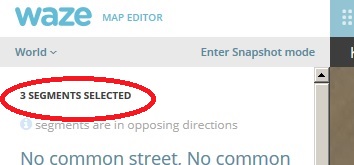
Would it be possible to add something that would tell us how many segments are selected?
For example, if i am looking at 7 segments i need to select and i use the selector, and it grabs an 8th segment close to the edge of the screen, if i saw that it was 8 segments selected, i would go looking for that other one, so i didnt change anything.
The number of selected segments shown by WME is not sufficient?
New version 1.25 with following changes:
- conditions for Countries, States and Cities broken by the new WME version are working now
Excellent
Enviado desde mi iPhone utilizando Tapatalk
pvo11, yes, you made a great script,
but i’m here more than 3h to select segment with no name in City.
I have a City with 2 names, i can select the segments with names, i´ve tried the inverse but no results.
Did you mean to select empty City name or unassigned City name (so called red segments)?
Condition for empty City name: City = “”
Condition for unassigned City name: Unnamed
What did you mean with City with 2 names? Different City name in primary and alternate names?
Dude, i´m a disaster,
i was writing “” on the field “City”
it’s working now, thanks
Hey, I wanted to use this script to select specific segments where this setting was modified but I couldn’t find it in the list.

Any change it could be added? 
(Or did I miss something?) :oops:
It is not there.
The main problem is that this feature is available for L5+ only and I have no possibility to test it.
If you have some example segments with different values for routing preference I can try to implement it.
Sure thing and thanks
Will these segments do?
New version 1.26 with following changes:
- condition for Routing preference added
- condition for Routing road type added. If the Routing preference is Neutral it is the same as Road type. If the Routing preference is Unfavored or Preferred it is corresponding lower or higher road type.
1 Like