Thank you for the fix! 
Just a shame that wme has been updated again, breaking the script again 
It still works for me.
I’m noticing that the speedhelper buttons do not show for 1-way segments with B -> A direction.
Here is an example: https://www.waze.com/en-US/editor?env=usa&lon=-77.39240&lat=40.57086&zoomLevel=19&segments=42717438
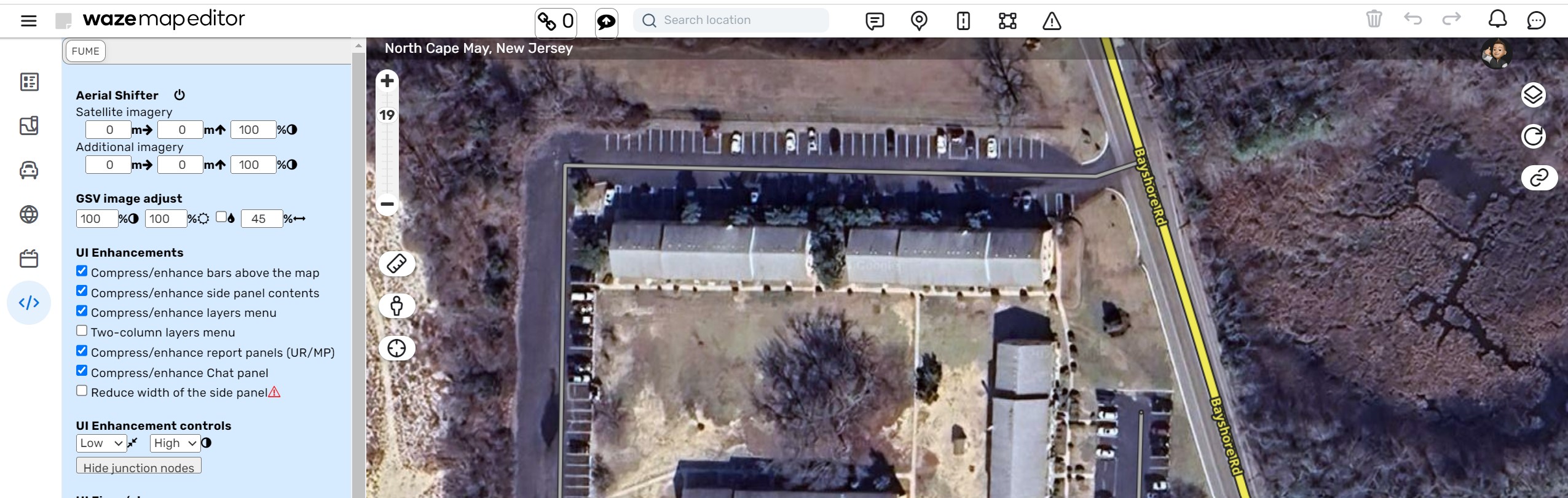
Here is an example of A -> B that has the buttons showing: https://www.waze.com/en-US/editor?env=usa&lon=-77.39330&lat=40.57043&zoomLevel=19&segments=87641670
I tested this with other scripts/extensions enabled and all off but speedhelper and it occurs in both cases.
Hello
Is possible to reduce the size of each speed icon a couple of pixels!? The idea is to have all speeds on only one line, avoiding the wasted space (the image shows speeds implemented in Portugal) …
Thanks in advance

Same in Finland.
Original: 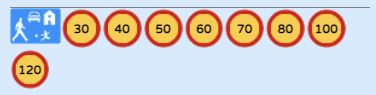
Images scaled to 95%: 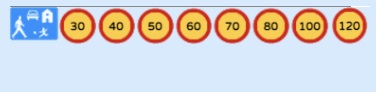
Speedhelper is now being transferred to Github (should be done a long time ago, but didn’t have many free time left) so In the future, updates should be picked up sooner.
This means that requests will be have to be made via the Github repository, no longer here throug this forum.
Kind regards
It looks like the latest version of this script fixed this
The latest version fixes speedhelper on B->A segments, fixes the error display for unsupported country and for imperial/metric setting mismatch. It also adds country configuration for Honduras, Macedonia, Yemen, Morocco, Sudan and Vietnam from recent forum posts.
Dave
Hi all,
I just published a new update (version 0.2.15).
New in this version:
- Ability to scale the icons (per request of @linguasaltitante & @proffa71)
Updated:
- Refactored code to correctly add settings in the current WME setup
- Small code cleanup to use a single render method for segments & speedcameras.
If there are any issues or more features wanted let me know 
Hello
Thank you for your time and for taking my(our) request into account
It is working as intended …
Best regards … and again, we all appreciate your time for the community.
Hi,
You mention that you have published version 0.2.15 but version 0.12.5 appears on greasyfork
The script normally automatically updates. So if you already have 0.2.15 then you have the latest version installed and the setting should be visible.
I think you just made a typo with the version. You put 0.2.15 but it is really 0.12.5.
Thanks. It seems that I do have the latest version installed. But there is a discrepancy with the number of version that you say published and the one that appears in the script and in greasyfork
Exactly, that’s what I mean.
Hello, I am supporting the Panama community, could you help me add these speeds and include the country in the list.
- Country name : Panama (PM)
- The list of possible speeds: 10, 20, 30, 40, 60, 80
- KPH
- The red circle is fine, with black text, thank you!
thank you very much, greetings
There is a country line (67) labeled as Panama with a code of PA and set for MPH. Waze is using PM for Panama. I don’t know if there is an easy way to see what country Waze uses PA for.
Maybe this info from Countries Dashboard helps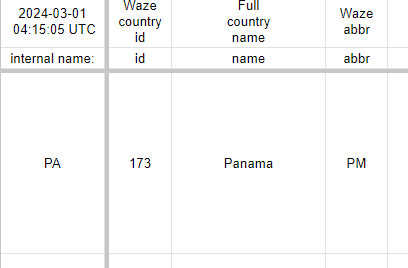
Is there a way to see if any country has a Waze abbreviation of PA?