Which browser?
Thanks a lot!!! To me this is the WME’s most important toll
Thank you!! Thank you!! Thank you!! Many thanks to you guys who keep TB working.
Enviado usando Tapatalk
Thank you for your work on toolbox! It is good to see the properties editor and working again!
For those who do not see the toolbox highlights icon in the WME toolbar, try toggling it off and on again (the round green button on the floating toolbox toolbar).
Thank you again for your help!
UNpaved attribute / property
In “copy attributes”, would it be possible to add the “unpaved” checkbox to the list of attributes?
I am on the Zambia mapraid, and must convert a large number segments from “offroad” type to “local street” + “unpaved”.
Thanks for considering this enhancement to toolbox.
Sorry - that was useless reporting. :oops:
Chrome version 60.0.3112.113 (Official Build) (64-bit). It’s a company laptop and the IFS manager has disabled updates for some reason best known to himself, so it may not be the latest.
I’ve tried disabling all other scripts without effect. I can’t see any errors in the console that look relevant.
It doesn’t seem to happen at zoom=3. I’ve tested at zoom=4,5,6,7: the problem occurs at all of those zoom levels. I note that, when panning the map to “recover” the highlights & menu, I always have to pan approximately half a screen. That suggests to me that it’s nothing to do with tile boundaries, otherwise I’d have to pan further at higher zooms.
Here’s a permalink, in case it’s specific to an area: https://www.waze.com/editor/?env=row&lon=-2.99903&lat=51.60303&zoom=6. But I have encountered the problem in other places.
Hello,
I welcome with pleasure the release of the new version of Toolbox v 1.8.0
Only problem with Chrome and macOs10:
Version Chrome 61.0.3163.100
Only with Chrome and MacOs10, I have the disappearance of the display elements of the drop down menu of the bag of TB and the disappearance of the mini bar arrows.
A click on the Permalinks icon at the bottom right causes this phenomenon, as well as the update with the button “Refresh this page” of Chrome.
Provisional fix: In the WME left-hand panel, open the WME Toolbox Plugin>
click on “Reset WME Toolbox Settings”> and confirm with OK.
The TB menu is complete again and the arrows bar reappears.
Of course, all TB settings have to be redone.
EDIT : Version 62.0.3202.75 solved the problem 
Many thanks again to those who make this beautiful tool available to us.
The option “create junction” is not working correctly in Chrome. Sometimes it doesn’t create the junction. Sometimes it creates a node just in 1 segment like in this test below.
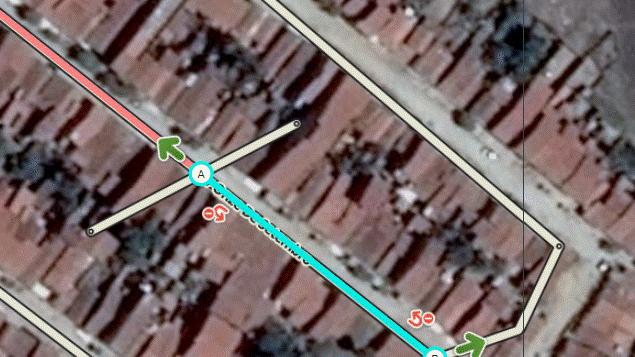
I don’t think that’s a Toolbox problem. The function exists in the native WME and it currently is broken, staff is working on a fix.
Ok, sorry for the mistake and thanks for the answer
I am seeing an identical issue to iainhouse. I am running Chrome 62.0.3202.75 on OS X with no other scripts for testing. I notice that if I change the zoom level by zooming out to at least zoom=3, the dropdown menu returns. I can then zoom back in and the dropdown continues to work properly. The dropdown also returns if I pan about half a screen as iainhouse stated.
I am also noticing another issue with the entire TB dropdown disappearing from the menu when I edit house numbers and exit house number editing. The only way to get the TB dropdown to reappear is to refresh the page.
Thanks to the entire team for updating ToolBox for wme 2.0

There is an issue I would like to report for the feature “Enter address (prefill city, state, country)”
When clicking the shortcut, the address is prefilled but the address section does not expand (as an indication that the function did something).
Steps to reproduce:
1- draw a new Unnamed segment.
2- select the segment.
3- click the keyboard shortcut for Enter address (prefill city, state, country).
Notice that nothing happens, but when you click the address section (e.g. to add street name), the city/state/country is already prefilled. Before WME 2 the address section would expand as soon as you click the keyboard short cut.
As a bonus, is it possible to focus on the street name field so I can type the street name right after clicking the prefill address keyboard shortcut? This will save the time to move the cursor then click the field to focus :roll:
Bug confirmed and identified, will be fixed in the next release. Yes, that’s how it used to be (that the street field is selected after hitting the key) and will be after the fix.
Good job team!!. Now the Toolbox run correctly. Thanks.
Thank you for getting this updated! Now time to see how many issues I failed to see while toolbox was broke.
The ‘Redo roundabout’ tool does not seem to work for me, both beta and normal WME in Chrome. Even after reloading the link or refreshing the page it won’t redraw the roundabout. Anyone else facing the same issue? https://www.waze.com/editor/?env=row&lon=55.25817&lat=25.12519&zoom=7
I am also seeing this issue on my Windows 7 work PC with Chrome 62.0.3202.75.
Yes, confirmed. Bug found, will be fixed.
Could you bring back the “show red arrows mode” indicator?
This is useful because it is difficult to see if I am in that mode or not, after I have hit shift-Z a few times.
Thank you for all the recent fixes. Copy segment attribute is so helpful.