Hi,
Recently discovered this and finding it very useful. However, it seems that for me, the Hide Closed Filter doesn’t appear to work, or else I don’t understand what it’s supposed to do. Even with that filter ticked, I see URs in the list which are closed. I’ve learnt that if something isn’t working for me, it could be there’s an issue with it rather than me, so I’m asking here! Am I missing something?
Thanks
Martin
This option works for me (hide closed) - double check if you have that filter selected for URs - each list has its own filter.
Also check in the layers list that you don’t have “Closed Updates” checked.
Hi folks,
Thanks for the replies. I’ve checked and double-checked! I’ve taken a screen grab and put it at this link which I hope illustrates. The UR with the green line was down the Private Road in the middle of the screen towards the right hand side and was closed long ago. You can see I have “Hide closed” ticked and “Closed updates” aren’t showing either. What am I missing??
Thanks
Martin
Do you have latest version? 3.9.1
Are you sure this UR is closed?
Closed URs should be removed after couple of weeks from WME.
Closed URs in my MP are green in the “age” column - and oldest one is 7 days - see below in another post.
1 - Try to unselect “hide closed” and let us know if the number for hidden URs will change?
2 - Try to “clear all” and scan again.

Yes
Yes
1 - didn’t help but
2 - fixed it! Must have been some old data lingering.
Thanks very much
Martin
hello, this morning i am seeing an issue where URs are stacked. clicking on a UR in URMP will take me to the location but the UR panel will not load in WME, it will just show the drive trace. i am seeing a lot of red in the console when this happens-(unavailable attachment: Screen Shot 2022-03-03 at 6.53.36 AM.png)
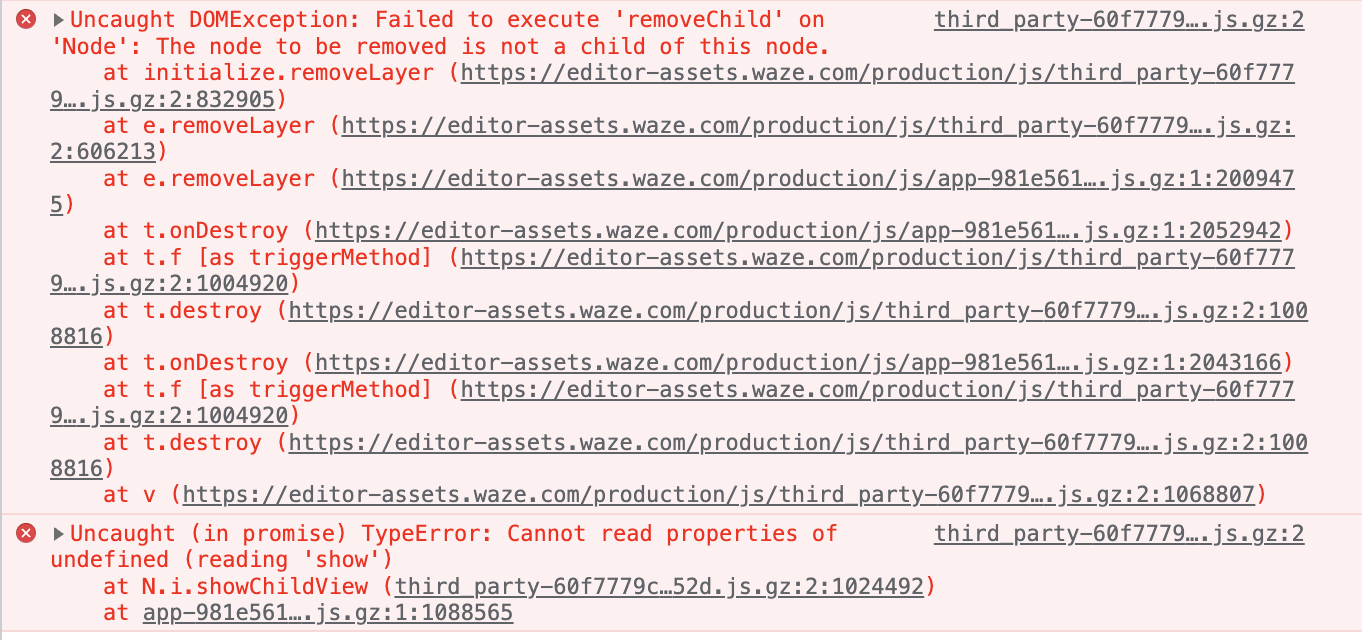
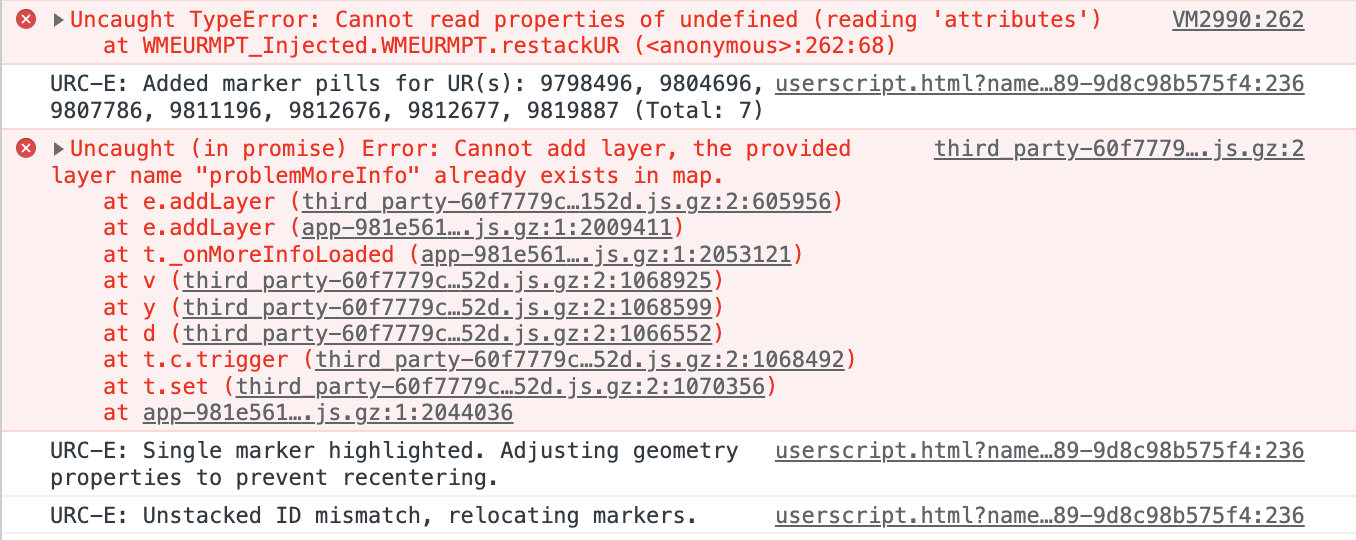
i’m not really sure what any of it means. i tried to blame another script writer first :lol: he suggested the following:
-URMP isn’t waiting for the DOM to fully populate and the screen to fully render before URMP “destroys” the panel.
- I had to add a “wait” for the “more info” section to lose the “loading” CSS class (signaling the panel is done rendering), THEN destroy the panel and reopen it.
-The panel is in the DOM WAY before it is ready to be destroyed.
thanks for a great script. i hope this information helps with some improvements.
edit- if you need a location with stacked URs to test try here- https://www.waze.com/en-US/editor/?env=usa&lat=34.04935&lon=-118.34389&zoomLevel=19&mapUpdateRequest=9810876 i will leave these open for a few days. they are on the NA server though
I’m seeing the same behavior as ojlaw with stacked URs. Here’s some additional information. If you click on the UR marker, the UR will load fine. It’s only when you click on the crosshairs in UR-MP that it errors. Once you click the link in UR-MP, though, you can no longer open the UR from the marker. It opens the panel but it just spins.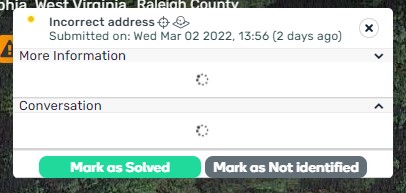

Yes, same issue. COuld you please check.
The error about shadowRoot is mine (URC-E). But that error isn’t causing any errors for URMPT. The URMPT issue is exactly what I was facing when I tried to relaunch the UR side Panel before the DOM had finished rendering to a certain level (I don’t know how far, so I just made it wait until the comments lost their “loading” class). I tried using some object Boolean values from the map.panelRegion.currentView.model.attributes, but even those flipped before the viewport was ready to be destroyed.
I’m experiencing an issue in both PROD and BETA WME since a few days - elements I click on are marked as visited but this is not carried over to subsequent sessions.
When I reload WME, any UR/MP/MC/PUR I visited is still marked as “not visited”. This only started a few days ago so I suspect something with an WME release.
If I can help with more info let me know.
this has always happened for me. anytime i refresh the browser i do a new scan. it would be nice if the script would remember.
For me it only started 3 days ago. It remembers a few actually.
And I noticed it also forgets the Blacklisted 

I identified a workaround for the issue I described a few posts ago.
Re-scanning the same area after visiting/blacklisting elements seems to help. The script remembers them in the next load 
Update: All good
Hello, I’m thinking the dev for this scrip doesn’t read this forum but here’s another shot in the dark-
Could the Blocked Road type UR please be included in UR scans.
Thanks 
Did the script author still active maintain this script? His script seems like broken with latest WME update.
New WME and multiple scripts are “down”
Hmmm. I noticed on the beta version (before this WME update) that the UR-MP display on the left hand side of my screen was truncated and did not allow access to the link that takes you to the location of the UR in UR-MP tracking. But this problem did not exist outside of beta WME.
Sadly, I’m reporting today that it is also an issue in WME.
This makes UR-MP tracking not useable. While you can see the URs listed, you can’t load the location in WME.