Hello Wazers with Tablets, expecially those that connect to cellular networks, how is Waze on those tablets? How is the battery life on them? I am thinking about getting the Samsung Galaxy Tab 10.1 from T-Mobile to do pretty much nothing but run Waze on it to save the battery life on my cell phone, and am wondering if that is the right option.
Somehow I can’t picture driving, looking at a tablet??? :shock:
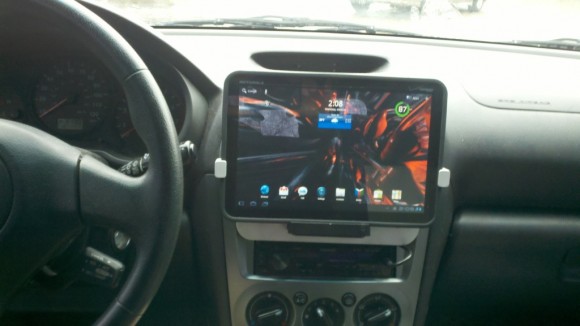
How I would mount my Tablet:
To save the battery of your phone it is best to invest 5€ in a cable to charge your phone - always full battery when you arrive.
I have a 2 amp car charger. I can go max 2 hours before I have to switch batteries. (I have three all 1800 mah which is the largest I can go before the battery gets physically bigger)
You must be warming up your sandwich with your phone. :shock:
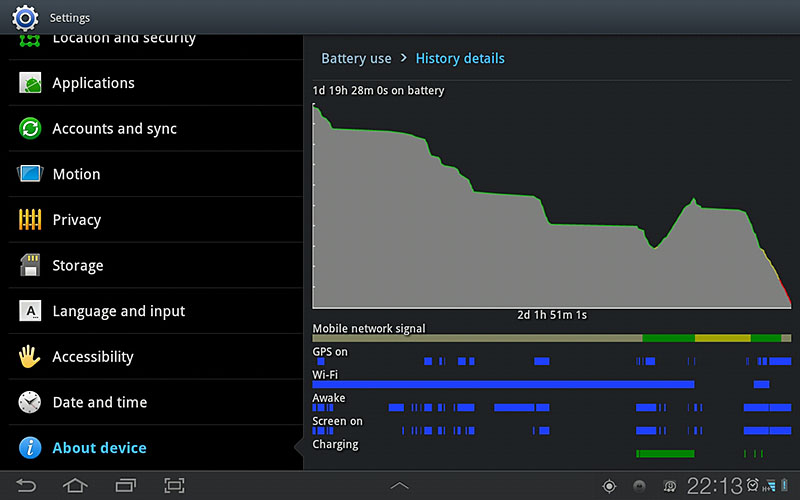
I have used Galaxy Tab for six months for Waze, phone, email, plugging it in only every few days. Now I use Galaxy Tab 7.7 and plug it in every two days or so. My daily commute is about 45 minutes each way. Usage is similar waze, phone, email. Below is battery usage history.
I think you are talking about an external batterypack. That sort of ignores that you have an unlimited supply of mAh under the hood of your car that a “real” car charger could tap.
No, I am talking about a car charger you plug into your cigerette lighter, and I bought three 1800mah batteries (not actual items I have):
http://www.amazon.com/Profile-Charger-Mobile-Phones-Devices/dp/B006JSYP94
http://www.ebay.com/itm/New-1800mah-Battery-for-HTC-EVO-3D-Sensation-Amaze-4G-T-Mobile-myTouch-4G-Slide-/110829648749?pt=PDA_Accessories&hash=item19cdf63b6d
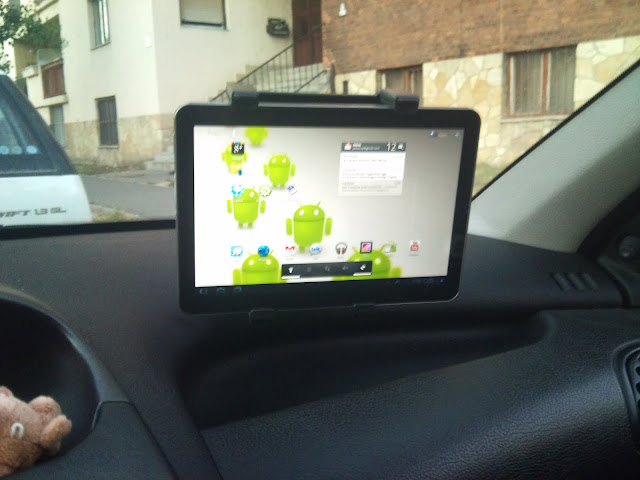
I also use on my tablet in the car with Waze! 
[youtube]http://www.youtube.com/watch?v=JRnaehle16s[/youtube]
[youtube]http://www.youtube.com/watch?v=A1kMN07l1Vc[/youtube]
Don’t you need to actually see the road out the window?
Like the idea! But wouldn’t waze eat up your data plan?
If you are worried about datausage, check Menu/Settings/Advanced/Datatransfer periodically to see how Waze performs. You will find that Waze has a very low datausage - except when you start Waze the first time and it loads all the maps. Using the 3D-view in the client needs more mapdata, so you may want to switch to 2D.
Not if the map is good enough and everybody around you uses Waze! :lol:
Also, it seems likely that autozoom by distance will use less data than autozoom by speed. Autozoom by speed actually autozooms by speed and by distance. So if you use autozoom by distance, the map will zoom in less often and in theory will consuming less data since the higher detail is not being downloaded from the Waze servers as often.
Good thinking. I don’t own a tablet, was just wondering for the Orignal poster. I’m not sure how they will be connecting the tablet to the internet, or if it is a 3g plan. I just use waze on my iphone and let it do the rest.
I would think that the data usage is the same for the phone. The maps are the same just streached bigger because of the bigger screen. I am currently grandfathered in on T-mobiles old unlimited, but tablet will be another line. I have been watching my data usage on my phone and am never over a gig a month, and I turn on Waze all the time I am driving. I am on Wi-fi at home, so when I am home I am not counting against my data usage. I would probably be fine with a 2 gig plan.
This is why people were asking for speed limits. :lol: :roll:
:lol: :lol:
I Waze “consume” up to 100 Mega a month.