Seriously, the editor is so dodgy today that it would be foolish to edit. Without a display facility for the updated map, you can have no idea whether the update has done what you want. Edits that have obviously gone wrong are the easy ones to identify. But what has happened with the edits that have apparently worked? Who can say?
My advice would be to leave the editor alone until Waze announce that it has been fixed - and then proceed with caution.
Of course, if they never announce that it has been fixed…
If only we had some sort of hierarchical system where high ranking editors had channels to talk directly to HQ and they would take their word as gospel. Then after fixing issue would send relevant news back via these same trusted editors for dispersal to the masses… :roll:
Oh, we indeed have such wonderful direct channel [emoji41] There is only a subtle issue with it - since a few years ago it is a one-way dead-end channel.
Otherwise it works really perfectly and quite fast.
Sent from a touch display, which took care of perfectly scrambling my thoughts.
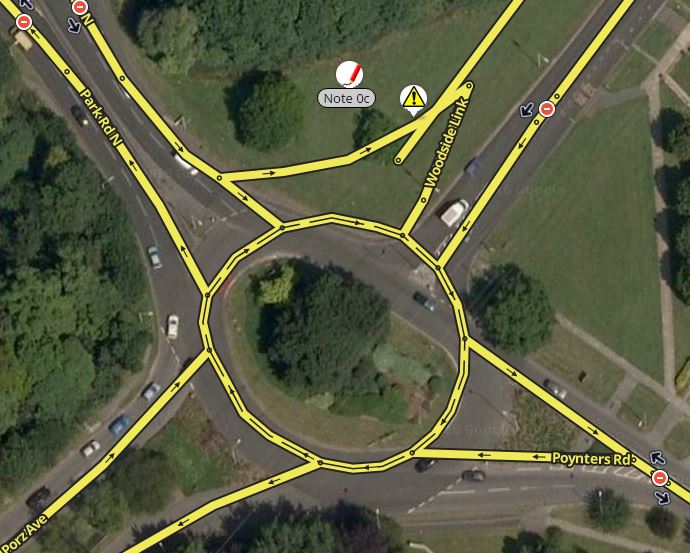
It seems the editor is again displaying old data. I deleted a roundabout on Saturday morning and re-mapped 20 yards to the north then connected in a new road. The roundabout and new roads were displaying correctly in the editor 24 hours later but now (48 hours later) it has reverted to the original layout.
It would appear that the map update last night which has only updated to 19th Oct (5 days ago) has messed up the display in the editor. If I try to edit any of the segments that I know were deleted then it comes up with a message to say they can’t be edited because they don’t exist. Worringly it looks like a primary street is now disconnected, it’s not as it’s connected to the new roundabout but of course that can’t be seen.
Luckily this roundabout and attached roads are closed until the end of this week and all the closures are still in the Live map and I’m keeping my fingers crossed that no one tries to edit the apparently disconnect road!
The lack of tile updates recently (see INTL map tiles here) suggests that there has problems with the database behind the editor. A new tile update would bring hope that they may have been solved, so I suggest leaving your problem edits alone for now. Set up this webpage to send you an email when there’s a new tile update (hint: put the permalink in the mnemonic).

 Also I have no editable area at the moment.