[App/Script] WURM: Waze Update Request Marker

Hello Dear Wazers,
i share with you WURM, Waze Update Request Marker, former WSLM; Waze Speed Limit Marker.

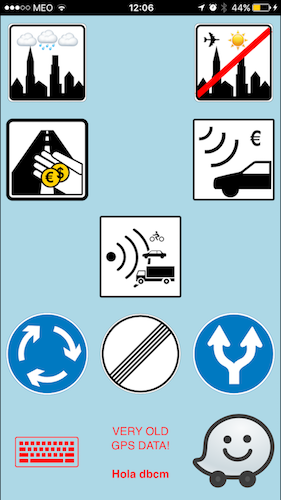
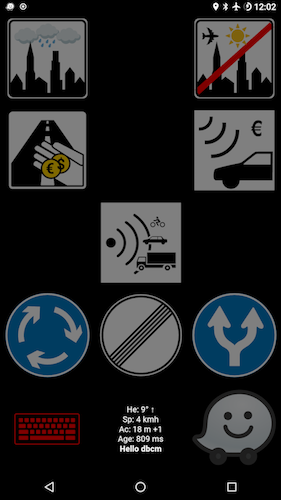
i’ve built a simple way to mark signs to later on fix them. It can be speed signs on the actual road or speed signs on the left road (or ramp). Soon we’ll be able to mark when we enter/exit a city/locality.
It’s a browser based tool (webapp) so it works on iOS and Android.

Add to Home Screen and you’ll have better experience.
You can easily switch between waze.app and WSLSM.app (look at the FAQ if you have questions)
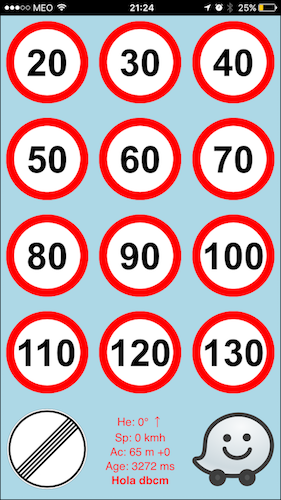
:

:
The result is something like this:

Text in the URs will be something like this:
[WSLM] WME:dbcm 120 Sign [accuracy:9m +28 heading:107° → speed:115kmh age:874ms]

You can use it here:
Production: https://waze.xpto.org/wurm/

Feel free to share your suggestions!

V4 is live, major features:

  • all submission are done in the background
  • throttled 1 UR per second
  • GPS data gathering runs two times a second, forcing max accuracy
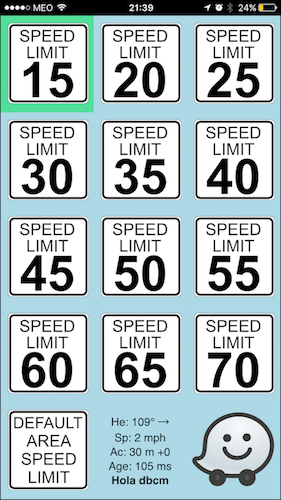
  • support for Imperial speeds and countries (your not there and you need different signs, talk2me)
  • small status with accuracy, heading, speed and URs status
  • when it’s not possible to submit URs, the status will be red
  • all data goes through SSL/HTTPS
  • URs for Israel, USA&Canada and RestOfWorld are available
  • speed limit signs from USA and Canada, besides the “”“normal”“” ones :slight_smile:
  • upgrade process when you have the webapp in your home screen
  • visual mark touch, it’ll show you a red cell for a second
  • local cache, you don’t need to download everithing all the time
  • URO+ icon support
  • green cell in the higher speed than you are for easy lookup and click
  • support for multi-language, English, Portuguese, Hebrew, Polish and Spanish
  • arrows to visual indicate heading

FaQ
Q: Awesome stuff! How can i take the best of it?

Q: What devices are supported?

Q: Whats the best way to switch between apps?

Q: Are there any know issues?

Q: I’ve a lot of offline URs to submit, how can i do it?

Q: I’m having problems with GPS, what should i do?

Q: What is the “I Prefer Screen” setting supposed to do?

Q: When I report a speed limit by pressing the speed limit sign it briefly turns red. Does that mean it got reported or a problem?

Q: Why doesn’t my reports show up on the map?

Q: If there’s a certain GPS accuracy required to report, could you please add a feature showing the GPS accuracy if there’s a problem with the report?

1 Like

UPDATE: you can “Add to Home Screen”. tested on iOS

1 Like

UPDATE: removed decimals from accuracy

NOTICE: you have more signs if you scroll down. you can use the last ones to end the speed limit.

UPDATE: reorganized signs

ruspicioni doing magic :slight_smile:

Hrm, I’m slightly confused, sorry, so in using this, I would host it on my phone, then at a stop or at a speed sign switch to Safari on my phone, then press the button?

I’ll give it a go o_o

That’s pretty neat, nice one!

To help users of this tool once they’re sat down with WME and looking for their speed limit URs, can I suggest that the UR text your tool submits includes a URO-style tag (e.g. [WSL]) at the start of the description text, which would allow URO users to more reliably filter them - the current description text uses words which are a bit too likely to occur in other URs.

I could also build support for these URs into URO in the same way as the other tagged URs - one-click filtering and a custom marker.

Hi, something like this?

[WSLM] WME:dbcm 120 Speed Limit Sign found here [accuracy:5m]

Yeah, that’d work nicely.

Android anyone? :smiley:

Its not an app… retracted :smiley:

Doesn’t it already work on Android? Just tried it here in Chrome and it claims to have submitted a report OK, but won’t be able to check if the UR has shown up in WME until I get back home later tonight…

Whoops, owned :smiley:
I though it was IOS app :smiley:

Nice one. Thx.
Used it today. (Will check the results the next days - but seems to be nice)
Always fascinating how powerful and fast the community is (compared to HQ)

UPDATE: added a tag so URO can detect this reports and little enhancements

Working good on Android!

Maybe it would be better to hide logs from public?
http://profundos.org/waze/_log/

Yep, clean stuff…

I’m glad that the conversation is progressing well :smiley:

dbcm, have you had any luck with the speed/distance, regarding the accuracy?

(I’ve not had any issues with the thousands of decimal places anymore.)

Sent from a touch display, which took care of perfectly scrambling my thoughts.

Everything now is rounded :slight_smile:

I need more speed data before i put it on the URs. I don’t see the need at the moment…

UPDATE: new interface update, now it’s clean again. \o/

http://profundos.org/waze/v2/shot.png

UPDATE: added the heading (azimuth) to the UR so we can check the right side of the road.