Hi there,
since I’m on the topic of reporting Waze bugs…
1. Summary (tl;dr):
There’s no way to display post attachments that were not placed inline when creating/editing the post.
2. Steps to reproduce:
- Add an attachment of the type (tested): .jpg, .png, .7z, .bz2, .pdf, .rar, .zip
- Don’t place it inline. Save the post.
- The “attachments” button does nothing.
[b]Tested with: Edge v92.0.902.67 and Mercury v123.0.1 (fork of Firefox), in both normal and private windows.
[/b]
3. Details:
- While editing another bug report, I noticed that some images - not placed inline - were unavailable:
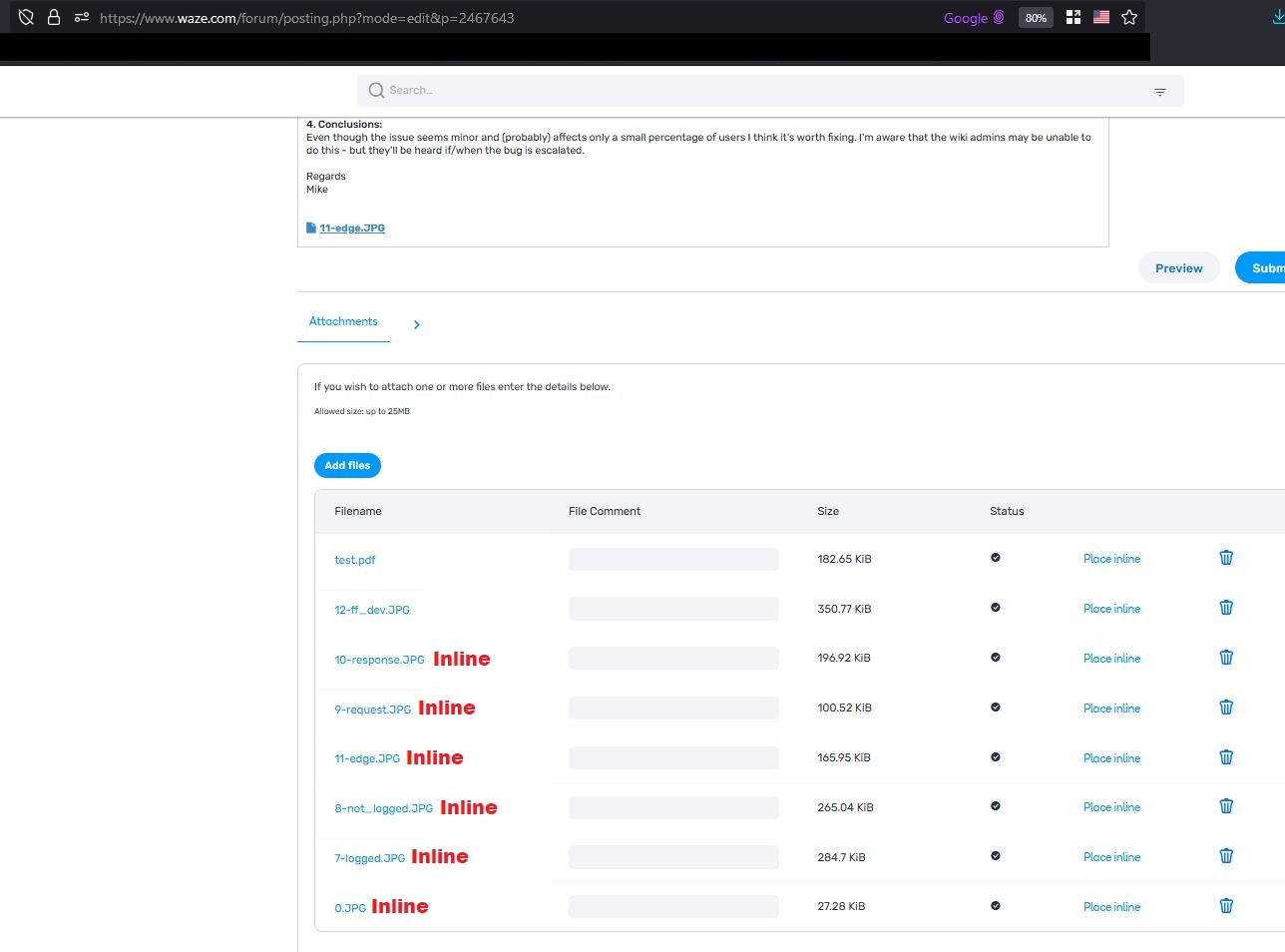
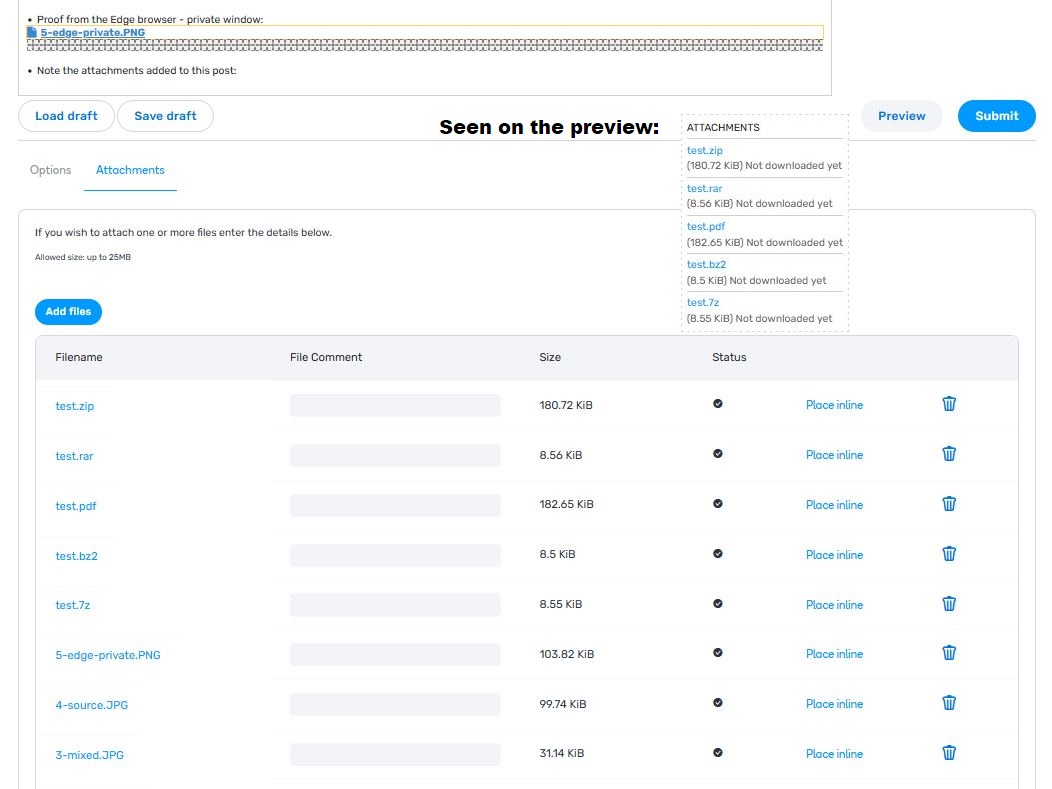
- Preview works as intended:
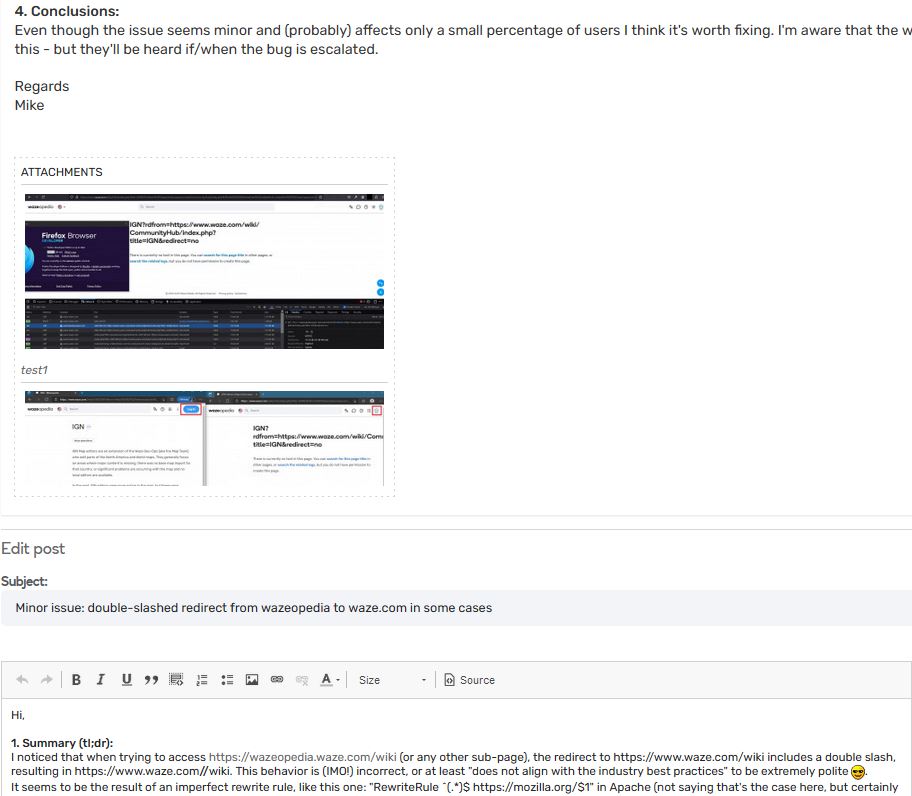
- I tried adding “file comment”, removing and re-adding a file, mixing different formats:
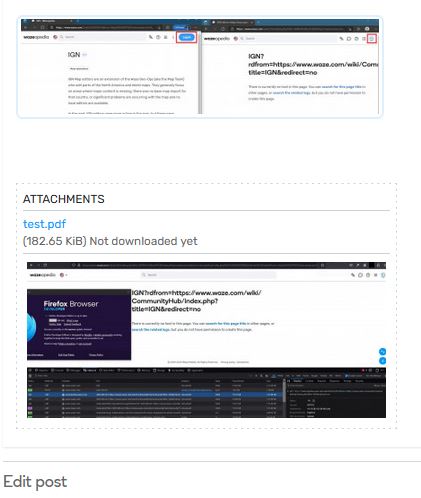
- Nothing works, the result in the page source is empty. I also searched and then checked the code manually:
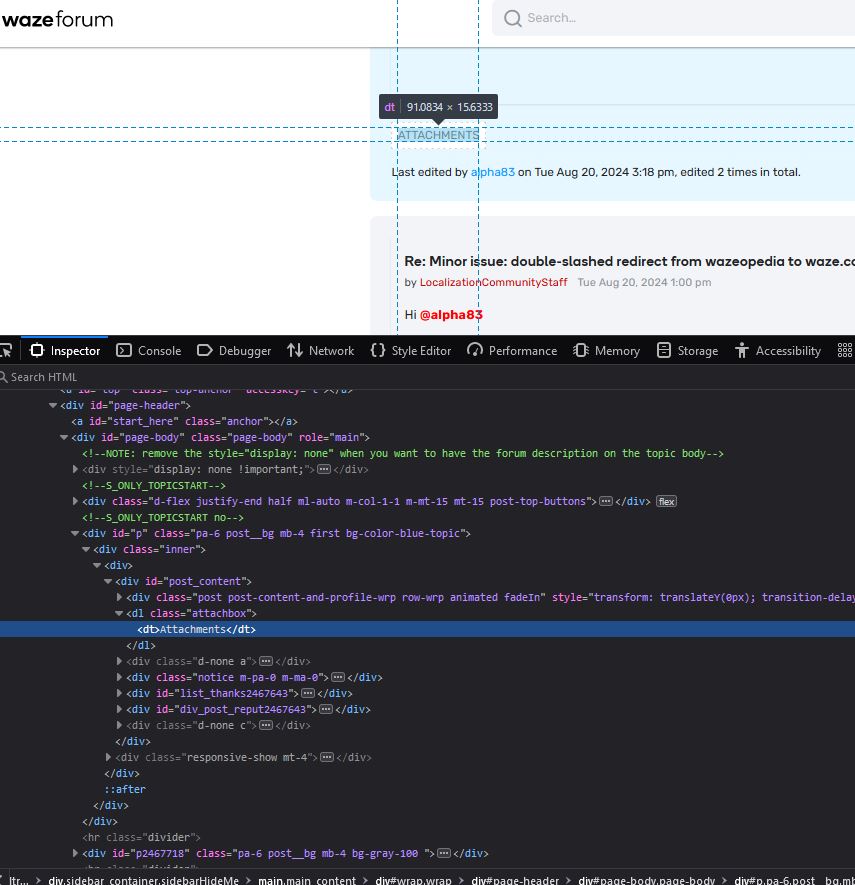
- Proof from the Edge browser - private window:

-
Note the attachments added to this post (.zip removed due to apparent file number limit):
4. Final word:
I think one of my posts is in the wrong subforum, either this one or my more interesting bug report - just an observation 
Regards
Mike
