Hey everyone,
Waze has launched additional security measures for logins across all Waze products today, including Discuss, the Map Editor, and the Live Map.
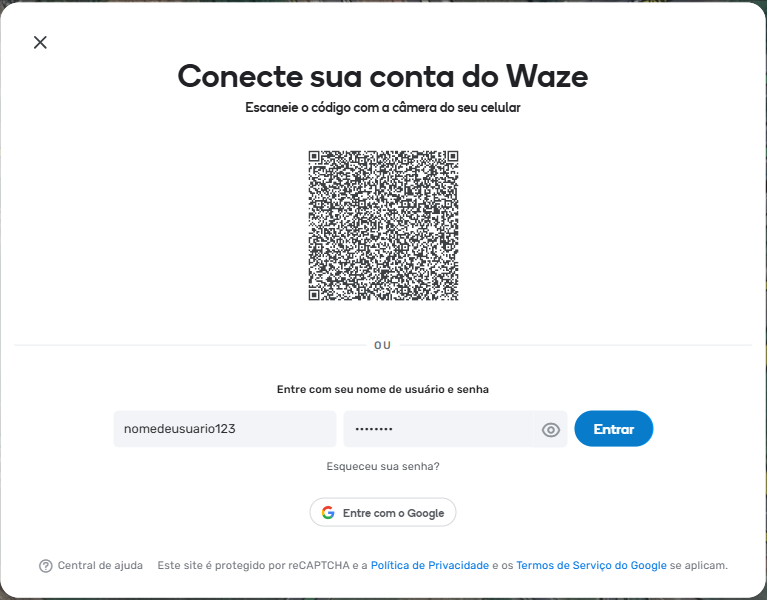
If you use your standard username and password to log in via the web, after entering your credentials and clicking “Log In”, you will be immediately prompted to verify your identity through a one-time code sent to your email.
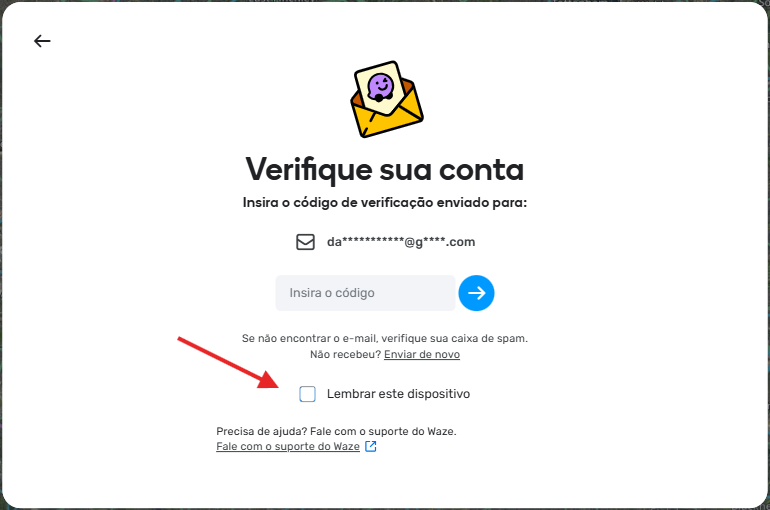
You can simplify this process: by clicking “Remember this device”, you won’t need to verify your email again for the next 30 days. If you use the “Sign in with Google” option, this two-step verification will not be required.
EDITED:
There are some limitations to this option:
- It is tracked separately for each device and browser.
- It is tracked separately for beta and production.
- For QR code logins, only the device and browser where the authentication was completed (i.e., the browser within the app on your phone) are remembered.
So, in the case of item 3, if you:
- log in on desktop using a QR code and select “remember this device” on your phone, then log in on desktop with your username and password, you will still need to complete authentication on the desktop.
The same applies if you:
- log in on desktop with your username and password and select “remember this device”, and then log in on desktop using a QR code.
Thank you,
By: Maia, on behalf of the team