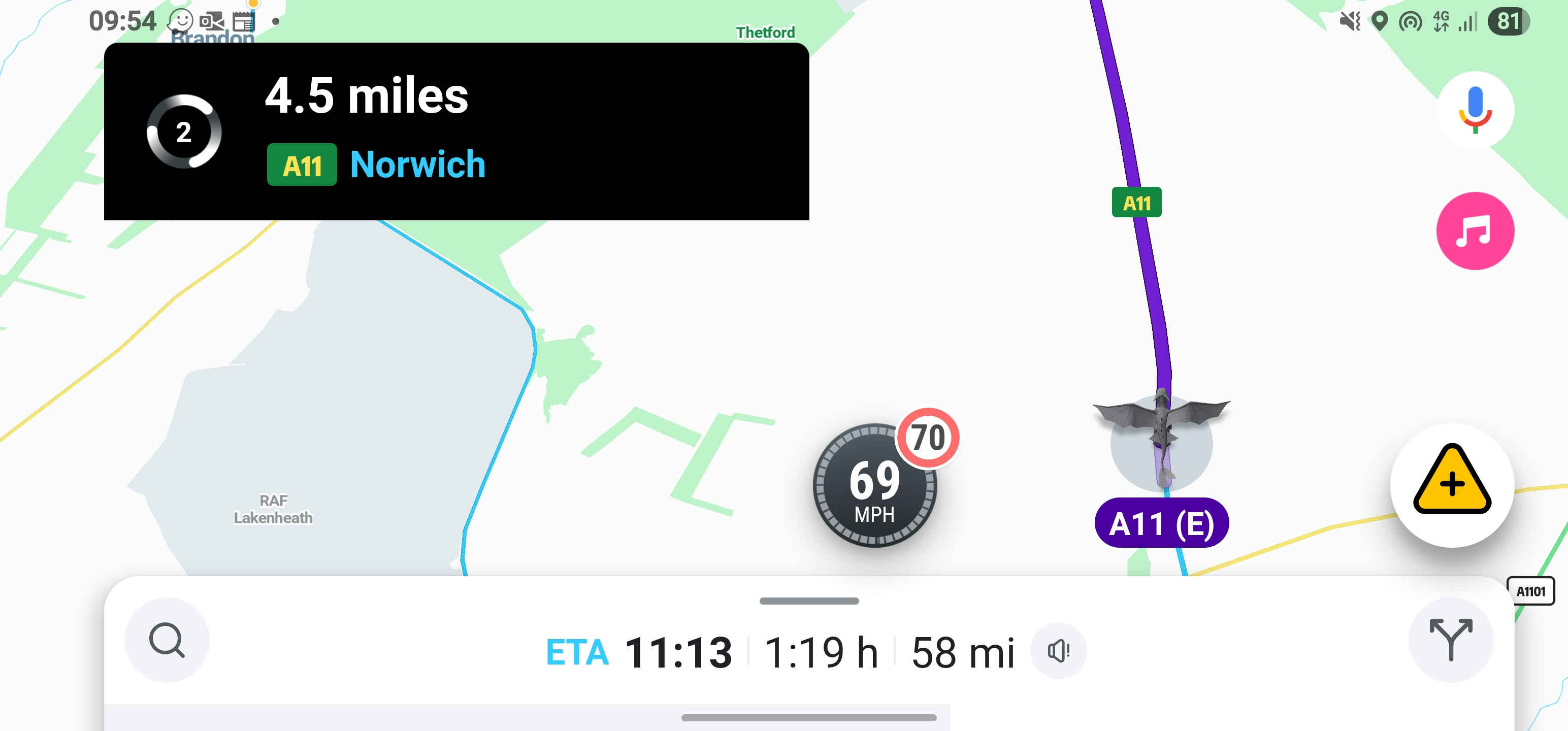
Speedo position is broken when running in landscape.
This is the latest beta but has been an issue for a few months.
I’ve tried clearing data, rebooting phone and removing and reinstalling the app.
Phone is a Samsung Galaxy S23 Ultra running on max resolution with icons and text set to smallest.
Hi @ZahanSellarsVokes,
I’m not a dev but a beta tester. It should be expected this way, it’s not a bug.
Sorry for the delay, the discussions app logged out without me realising so I never got the notification for this.
That doesn’t make sense, it looks very out of place there, it’s like the whole interface isn’t designed for landscape.
Before that update happened (back when the interface was equally balanced in landscape) I exclusively used Waze in landscape but now I can’t stand it as it just looks wrong.