The Wiki browser extension used by a large percentage of Wiki editors, WikEd, no longer works in Wazeopedia. It is not clear if the skin is preventing it or something else in the Wazeopedia environment. This tool is critical to support efficient and consistent editing and debugging. Two key elements from this tool are the display coloring function to isolate different Wiki code and the extensive toolbar features.
Example with it working in the original Wiki:
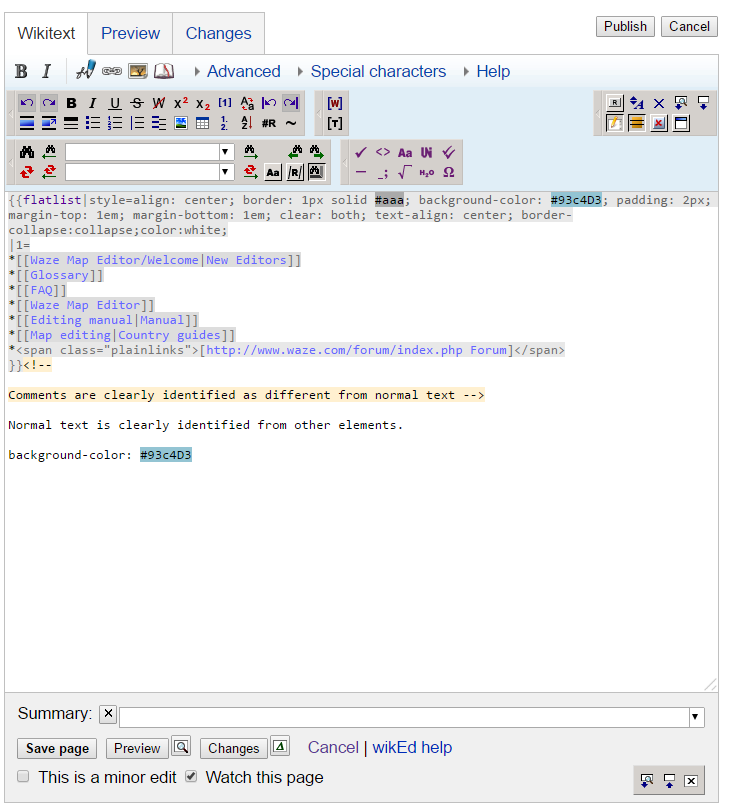
Example with it not working in the new Wazeopedia:

According to the WikEd help file, we need the following:
The installation file notes something similar:
Here are two more examples to better illustrate how much WikEd improves coding the complex templates we used throughout the Wiki.
What we used to have:
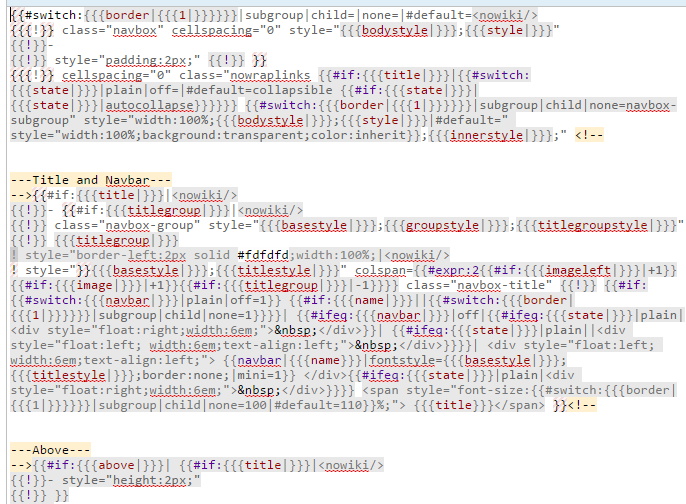
What we have today without WikEd:

Hey All - this should be working now.
Please verify and I will mark as resolved. Thanks 
Still failing here.
If the devs have seen it working, can one of them show it working and what settings they have?
WikEd is still not operating. The bug tracking sheet says post 1.29 that it should work, but it is not. I would ask that whoever is looking at this actually load it to confirm it is fixed and not keep tossing it back at the community to do a basic load of the extension.
Hey All,
Helping Karen with the Wazeopedia Project.
We had an update about the WikiEd.
Users who want to install WikiEd for their own use should copy the content in:
https://wazeopedia.waze.com/wiki/Global/User:Wottem/common.js
To their own user in their local wiki, i.e, for user named Wazeuser in USA use:
https://wazeopedia.waze.com/wiki/USA/User:Wazeuser/common.js
Let us know if this fixed the issue.
Thanks,
Ruben