Steps to reproduce this issue:
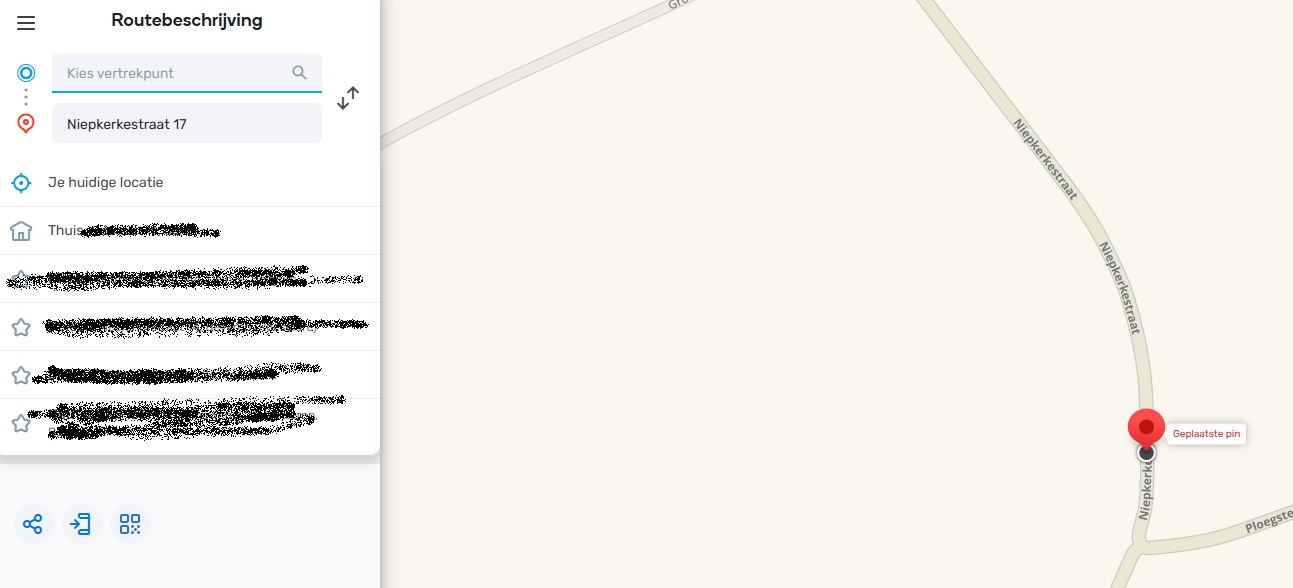
There is a UR for wrong address “17 Niepkerkestraat Heuvelland” in Belgium.
When navigating to that address, Waze is redericting to the wrong end of the street (near number 81).
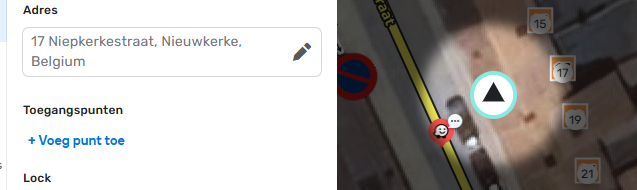
In WME, I added all the HN on the segment.
I tried to put an RPP, but WME says “invalid housenumber”.
I also checked Google Maps, the address is also on the right place.
Usually Google Maps or a street with the same alt-name is the issue, but here I have no clue about what is blocking.
Permalink:
https://waze.com/nl/editor?env=row&lat=50.74416&lon=2.82710&zoomLevel=20&segments=472280699
Are you using scripts? Which ones?:
WME Advanced Closures
WME Charge Station PUR Improvements (Belgium/Luxembourg)
WME ClickSaver
WME Color Highlights
WME Color Speeds
WME Junction Angle Info
WME OpenMaps
WME Quick HN Importer
WME Reverse Nodes
WME Route Speeds (MapOMatic fork)
WME Speedhelper
WME Street to River PLUS (mod)
Hello @Pietyboy ,
Thank you for sharing this report and screenshots.
I have logged two internal cases to investigate reported issues and once I have any updates from the team, I will let you know in the comments in this thread.
Upd.: Could you please try adding External provider information to the venue you have created to see if that helps to solve the search problem?
Please let me know if you have any questions in the meantime.
Kind regards,
Kasia
Thanks Kasia!
Is there already news about the issue?
Kind regards,
Pieter
Hi Kasia!
Is there already news about the issue?
Kind regards,
Pieter
1 Like
Hello @Pietyboy ,
Sorry for the delay responding to you.
I don’t have updates yet, but could you please let me know if you tried adding External provider information and if that helped?
Thank you,
Kasia
Hi Kasia,
I can add an external provider “17 Niepkerkestraat” as long as the place is not a RPP.
But the issue is, I cannot add a RPP with this address at this location.
Also navigation in Waze to that address is not going at the right location.
Thx
Pieter
Hello @Pietyboy ,
I have received an update from the team regarding the address saving error.
It looks like the current behavior is intended since an RPP that is not near the street of its address can’t be created and the street “location” is determined by the segments that it is defined on.
The selected segment has Nieuwkerke as city while it looks like you tried to add it with city name Heuvelland. Can I please ask if RPP can be added with Nieuwkerke or the same error would appear? Also, if the current city name is wrong for the segment, then there might be a mapping problem.
Please let me know if RPP can be created with Nieuwkerke as city.
Kind regards,
Kasia
1 Like
Thanks for the clarification. Nieuwkerke is the place name and Heuvelland is the community name containing multiple places. In Belgium we always set the place name (which is a subdivision of the community).
The RPP I tried to add is really 17 Niepkerkestraat, Nieuwkerke, Belgium.
Using the Live Map, we see that Waze is still navigating to a wrong location. It is possible to add the RPP on the wrong location. How can we correct that location? https://www.waze.com/nl/live-map/directions/nieuwkerke?to=place.ws.row.22624035.17
1 Like
Hello @Pietyboy ,
Thank you for the explanation.
Can I please confirm if you saw an error adding RPP with 17 Niepkerkestraat, Nieuwkerke, Belgium address?
As for the navigation issue, it’s still under investigation with the team so the suggested route might still be wrong. Once I have any updates from the team regarding this problem, I will let you know.
Kind regards,
Kasia
Yes the error is on the first screenshot: the highlighted place has possibly no valid house number. (But translated to Dutch)
@Pietyboy , thank you for the information. I have passed it to the team for further investigation.
Kind regards,
Kasia
Hello @Pietyboy ,
Can I please ask if for test purposes we can try moving the house number and attempt to create RPP? This would be helpful for the investigation.
Thank you,
Kasia
Hi Kasia,
You may try whatever is needed for investigation, for sure!
thx
Pieter
1 Like
Hi Kasia,
Anybody could have a look already at the issue? It is still not solved.
thx
Pieter
Hello @Pietyboy ,
The team is still looking into the possible root causes of the issue so I don’t have updates for now. But as soon as I get any information, I will share the update in this thread.
I appreciate your patience.
Thank you,
Kasia
Hi Kasia, any news about this issue yet?
thx!
Pieter