In Fort Worth (76116), directions send drivers to a closed gate on Klamath Rd. between houses 6500/6501 and 6504/6505. 6504 and 6505 Klamath are within a gated community, while 6500 and 6501 are on a public road. Directions should not show Klamath, at this location, as a through road and should direct people around using Ridgmar Blvd.
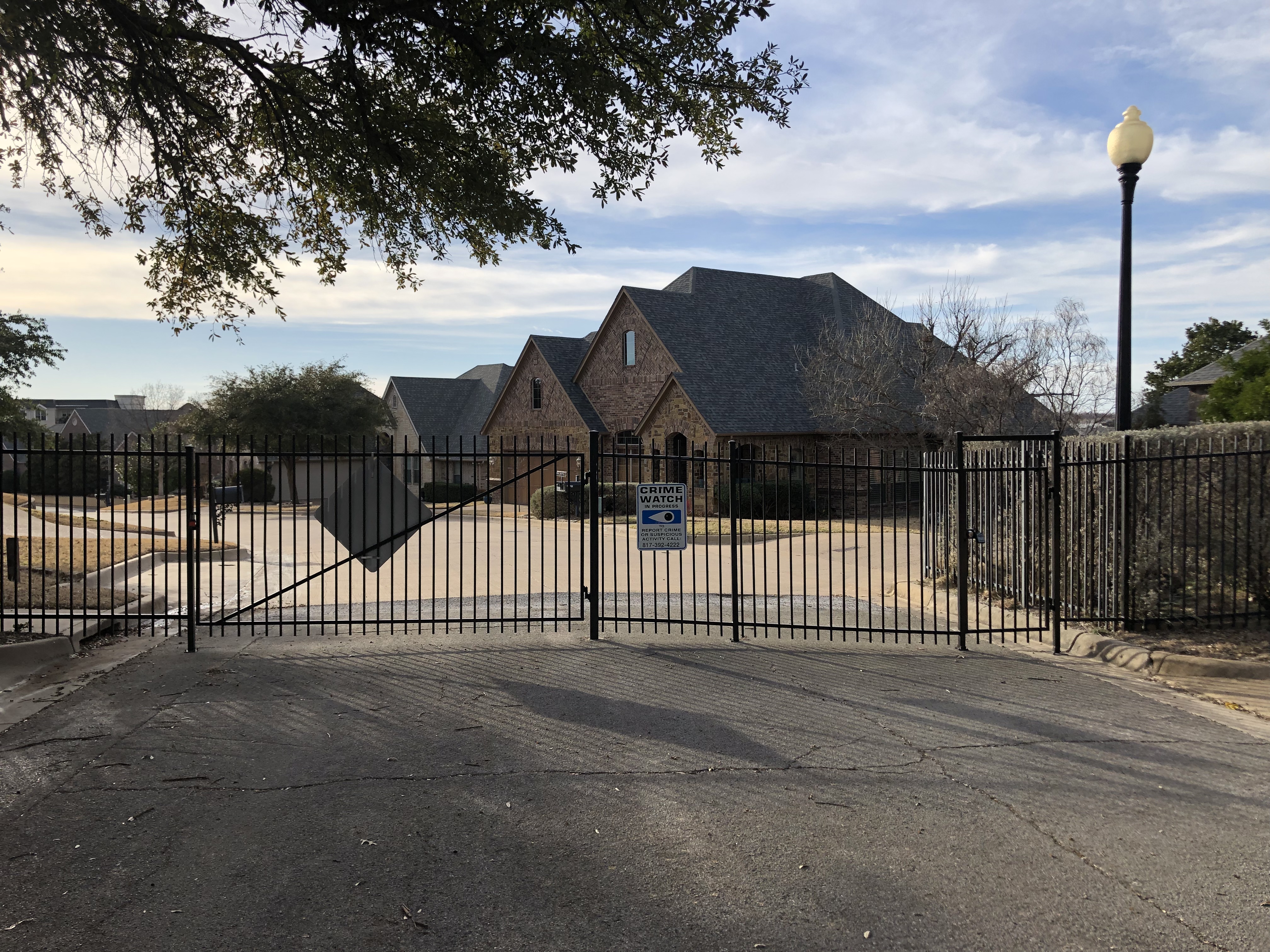
Hi, Klamath Rd is not connected at this gate. Did Waze try to route you through it? Can you post a screenshot of it trying to route you through here? Thanks!
Additionally, I just tested this in my app and was not routed through the gate. I was routed all the way around.
Attached are directions to 6500 Klamath, which routes through the gated community. Address is on other side of the gate. I live in this area and people are constantly going to this dead end. I have asked numerous people who have stated that Waze is routing them this way. (unavailable attachment: 2532396E-5DEB-40CC-B629-501435F728C1.png)
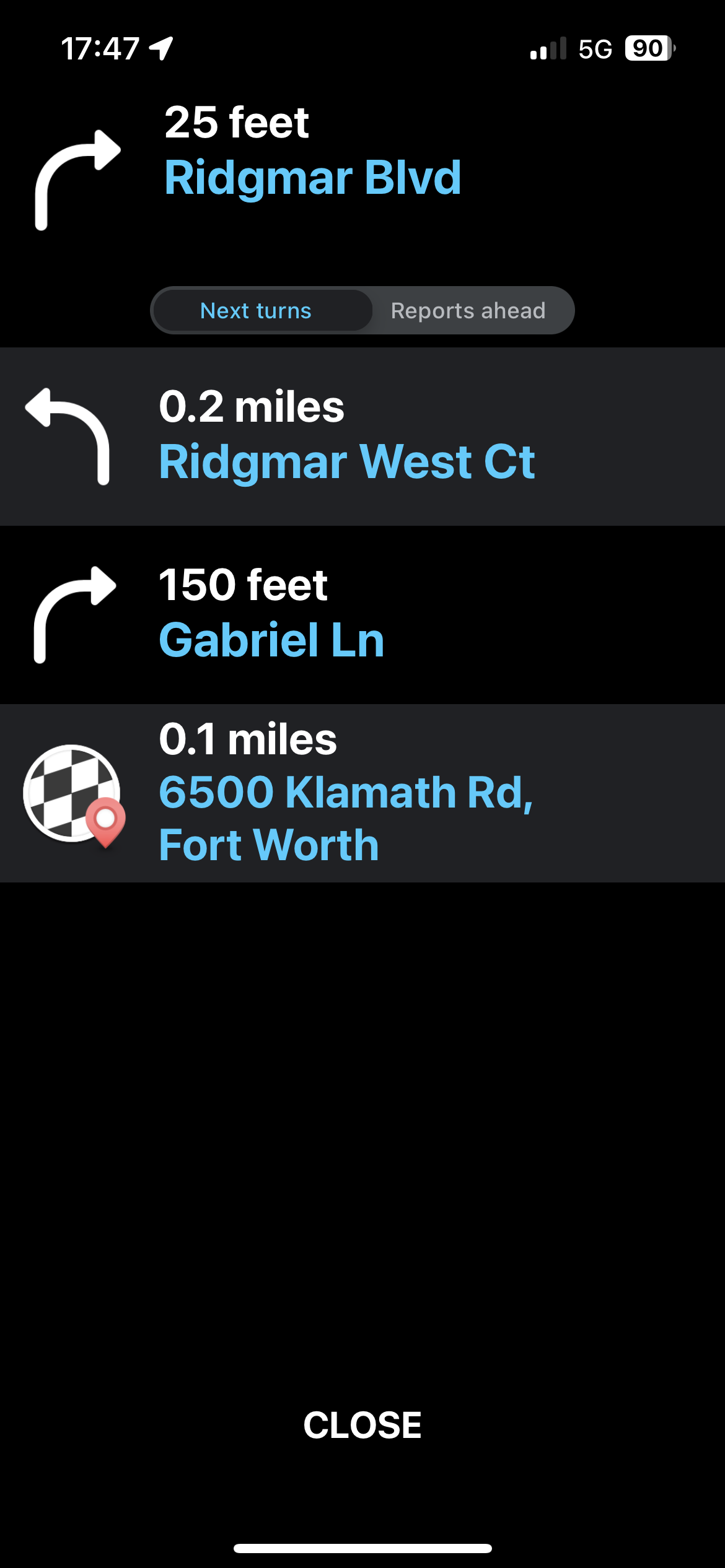
Thanks for the screenshots. While we can’t explain what is happening (the map should not allow it), we have made a couple adjustments to see if it helps at all.
It will take a few days to reach the app.
This issue continues to persist and appears to have gotten worse. Cars continue to be routed to this closed gate. Attached is a recent routing to 6500 Klamath. This is routing to the opposite side of the gate from where the property is. Probably 20+ cars a day are driving to the gate and turning around.
(unavailable attachment: IMG_1541.png)
Hello! While the fixes my colleagues entered onto the Waze map appear to be correct, there is no way to know which map service other drivers are using. Google Maps appears to account for the gate you mentioned previously, but not so in Apple Maps.
I too entered a route from my location to 6500 Klamath and 6504 Klamath in Waze and got the correct results for each. I do not believe there is anything we can do to mitigate the issue on Waze. While we can quickly make changes to the Waze map, we cannot affect the update cycle for other services. Any user can report errors on Google Maps and Apple Maps; they review and update on their own schedules (without a personal touch).
Additionally, can you tell us what your are selecting in your Waze app that is giving you the route you are showing in you screenshot?
If you have previously saved the location as your home, you will need to clear it out and set it again.