Error loading object history

Is this a…:
Standard bug
Steps to reproduce this issue:
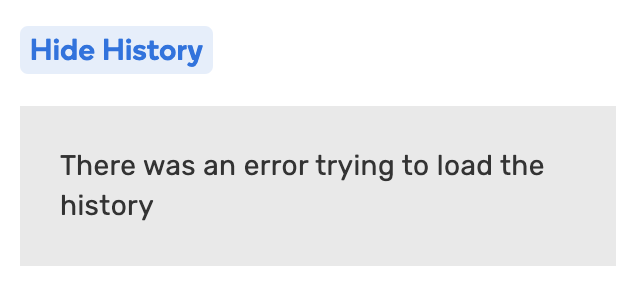
When trying to view history of a segment or place there is an error that says “There was an error trying to load the history”. This has been happening for several days. This happens with no scripts / extensions.

  1. Select an object
  2. Click View history
  3. There is no history to view

This seems to be intermittent. sometimes the history will display sometimes it will not display.

Here are a couple PLs
Segment - https://waze.com/en-US/editor?env=usa&lat=39.53552&lon=-119.78360&zoomLevel=15&segments=30741861
Place - https://waze.com/en-US/editor?env=usa&lat=39.53949&lon=-119.76978&zoomLevel=15&venues=157417867.1574309746.481858

Environment where the bug occurs…:
NA
Permalink:
see above
Browser name and version:
Chrome Version 125.0.6422.113
Are you using scripts? Please detail which ones.:
No

2 Likes

Couple of segment examples in ROW:

Hello @ojlaw @tbrks,

Thank you for flagging this issue. I have opened an internal ticket to look into in and will keep you posted on further updates.

Kind regards,
Olesya

1 Like

Seeing this also, this is the message in the Chrome console:

app-78e40ae1e25d5284.js.gz:1 GET https://www.waze.com/Descartes/app/ElementHistory?objectID=83333088&objectType=segment 500 (Internal Server Error)

ng @ app-78e40ae1e25d5284.js.gz:1
rg @ app-78e40ae1e25d5284.js.gz:1
getElementHistory @ app-78e40ae1e25d5284.js.gz:1
yK @ app-78e40ae1e25d5284.js.gz:1
(anonymous) @ app-78e40ae1e25d5284.js.gz:1
zl @ third_party-cff382ce8d821900.js.gz:2
Xc @ third_party-cff382ce8d821900.js.gz:2
(anonymous) @ third_party-cff382ce8d821900.js.gz:2
Kc @ third_party-cff382ce8d821900.js.gz:2
Nc @ third_party-cff382ce8d821900.js.gz:2
ro @ third_party-cff382ce8d821900.js.gz:2
(anonymous) @ third_party-cff382ce8d821900.js.gz:2
1 Like

Thank you @mudge42, we’re looking into it.

I’m not getting history on this place. I have also seen many segments whose history does not display.

Steps to reproduce this issue:

  1. Load WME beta in Chrome incognito
  2. Select a segment that has not been edited in the past week
  3. History will not show. Error message: there was en error while loading the history

If a segment was last edited around August 22nd 2025 the history will show (and any subsequent edits). Here is an example segment that shows the history: https://beta.waze.com/editor?env=usa&lat=40.57081&lon=-77.38185&zoomLevel=19&segments=540392716

WME Beta Permalink:
https://beta.waze.com/editor?env=usa&lat=40.57185&lon=-77.37816&zoomLevel=19&segments=77426963
This bug occurs in:
NA
WME Beta version number:
v2.309-6-g4ee87f28de
Are you using scripts? which ones?:
None

1 Like

This is also in production and has been reported here Error loading object history.

2 Likes

Hello @turbomkt @G_W1Z,

Thanks a lot for your input. The issue is being worked on, I will let you know once the fix has been deployed.

Best regards,
Olesya

Just piling on - this has been going on in production WME for at least a couple of weeks, The intermittent failure is what makes it especially frustrating.

1 Like

Here are two places that we can’t see the history.

1 Like

Hello all,

Quick update: the issue has already been fixed in beta, therefore, for map objects whose history cannot be viewed in the production environment, please check the beta version.
If you still see the issue in beta, however, please let me know.
Kind regards,
Olesya

6 Likes