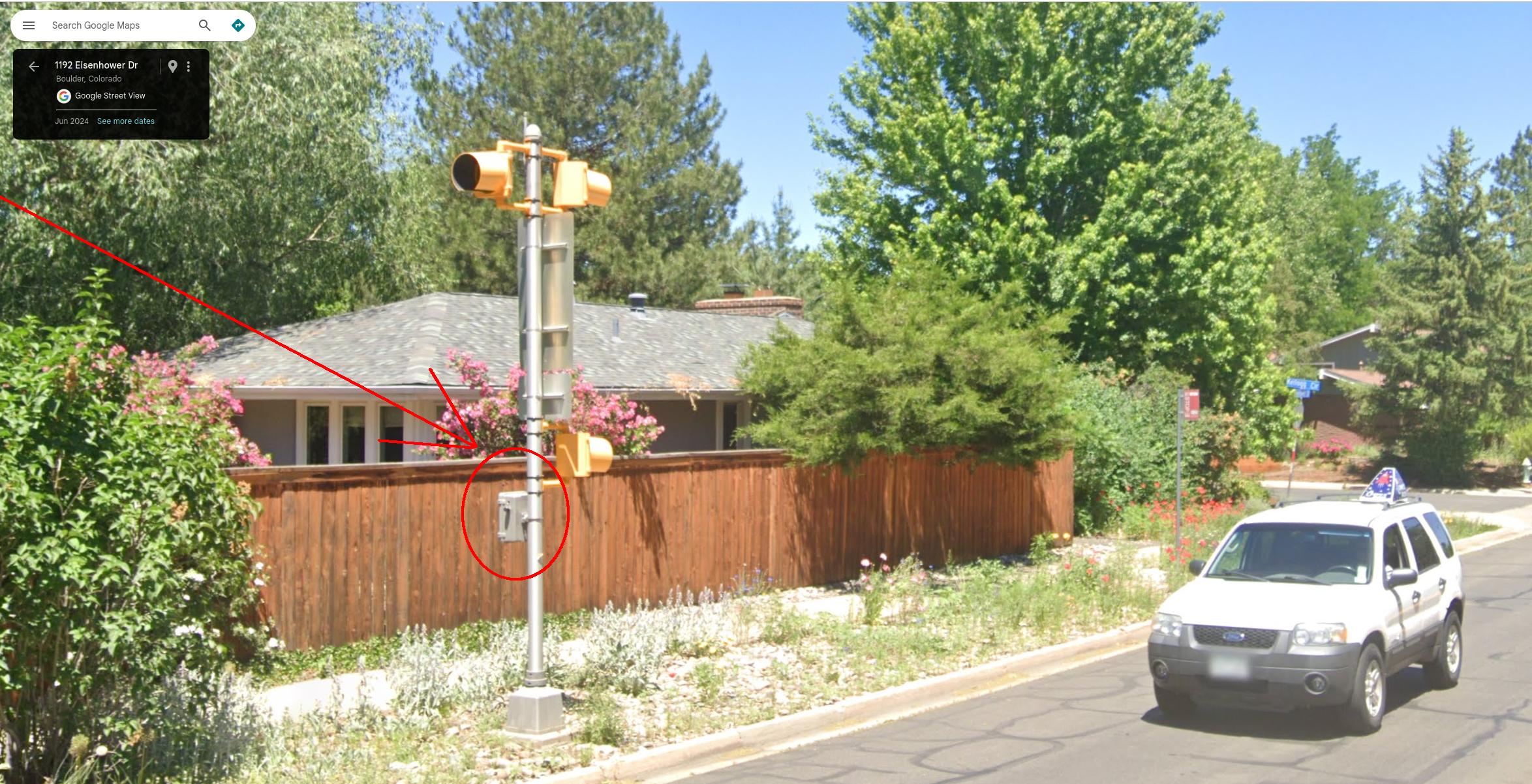
I entered a permanent speed camera in the map. Now it’s been removed and when I try to reenter it I get this error message: “You do not have permission to make some of the changes”
Camera location is 40°00’35.0"N 105°14’05.6"W
The Segment ID is 8900652
My Settings/Environment is “North America only”
Last updated: August 16, 2025 by chucksways(4)
There are a couple of things going on here. First, if it was there and then gone, it was likely a situation of conflicting user reports. A large number of speed cameras in CO are “mobile” so they move around and don’t publish location or schedule information.
As far as the error trying to add the camera, I too am getting errors in certain situations and have opened a bug report. Higher level errors appear to be able to approve edit suggestions, but those vanish after approval.
In any case, I will get the camera added back. Thank you for reaching out. We appreciate the help in keeping the map accurate.
It wouldn’t be surprising if other wazers missed it. Even though it’s not a mobile camera. See attachment for a picture. Is there any way to make it immune to conflicting user reports?