Template of topic 417120, post 1
Street naming
Waze keeps its own database of house numbers, known as house numbers on segments. These addresses are used for precise navigation to a destination.

In Mauritius, a house number is entered only if it is displayed on site or given by an official source. Never guess or extrapolate a number.
Overview
House numbers are points on the map that can be adjusted to make sure Wazers are sent to the right place. It is therefore important to pay attention to every detail to ensure accurate routing.
House numbers are always entered on the segment (house numbers on segments). Residential Places are not used for house numbers.
Restrictions and good practice
- House numbers can only be edited at a very high zoom level (18 and above).
- Numbers cannot be added to segments with no name.
- Letters in a number are written exactly as displayed on site (e.g. 12A). Do not use “bis”.
- You cannot remove the name of a segment if house numbers are attached to it.
Using the interface
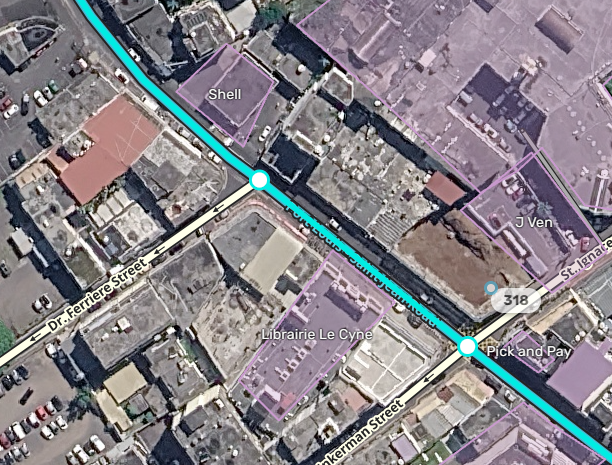
Adding a number
To add house numbers, select a segment, then
- click the Add house numbers button, or

- use the keyboard shortcut H.
You can then place a house number by adjusting its position on the segment
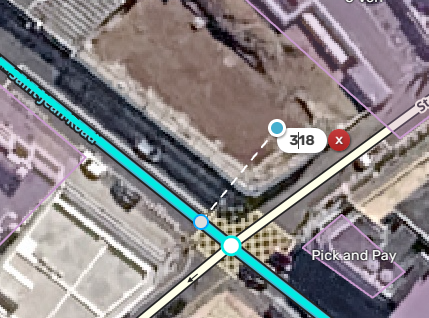
Editing and deleting
The House numbers layer must be active:
L, then tick “House numbers”
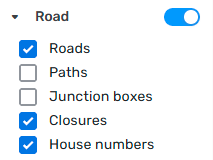
Select a segment:
- to edit a number, click it and you can change it or move it with the blue circle,
- to delete a number, click it, then click the cross.


Do not forget to save afterwards, at the top right of the screen.
The stop point
The stop point is the place on the segment that will be used for navigation. It is shown as a white dot with a blue outline.
The stop point must be placed close to the main entrance of the building.
Forcing
Forcing a house number is reserved for editors of level 3 and above (also the minimum in Mauritius: WME country settings, 01/10/2026). It is used when the number does not follow the usual sequence or is too far from the road.
Forced numbers are shown like this: 


No Residential Places (RPP)
In Mauritius, Residential Places (RPP) are not used for house numbers: a house number is always entered on the segment, as described above.
Video summary. The interface has changed since, but the principle remains the same