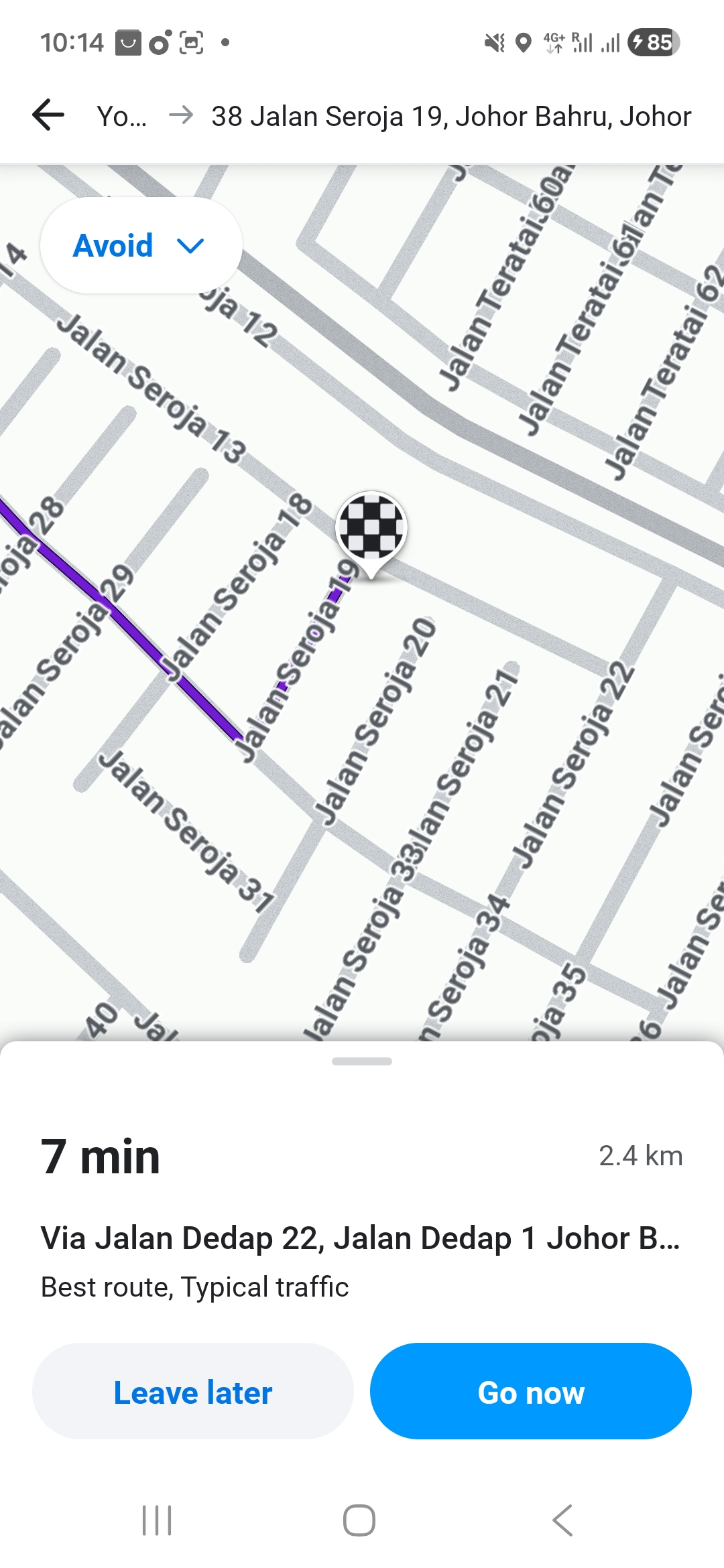
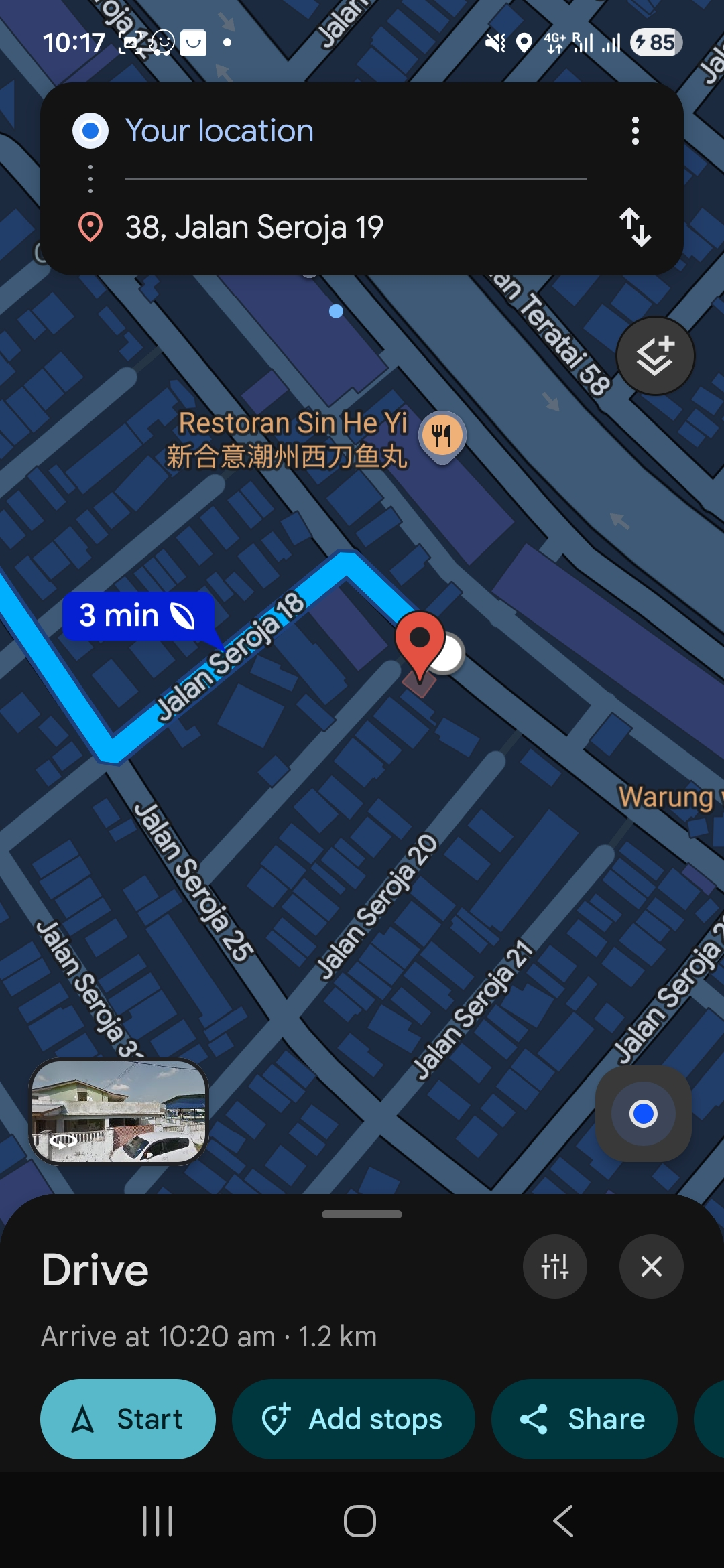
I have tried using Waze Map Editor to add house number “38” to Jalan Seroja 13, but it auto-corrects to “38, Jalan Seroja 13”, which is not the official address.
Request:
Could I kindly ask if the arrival point / access point for 38 Jalan Seroja 19 can be adjusted to Jalan Seroja 13, so that users are routed to the correct entrance?
Thank you very much for your time and assistance. I really appreciate the work the Waze editors are doing.
I can’t seem to find your suggestion for 38, Jalan Seroja 19, Taman Johor Jaya in the Waze Map Editor. You probably didn’t complete the suggestion, thus not showing up for review. I have added the House Number for 38, Jalan Seroja 19.
As for the “autocorrect”, just make sure you do not select that as it is not the intended location nor address that you’re heading to.
Unfortunately, the routing issue still persists. Waze is still guiding users to Jalan Seroja 19, while the actual vehicle and pedestrian access is only via Jalan Seroja 13.
For reference, Google Maps routes correctly to the entrance from Jalan Seroja 13. I have attached a screenshot showing the difference in routing between Google Maps and Waze.
Would it be possible to adjust the arrival point or access point to Jalan Seroja 13 instead of Jalan Seroja 19? The road name in the address is correct, but the physical entrance is not from that road.