I’ve been adding Lane Guidance to some segment that I’m familiar with in my area. One question which isn’t covered fully by the Wiki…
For straight on arrows, where normally Waze would be silent, the options are “Waze default”, " View only" and “View and Hear”.
I have typically selected “View Only” for these. Question is:
a) what happens when I select “View and Hear”. E.g. will Kate give a “Continue straight in the right two lanes” instruction at this point whereas normally she would say nothing.
b) How do I know what the “Waze default” will be? i.e. which of the above will it be, or will it be something else?
As a general view on Lane Guidance…I might have been slightly in the “if you don’t know what lane you need to be in, you shouldn’t have a driving licence” grumpy camp before, but after having used it I think its a really good addition to the app…and we shouldn’t hold back on adding it where needed…more is more
Only one problem, if you don’t physically know the segments that would benefit from LG, you have to seek them out on satellite and Streetview which is a pain and time consuming. I guess LG will only proliferate in areas where a L4+ editor is particularly active, meaning that the user LG experience will be hit and miss across the country.
Yes, view & hear will act like a Continue TIO.
Waze default should be that Waze will only show LG if there is an instruction given for that direction of travel. Wazeo has been clarified… I hope.
As for the issue with mapping LG based on L4+ activity… stay tuned.
Thanks, its clear now. My preference is for “View Only” for straight on. A continue instruction is overkill, but having visual confirmation of the correct lane is helpful (IMO)
Keep in mind that a View & Hear, (or a Waze Default combined with a TIO), will show as the Next Turn in the route.
A View Only is not treated as a turn, the app will always show the next proper turn & distance (as if there were no lane guidance at all) plus the Lane Guidance for a short distance before the junction.
Another question, this one on # junctions as I’m not clear on this.
Taking this junction as an example, proceeding northeast on the A6009
Permalink
So on the approach to the junction there are three lanes, one goes left, two go right. So I select 3 lanes, one goes left, the other two go straight on, yes?
Then I select the median segment, add two lanes, both of which turn right?
Then Waze will somehow magic these into lane guidance on approach showing three lanes, left one going left, right two going right. Correct?
Correct. I like the easy questions :lol:
[Bad advice - do not do this] Actually, when there’s only one road joining a dual carriageway, you can simply have the first segment with two lanes pointing right, and no lanes on the median segment: | ↰ ┆ ↱ ┆ ↱ |
Only when you have roads joining from both sides do you need fancy heuristics, when that meridian segment is used for both straight-over and turning-right traffic.
But how do you get two lanes turning right on the approaching segment? There is only the option for straight on.
Click on the ↑ and change it to a ↱ to override the direction shown in the app. Arrow will turn orange to show it’s been overridden. Matching the paint on the road (or sign) may benefit the driver.
Would it not make sense to map all junctions are correctly as possible, meaning mapping for heuristics, this will mean we don’t have to hunt for manual overrides if we are investigating issues or if junction changes. An override will stay as such if the angles are changes.
We should only be using overrides if the suggested arrow isn’t correct, not to shortcut the mapping.
I agree, please don’t let us start overriding the instructions, far better to change the actual road layout so it works correctly. I am STILL coming across TIO’s that have been used because the editor has not set the road up correctly so it would give the correct instruction without any override. :evil:
To clarify - these aren’t turn override instructions I’m talking about. The mapping of segments and routing instructions are unchanged. It’s the turn arrows shown in the lanes that are overridden, which will be a common occurrence anyway if we want arrows to match the paint rather than angle of the turn.
Surely it’s better to show | ↰ ┆ ↱ ┆ ↱ | at the stop line, rather than on the other side of the junction? Isn’t it clearer to the editor to have all this information on a single segment, rather than spread over two segments and rely on correct interpretation/implementation of heuristics?
Forget lane guidance for a second, the turn instruction for the junction in question is not shown at the stop line, it is shown at the furthest node where the right turn actually takes place. Mapping the lane guidance with and arrow override (to be clear), means the lane guidance is not linked to the turn instruction but actually shown in advance and would disappear before the turn instruction itself (if the median segment was long enough or traffic slow enough).
It would be better to map the junction with lane guidance as separate and let the tools HQ have designed to work as intended. Ian has a good point, this is like using a TIO to set the instruction rather than just adjusting the angles of a segment.
Will it make much difference at this junction? The Lane Guidance will still show when you set off from the lights until you cross the westbound carriageway. Although the median segment is 36’ in WME on the ground it is ony 2’ between the carriageways, with the slight delay in Waze the point at which the LG stops showing will be negliable, most drivers will have already completed the right turn.
Doesn’t the rule of Simplicity apply here? Why map 2 segments when 1 is sufficient.
I seem to be missing something obvious…as currently mapped by Tim, I can’t see how right turning traffic will get any indication of lane guidance. Left turning traffic is fine, because they turn left at the node in question.
However, surely right turning traffic will see nothing at all…because there is no junction at that node, its at the next node where there is no lane guidance in place.
Setting a Turn Override within the Lane Guidance will have the same effect as setting a TIO on the node, ie a turn instruction will be given.
The only time LG doesn’t show is for Straight Ahead arrows ↑ (+ Waze Default), so long as nothing else on the node would generate an instruction.
Kevin is correct, as no instruction is given to turn right at the node no LG will be shown.
When has it been stated that a LG turn override acts like a TIO :?: Do we have mapped evidence :?: I am only aware that the view & hear acts as a TIO (and view only to some extents), LG will only be shown when a turn instruction is given, the turn instruction is after the LG mapping.
This is not a case of simplicity but mapping correctly so we are not mapping via a shortcut/hack that could cause issues in the future.
Doesn’t this mean we get two right turns shown, one from the lane, second from the natural instruction?
Anyway, I’m waiting for the map to update to see how junctions mapped this way behave…
Okay, so the map has updated, so I can look at how junctions mapped like this actually work: they don’t. There’s no lane information shown at all. Ignore my suggestion about doing this. Bad me.
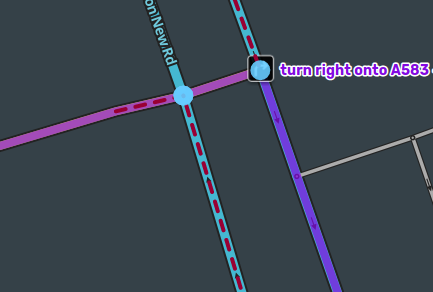
Junctions across dual-carriageways must be mapped with straight-ahead arrows for the lanes going over to the other side. Waze will turn these into right-turn lanes at the point where the right turn instruction is given.