Please add the sign wording to the road name, as I totally missed the junction on the right without the sign name.
Have you got ‘keep right onto…’ instruction?
I did not use the audio on Waze, I was on the most left lane and I just glimpse the next sign on Waze, but it was a road name, so there is no way to tell which lane to choose for exit.
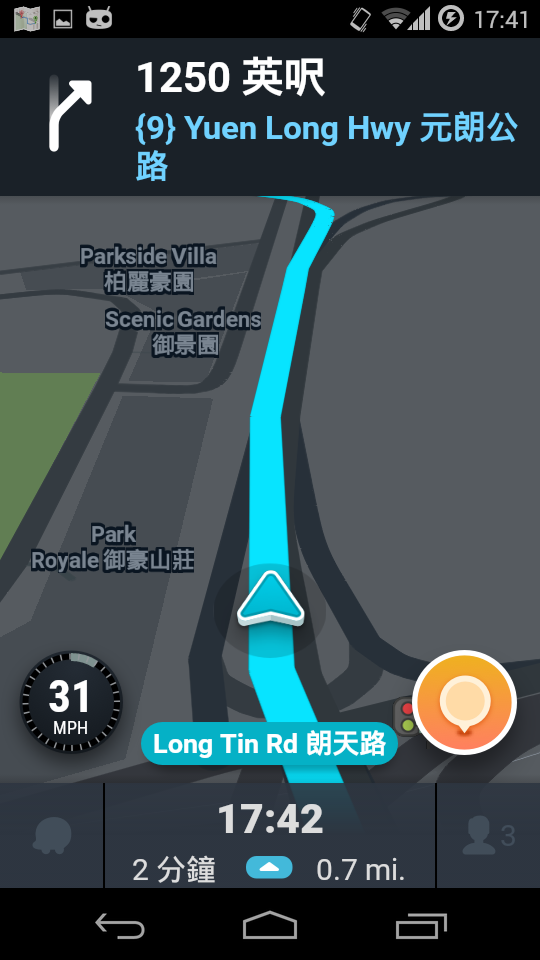
Waze does not have ‘lane selection’ but it has a ‘keep right’ sign on top left corner of your screen (see the screenshot below). If you turn on the audio, it will tell you to ‘keep right…’ as well.
However, I agree that the navigation should match the road sign and I have changed it now. It may take few days to show in the app. You will see the tile update on ‘https://status.waze.com’. Hope you keep enjoying to use Waze. Any further queries, feel free to post on the forum 
Thanks, should be solved now