Yes, there was a temporary issue, which staff were made aware of, which has since been resolved. 
In California I received a report from a California Highway Patrol officer commenting that people are not happy that the speed limit in Waze is incorrect. I’m at the point where I am going to make the change anyway and come back later a change again if I have to.
The bug discussed here is an off-by-one WME display bug that shouldn’t be affecting the app. If you know of a speed limit that is wrong in the app vs. the sign, please feel free to update it.
It was actually unclear in this thread if any speed limit changes should be made at the moment and clarification from staff was requested.
Thank you for the update to the save panel. It really helps to be able to click a link on the attribute name to go there and see what was changed when narrowing down what could be causing a save error and we’re told to “check and try again.”
However, using common terminology such as “Solved” or “Not Identified” for UR resolutions could help more editors than resolution: “0” or “1”.
open:
false
True
resolution:
1
mapUpdateRequest: 1100055410:49
open:
false
True
resolution:
Not Identified
mapUpdateRequest: 1100055410:49
I"m still experiencing issues, at seemingly random intervals, of the entire Places layer disappearing from the map, and having to toggle it off and on again to restore display.
Also, I have the “Update results when map moves” check-box ticked in the Issue Tracker - but this doesn’t persist through a re-load of WME (have to go and check the box again each time the site reloads). Is there a way to keep this setting through a page refresh?
I’ve just encountered that there is no red highlight on some segments with closures, see screencaps below from a private browser window. They should be red instead of cyan.
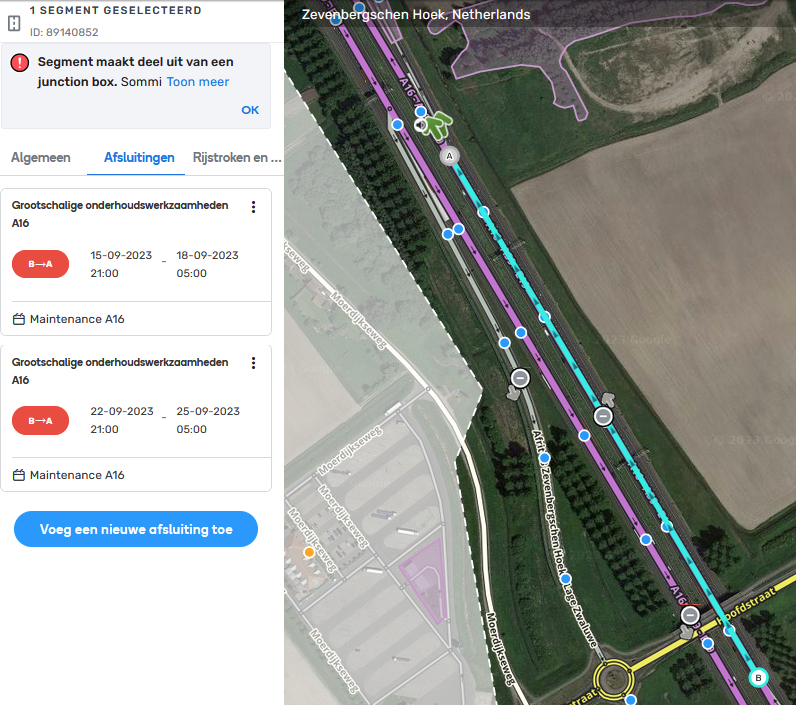
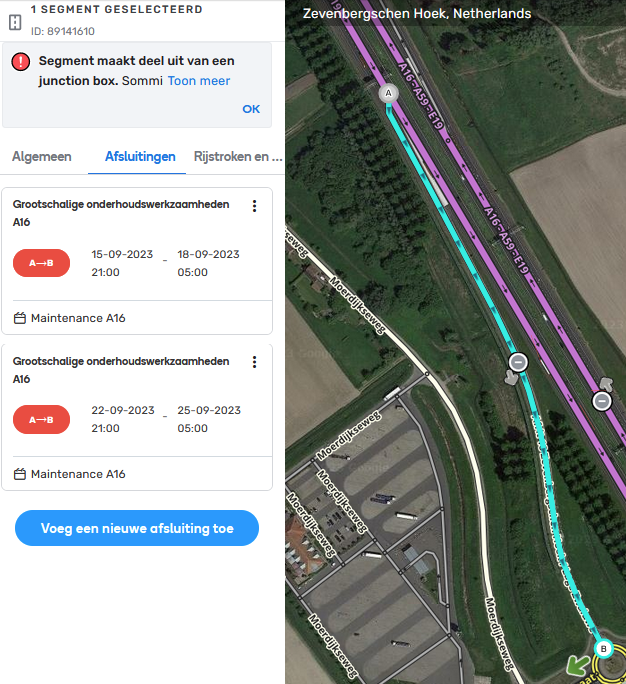
A screen refresh solved the issue, but then other segments show this behaviour.
WME links to the segments from the screenshots:
1: https://waze.com/nl/editor?env=row&lat=51.68602&lon=4.65893&zoomLevel=17&segments=89140852
2: https://waze.com/nl/editor?env=row&lat=51.68602&lon=4.65893&zoomLevel=17&segments=89141610
Has the link to www.waze.com/events been removed from WME? I’m sure you used to be able to click on the Events header to get there?
This is what I see on mine connected to the North America only server.

In compact mode, I don’t see the reject and approve buttons on EVCS PURs whereby you need to scroll down (valid for stations with more than 8 plugs).
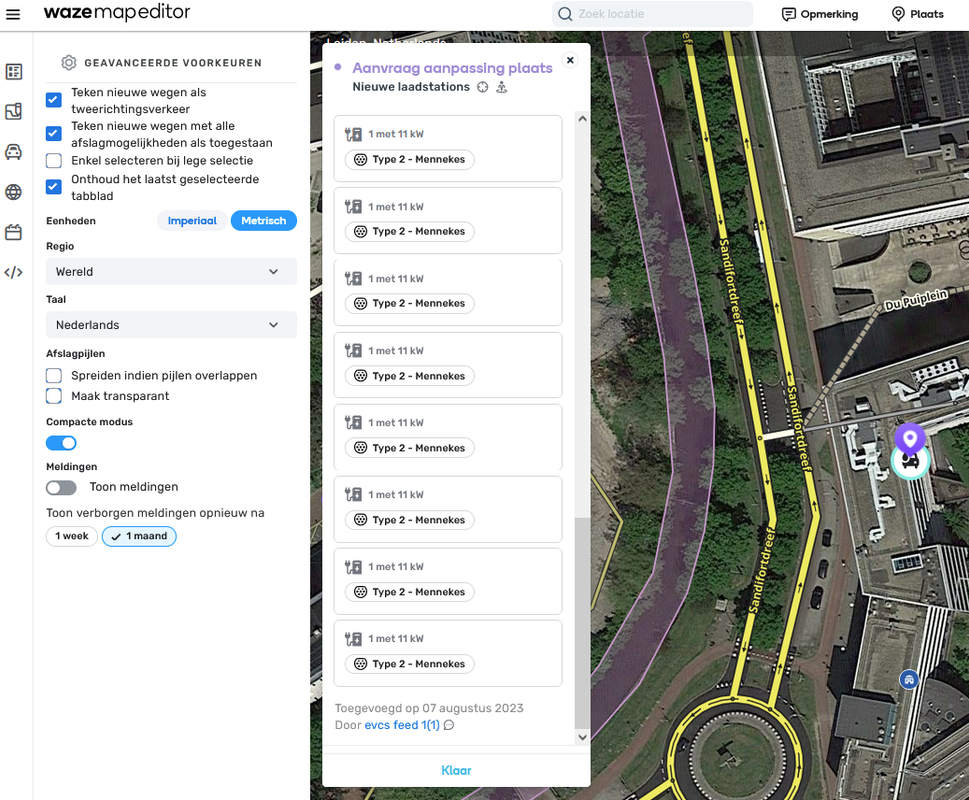
When I switch off compact mode they are visible again, albeit only 2/3.
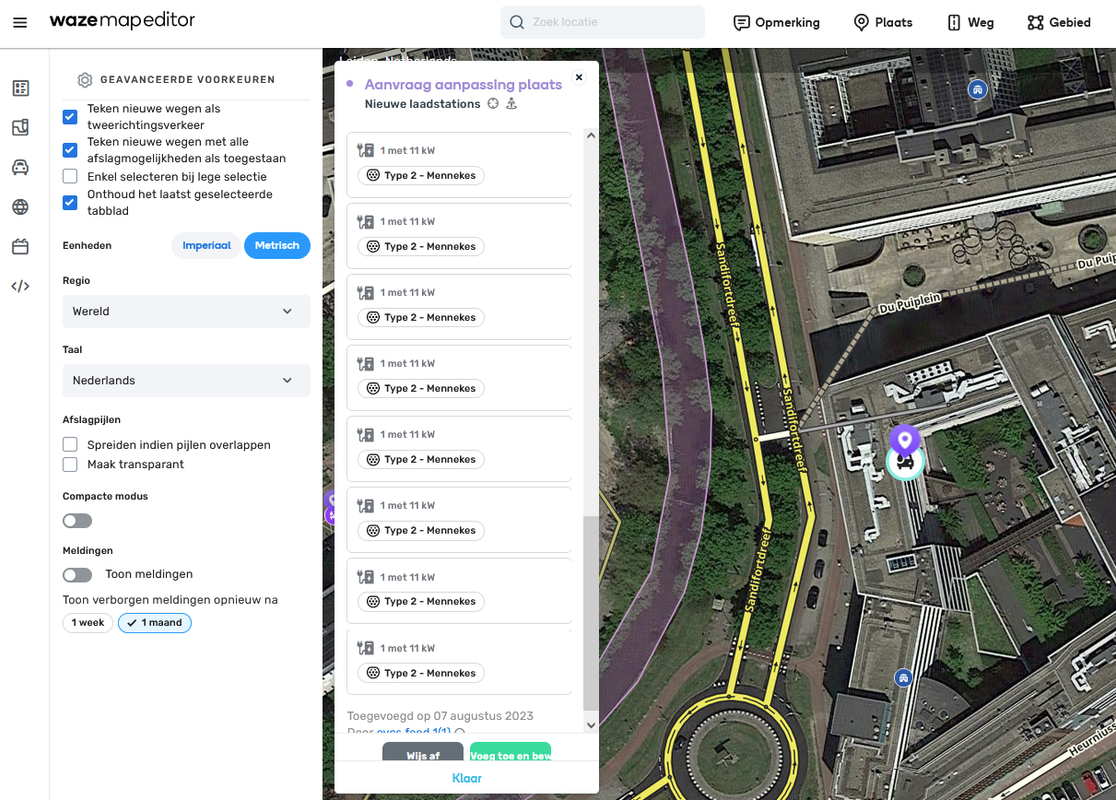
Screencaps are from a private Firefox window, no scripts running.
I think this is occurring since the hotfix of yesterday?
I’m pretty sure this is a known issue when there are too many chargers on the PUR.
Thanks. It wasn’t listed in known issues in the opening post, so that’s why I posted it. Sorry if it’s redundant.
1 Like
No worries. I know we noticed it in the US a while back, and think it was reported to staff (maybe in the beta bugs section?).
1 Like
?
Hi Gareth,
Thank you for the mentioning the problem. The team is aware about this issue.
Regards,
Nataliia
We just got the announcement that WME was updated to v2.180-14-g6f7dd5d43.
Does anyone else have problems with adding house numbers? Could there be a connection to this update?
I’m able to add and remove house number with no problem. Do you have scripts running that may be interfering?
No issues here with the scripts I have running.
I had several issues then an F5 refresh resolved them. I don’t know what changed in this update.
Hi,
Not sure if it is really a bug or just feeling like one…
If you create a new roundabout the roadsegments that the roundabout crosses be connected regardless their elevation level.
I expect only segments on the same elevation level will be connected.
Regards,
Dirk