Hi Everyone 
We hope you’re all doing well.
We’ve released a new WME prod v2.195
Below you can find a summary of the release.
Community suggestions:
- Separate Layer for Natural Features: Due to its large size, natural features can be inconvenient when dealing with editing segments beneath them. We enabled the possibility to turn off/on Natural Features while keeping other places visible.
- Issue Tracker: When creating a place or road, search this area button should not be on top of the dropdowns.
- Issue Tracker: we added arrows to move to the next page at the bottom of the page.
Updated: 4. Advanced settings: select which icon to open every time you access WME
Known issues:
- Issue Tracker: URs, MPs - Selecting the map pin and manually marking the card as ‘unread’ keeps the issue listed as ‘read’.
- Left panel is grayed out due to the error while working with segments.
New features/enhancements:
- Online editors : now the Layer is On by default and the editor status is visible.
- Design improvements: rearrange the order of status chips.
- Some design changes added to the Save popup to aligned fonts and style.
- Design change for the “Continue straight” panel added.
- “Roundabout” icon: updated the icon design.
- KoiFish: Tooltip to indicate when rejection type matches the rejected segment type - enabled.
- Enable the search box in WME on all zoom levels.
- We have introduced a new filter under PURS, in the "Venues Category”, and within that, “Specific categories” filter which will allow you to filter the EV charging stations PURs.
- Some UX changes were added for the Turn instructions Panel.
- Style adjustments: Re-center ruler snackbar when drawer is open.
- Userscripts API: enabled an ability to find a model for any map feature and vice versa.
Bug fixes:
We’ve released 49 bug fixes.
.
- Edited lane guidances are not displayed until saved - fixed.
- Oval roundabout bug - fixed.
- Can’t create a restricted driving area if it requires panning - fixed.
- User script related bug: ensure window.W is defined on userscripts init - fixed.
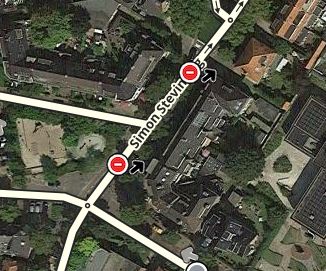
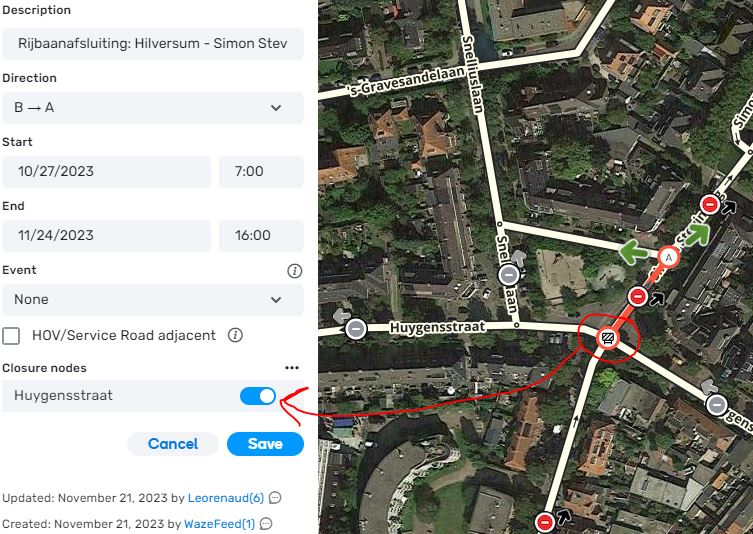
- End dates of closure are wrong - fixed.
- Unable to Save MTE Category as Festival/Holiday - fixed.
- RRC doesn’t rotate when I adjust with the red point (v279-3) - fixed.
- Imperial to metric speed limit conversion is changed after saving - fixed.
- Unable to create/edit/delete area place geo-nodes without panning first - fixed.
- Unable to name Junction Box - fixed.
- Userscripts API: provide an ability to find a model for any map marker - fixed.
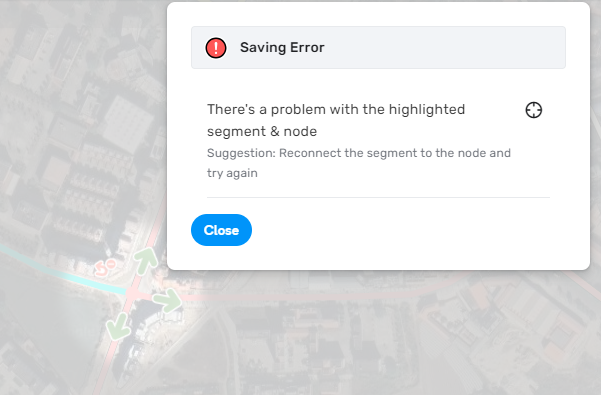
- Segments: Save Error if you add a new segment without moving node - fixed
- Segment cannot be split by another segment - fixed.
- Segments: No connections are created in case user draws segment from geonode or from another segment - fixed
- Segment: Disconnecting one end of a segment disconnects the other end as well - fixed.
- Segment: Connecting a segment to the node and saving this change returns an error - fixed.
- Segments: Incorrect permissions check for “Headlights required” flag - fixed.
- Junction box: Changing JB path calculation requirements (JB path goes through PLR) - fixed.
- Junction box: Node cannot be dragged inside the JB - fixed.
- Migrating OpenLayers.Geometry to GeoJSON in WME data model.
- Chat icon is displayed on practice mode - disabled.
- Online Editors: Bubble should not hide tile build info - fixed
- Online editors: bbox ‘[-245.554236, 19.190212, 12.633264, 80.248071]’ values are out of range. (code: 402) - fixed.
- Snapping doesn’t work in case you connect a non-routable segments with the node dragging - fixed
- Read/Unread: Issue tracker- URs, MPs// Issue card is not marked as read when map sync is ON and user selects pin - fixed
- Read/Unread: Issue tracker - URs, MPs: Issue card is not marked as read when map sync is OFF and user selects pin - fixed.
- New Place PUR: Photo covers PUR’s information - fixed.
- PUR: Console error while approving a PUR - fixed.
- Natural Feature: Place name is not shown in case place has multiple categories - fixed.
- Map Suggestions: Read/Unread - Envelope should be gray in case MS is marked as read - fixed.
- Map Suggestion segments not showing with their pins. - fixed.
- Map suggestions: icons are displaced, located near the segment - fixed.
- Reported issues: wrong state after saving Solved/Not identified UR, MP or MS - fixed.
- Issue tracker: the error appears when filtering issues without a selection of the Specific categories - fixed.
- Issue tracker: clicking on any issue on the list focuses the bbox on the middle of the sea - fixed.
- Default issue tracker shortcuts don’t make sense - fixed.
- Map issues: wrong state after saving Solved/Not identified UR, MP or MS - fixed
- Issue tracker: PURs - cards are not marked as read after the list reloading - fixed.
- Google feedback surfacing: the icon remains after user save accepted segment - fixed.
- Google feedback surfacing: Icon should be removed when user accepts the suggestion - fixed
- Google feedback surfacing: Icon is not updated when user rejects a suggestion - fixed.
- Menu in toolbar broken button - fixed.
- Map settings: Initial tab of feature editor not shown when using permalink - fixed.
- Incorrect permissions check when editing road width - fixed.
- Header: header items menu slightly covers the header and tooltips are not near the menu item - fixed.
- EVCS: The space between the field to the chips doesn’t look good (‘Payment method’ and ‘Plugs’) - fixed.
- EVCS : Should be a line between the Max speed and the Number of chargers - fixed
- EVCS: The chip inside the card should be disabled (Plugs) - fixed.
- EVCS: Add space before the info icon sign in the More info menu - fixed
We look forward to hearing your feedback! 
Thank you,
Nataliia