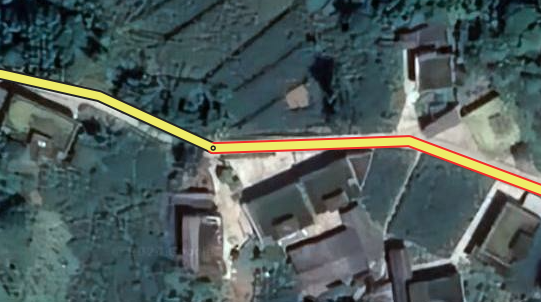
Venues - Names of entry points randomly disappear and cannot be saved. Community suggestion:
Excited to announce that the new ‘More information on URs’ feature is now live on WME prod!
With this new feature we are adding additional information from the reporter’s settings to URs, including more details to assist in issue resolution. Read more details in the release notes document.
New features/enhancements:
EVCS: Allow merging charging stations originated from providers: We allowed merging EVCS venues from data providers when you think it’s a duplicate. The process logic is detailed in the release document.
WME Login Revamp - we have introduced several new updates, check the doc with release items
UI Updates: Refreshed banners for certain editing restriction notifications added.
Map Update - Brazil: Changed the link for Share on Waze Forum.
UI changes added to WME tabs in order make the interface consistent.
Improved: Updated editors’ moods based on your votes, for most web-based platforms.
The tooltip reflecting the meaning of the icons’ colors in cards has already been implemented.
Issue Tracker: updated Icons for ‘Removed Place’ and ‘Removed Photo’ Bug fixes:
We’ve released 28 bug fixes.
Closures: The end date should only be changed to the start date when end date < start date. - fixed
Junction boxes won’t allow paths using “switch route” if the path includes a Ramp - fixed.
Problem selecting segments with Koifish - additional cases fixed.
Ctrl + Shift + ‘Left mouse button drag’ does not select segments - fixed.
Deleting text in the name/address field of a venue deletes the venue itself - fixed.
List of road shield icons in road shield editor are squished - fixed.
Street View handle drags the whole map instead of just moving the pointer - additional edge cases fixed.
Double Click Place hangs the map - fixed.
Koi Segments - Nearby segments do not appear in the map until you refresh the WME.
Issue Tracker: In case you request second page for one issue type, quantity for other issue types also increases - fixed
Issue Tracker: Empty list is shown in case the user opens 1471 - 1500 range - fixed.
Issue Tracker: NO_REFERENCE (VENUE_UPDATE_REQUEST) bug in PUR Section - fixed.
Issue Tracker - In case you request the second page for one issue type, the quantity for other issue types also increases - fixed
15.ʼFailed to save changesʼ while moving the node - fixed.
Segments: No spaces in the routing message - fixed.
Segments - Left panel is grayed out due to the error while working with segments - additional edge cases fixed
Segments: connecting a segment to the node and saving this change returns an error - additional edge cases fixed
Segment intersection does not work on beta - fixed.
Segments - Left panel is grayed out due to the error while working with segments - fixed.
Closure: A node closure icon is not removed when you open the node (before saving) - fixed.
Save stack: First letter should be a capital letter for a changes log - fixed
EVCS: Can’t edit charging station fields - fixed.
EVCS: The position of the ‘Empty state’ illustration is not in the center (Chargers tab) - fixed.
Allowed merging EVCS: Do not add ‘Chargers’ section to the merge popup in case we don’t have chargers under EVs - fixed.
EVCS - UX ‘Empty state’: the size of the illustration should be 64 and not 96 px - fixed.
Turn Instructions Voice prompt cannot be added (cancel action is added automatically) - fixed.
I don’t even get to the login screen. If I tap on Get Started the flash screen disappears and that’s it. Sometimes an error code shows at the bottom which says something like “User not logged in”. A workaround is to switch to desktop version of the site, then it works. See screenrecording.
It is possible to select the segment that I try to add. I can even add it.
But impossible to assign a name.
Impossible to select the segment with which I like to connect the new segment.
Checking the console reveals: 9 errors and 353 warnings, 4 page errors.
9 Errors like:
third_party-12382c2c23801757.js.gz:2 STENCIL: The state/prop “value” changed during rendering. This can potentially lead to infinite-loops and other bugs.
Element <wz-checkable-chip show-check-icon-when-checked="false" checked="false" disabled="false" id="undefined">…</wz-checkable-chip>slot
New value
Old value undefined
[Report Only] This document requires ‘TrustedScriptURL’ assignment.
Another interesting logging:
app-e071b88dd866c01d.js.gz:1 Uncaught (in promise) Error: country 46 does not exist
at _.getCountryById (app-e071b88dd866c01d.js.gz:1:72388)
at _.getCity (app-e071b88dd866c01d.js.gz:1:73132)
at _.doAction (app-e071b88dd866c01d.js.gz:1:71202)
at app-e071b88dd866c01d.js.gz:1:12838
at Array.map (<anonymous>;)
at o.doAction (app-e071b88dd866c01d.js.gz:1:12828)
at g.<anonymous> (app-e071b88dd866c01d.js.gz:1:1067680)
at u (app-e071b88dd866c01d.js.gz:1:1066775)
at g.add (app-e071b88dd866c01d.js.gz:1:1067649)
at app-e071b88dd866c01d.js.gz:1:726739
getCountryById @ app-e071b88dd866c01d.js.gz:1
getCity @ app-e071b88dd866c01d.js.gz:1
doAction @ app-e071b88dd866c01d.js.gz:1
(anonymous) @ app-e071b88dd866c01d.js.gz:1
doAction @ app-e071b88dd866c01d.js.gz:1
(anonymous) @ app-e071b88dd866c01d.js.gz:1
u @ app-e071b88dd866c01d.js.gz:1
add @ app-e071b88dd866c01d.js.gz:1
(anonymous) @ app-e071b88dd866c01d.js.gz:1
y @ app-e071b88dd866c01d.js.gz:1
await in y (async)
onSubmit @ app-e071b88dd866c01d.js.gz:1
Ve @ third_party-12382c2c23801757.js.gz:2
Ze @ third_party-12382c2c23801757.js.gz:2
(anonymous) @ third_party-12382c2c23801757.js.gz:2
ki @ third_party-12382c2c23801757.js.gz:2
Oi @ third_party-12382c2c23801757.js.gz:2
(anonymous) @ third_party-12382c2c23801757.js.gz:2
Ne @ third_party-12382c2c23801757.js.gz:2
(anonymous) @ third_party-12382c2c23801757.js.gz:2
Ii @ third_party-12382c2c23801757.js.gz:2
Qt @ third_party-12382c2c23801757.js.gz:2
Kt @ third_party-12382c2c23801757.js.gz:2
t.unstable_runWithPriority @ third_party-12382c2c23801757.js.gz:2
Gr @ third_party-12382c2c23801757.js.gz:2
De @ third_party-12382c2c23801757.js.gz:2
Jt @ third_party-12382c2c23801757.js.gz:2
submitFormIfNeeded @ third_party-12382c2c23801757.js.gz:2
onClick @ third_party-12382c2c23801757.js.gz:2
(anonymous) @ third_party-12382c2c23801757.js.gz:2
app-e071b88dd866c01d.js.gz:1
Another, probably related issue: an occurrence where it is impossible to connect a new segment to an existing one.
The A-end of the selected segment doesn’t “snap’” to the existing one. It doesn’t created a connection node.
The language setting is what is in the UR user preferences. I believe what Olestas is requesting is the voice setting like Sarah, Ben, Jane… Often we have to ask for this when troubleshooting TTS issues.