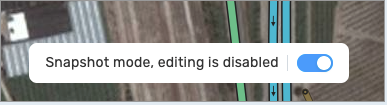
Can’t find the Snapshot mode widget on ROW WME, where is the setting hidden?
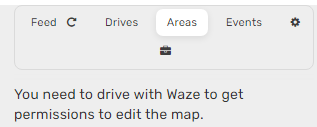
Additional in the tab Areas(German: Gebiete) there is no area shown, only an error Message:
Englisch: You need to drive with Waze to get permissions to edit the map.
German: Du musst mit Waze herumfahren, um die nötigen Rechte zum Bearbeiten der Karte zu erhalten.
Screenshot: https://www.peter-online-gallery.de/waze/emptyaretab.png
Thanks Guys, seems that the script “WME Street Name Check” block or hide it. My fault…
This is still an error for me and also occur when all scripts and Chrome extensions are deactivated:
Additional in the tab Areas(German: Gebiete) there is no area shown, only an error Message:
Englisch: You need to drive with Waze to get permissions to edit the map.
German: Du musst mit Waze herumfahren, um die nötigen Rechte zum Bearbeiten der Karte zu erhalten.
Screenshot: https://www.peter-online-gallery.de/waze/emptyaretab.png
I am encountering two issues with changing/setting road types. I confirmed this behavior occurs with all scripts/extensions disabled.
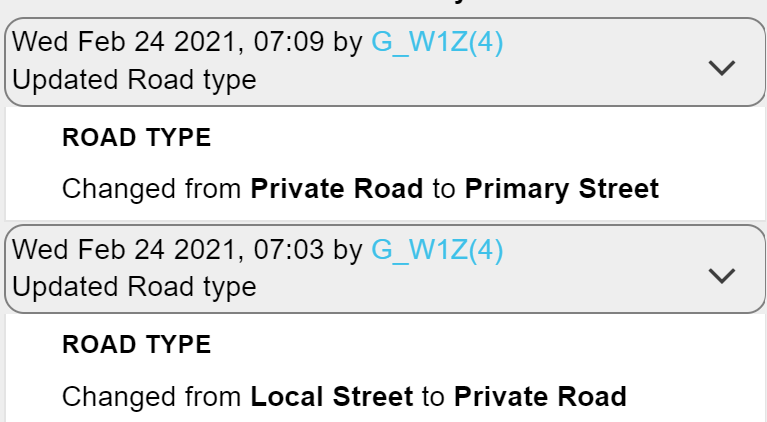
Changing the road type of an existing segment: Permalink. I have tried changing the road type for the segment in the permalink from local street to private road (PR) and (to test) I tried primary street (PS) as well. Upon clicking save, it shows in the details pane (left) as the road type I changed it to (PR, PS) but on the map, the segment itself doesn’t show as the color/type for the new road type. Upon a full refresh, the road type reverts back to local street. In the history pane, it shows that I made the road type change. See screenshot image:
Setting road type for a new segment: Permalink. When drawing a new segment, the segment does not display/show on the map. I tried drawing a new segment in a random area and not connecting it to another segment. This causes it to highlight in red (because it is disconnected) but the segment itself doesn’t show. I can click on the segment. Upon a full refresh, the new segment I drew is gone. See screenshot image:
This issue has been noticed this morning in the US. It appears that no edits are staying even though they appear to save successfully. Staff has been notified.
This update has introduced a new bug to Production. It was presumably in the previous Beta version and is certainly in the current Beta. This is tested without scripts.
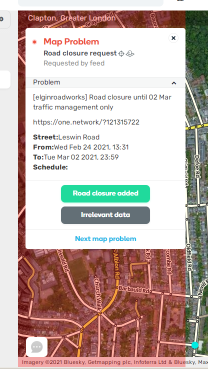
The report panels for URs/PURs/MPs has had some careless changes made to it, resulting in all map areas above, to the left of, and below the panel being blocked by an invisible area. Map elements in this invisible blocking area cannot be selected. Dragging the map from within this invisible area selects text in the report panel instead of panning the map. Dragging from outside into the invisible area stops panning unexpectedly.
The problem area can be seen in the image below, where I have added a transparent, red background. I will shortly be publishing a new version of WME FixUI that will highlight or fix this area - but that’s only going to help the few hundred users of my script.
The issue has also been reported in the Beta Bugs forum with more technical details - because I just know you’d ask me to report it there it I hadn’t. This report is for all the non-Beta users who will wonder why they can’t select large chunks of map when the report panels are open.