Short little stubby contraption not too far west of the 101 on Baseline on the north side (it’s before the first signaled intersection). It’s not at a signaled intersection so it’s a fixed speed camera. I can’t seem to get logged into the map editor if someone could add this.
Thanks for the post and sorry for the delay. Do you know of any announcements for it? It would also help to know a little more specifically where it is.
I don’t see anything on the Tempe website.
Hello. It seems to be a fixed yet mobile camera that will occasionally be moved. So they’re not super temporary like the old camera vans that move every day. Not sure how Waze should handle this. It’s at the NE corner of Baseline and River.
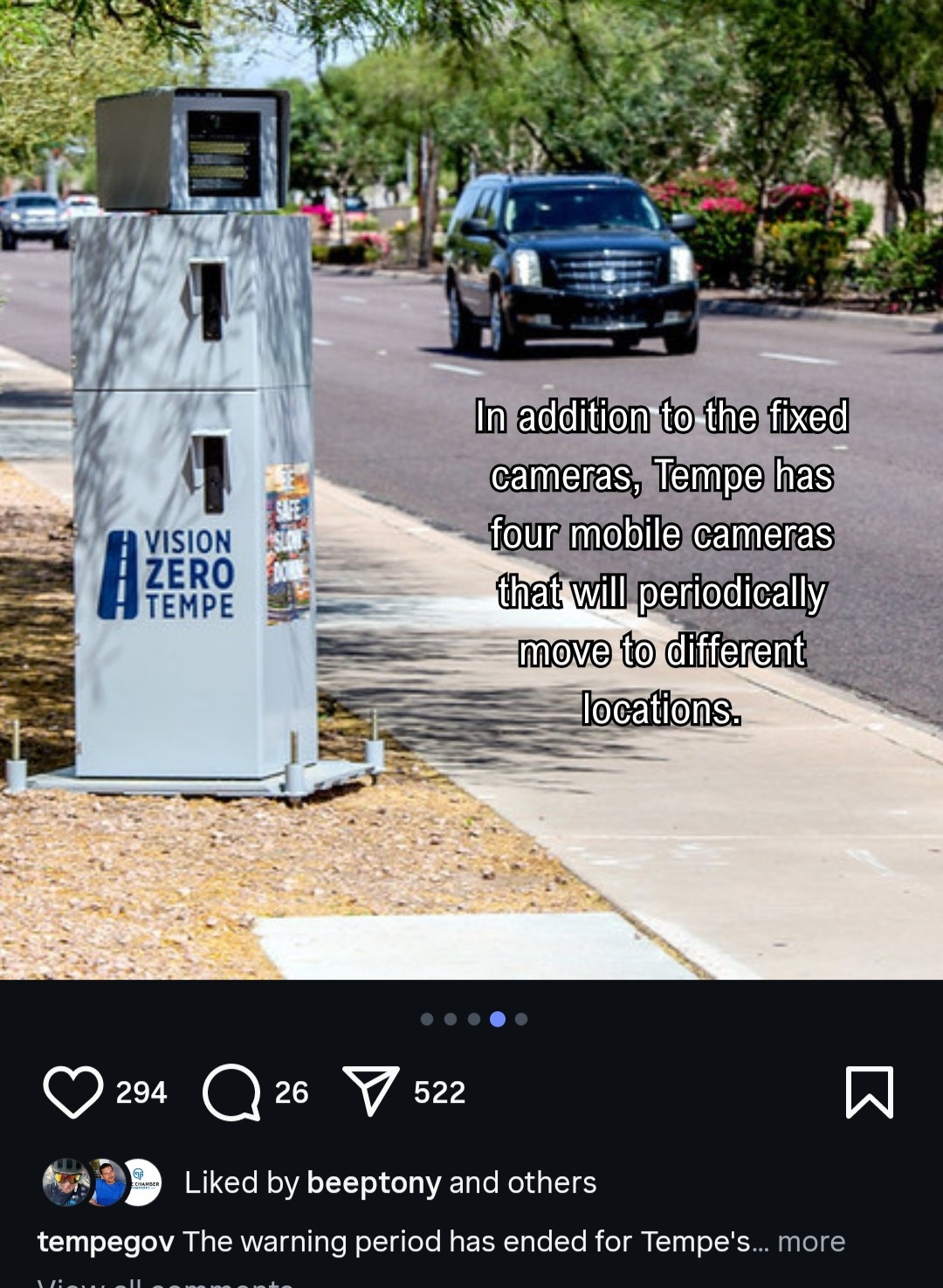
This is something we’re trying to figure out. They are temporary, so easily moved (the bolts you see are for leveling and not permanence). There is a report in the app for mobile speed cameras, so that’s technically appropriate but these may not move as much as the ones that are mounted in a vehicle.
My gut says put them in as fixed cameras. The bolts are likely anchors as well to prevent the contraption from getting stolen. I imagine they’re some sort of heavy duty soil screw. I honestly don’t think Tempe will be moving them with any sense of urgency, if I had to guess, maybe quarterly?
My understanding is the bolts are for leveling, not anchoring. Hopefully Tempe updates their speed camera page with more information.
Since these can be reported in-app, and they aren’t being enforced for 11-25mph over at the moment, we have some time to come up with a plan.
It appears that’s correct (leveling bolts). Shortly after your last reply the camera disappeared from the location first referenced in this post. One of the cameras the appeared on University just west of the 101 for several weeks. I don’t believe the alert persisted in Waze. There were two times I passed by where Waze didn’t alert me. It would be great to solve this by creating a new “temporary camera” type maybe? Days before it was removed, temporary signs did pop up ahead of the camera alerting motorists of a camera ahead. I know when camera vans were a thing there was a law that cities had to post the location of the camera vans on a website each day. I remember at least one radio station would read those locations on air during morning rush hour. I wonder if this was a state law and still exists? If so I would expect to be able to find the locations posted online somewhere, perhaps with a date range? I will search state statutes to see if this is still on the books. Regardless, these semi permanent locations pose a challenge for persistence of an alert in Waze.
I was not able to find any state nor municipal statutes about publishing mobile locations, just that signage informing of photo enforcement must be posted specific distances from mobile cameras excepting roads with speed limits 40mph or less, cameras cannot be posted within a certain distance of a speed change and must be placed within a certain distance of a speed limit sign. I did pass a mobile camera on Southern east of Rural that was not in Waze.
If we add them in the map editor, it takes at least a day to make it to the app and another day to remove it when it’s gone. Where they pop up depends on people like you reporting the location and when they have moved again.
The best option remains the relatively new mobile camera report in the police reports section of the app. This is also why we requested the mobile speed camera report in the app get a longer lifetime in the app.
What’s the default time frame a mobile camera alert remains active in the system? Whatever it is, it’s not long enough for the timeframe of Tempe’s cameras. I have passed the same camera twice in a few days with no alert. I reported it in the app the first time I passed it. There’s got to be a better solution.
I’m not sure why a longer persistence time frame can’t be defined based on geolocation (Tempe). Surely this can be done programmatically to account for semi-mobile cameras?.
We have been working on this, requesting a longer expiration time. The key thing with all of these is the need for others to report it’s still there and/or report it themselves.