Hello,
I’m about to move into a new housing development in Cuyahoga Falls that has not yet been added to Waze. I would like it to be added or to get access to add it myself. I tried to add the roads myself using the WME but as a level one editor, it wouldn’t let me save, even though I drove there two days ago. I would be happy to add the addresses myself if I can have access. Otherwise, you can use the map below from the builder.
The development can be found on the satellite map here. It is much more complete now than the satellite photo would indicate.
https://waze.com/en-US/editor?env=usa&lat=41.16505&lon=-81.52509&s=4398882069&zoom=5
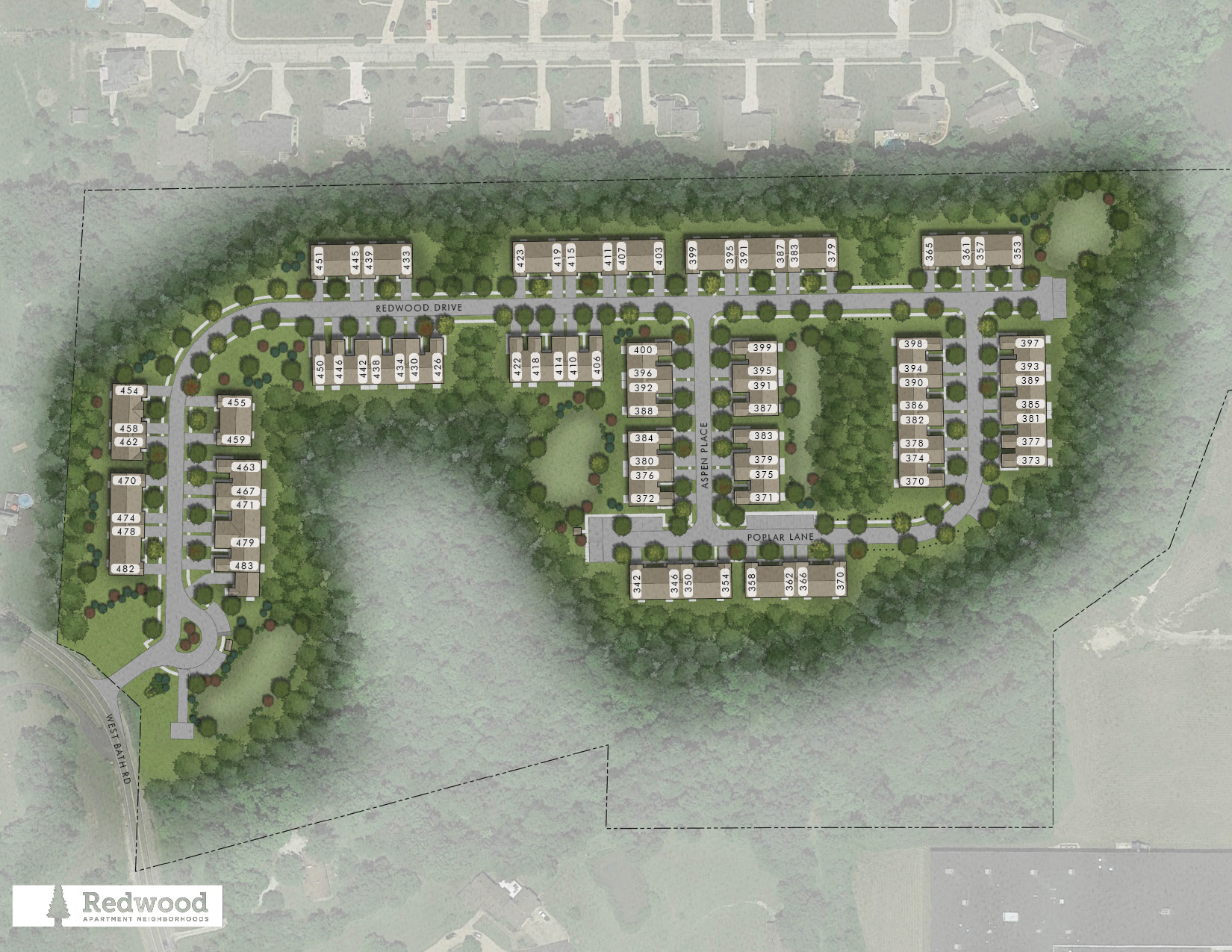
The builder has posted a map online with the 3 streets and house numbers for the development:
https://cdngeneral.rentcafe.com/dmslivecafe/3/1232711/Cuyahoga%20Falls%20West%20Bath%20Road_Website_sitemap.jpg
The first road coming off of Bath Rd is “Redwood Drive” and it extends till it dead ends. The road if you turn right at the first T intersection is “Aspen Place” and that is where my house is. At the other end of Aspen Place is a T intersection with a road called “Poplar Lane”.
Thanks in advance,
Dan Flippo
Hello Dan, I added the roads. You should be able to add the house numbers to the roads if you would like to. Thanks for the information! Do you know what the little circle is for by the entrance? Is that a club house or something? That driveway could be added as a parking lot road too. You should be able to do that; I think you were not able to save before because Bath Rd is locked at 2.
Michael Rudy
The circle at the beginning is for the mail boxes which are a rectangle you can see on the right. Then to the right and left of the mailboxes are the guest parking spaces for the homes in that section of the development. We don’t have a club house but the very first house on the same side of the street near the mailboxes is the leasing office. I agree with you that it would make sense to consider it a parking lot road. Thanks for adding the roads. I will go in there later to add the addresses and circle.
I was able to add the parking lot road and nearly all the house numbers in the development. However, there is a block of houses on Redwood Drive and on Poplar Lane where the even/odd house numbers switched so it won’t let me at level 1 add those. Also, in this section of homes on Redwood Drive, the builder later changed the numbers for a couple houses from their online map (I have a corrected paper map). The map I provided earlier can be used to add the last section of Poplar Lane and I am attaching a photo of the correct house numbers I couldn’t add for Redwood Drive. Thanks again.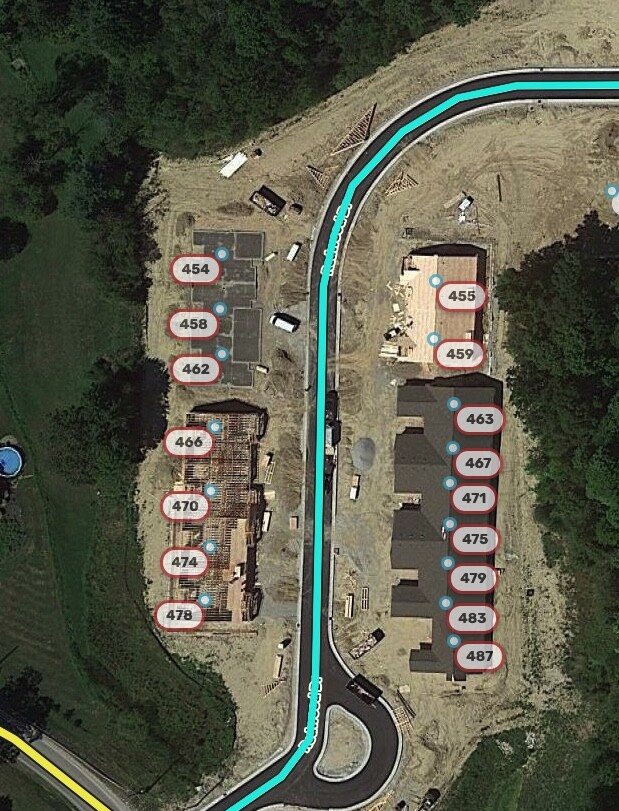
Alright, I added all the rest of the house numbers based on your information, but 370 Poplar Ln is shown in two places on the developer’s map. Since you already added it at to the southwest building, I left it out of the other building. Obviously it can’t actually exist in two places. I figure since you live there or will soon, you should be able to adjust if needed. If that requires another force, please post here and we will do it, or make a few edits and get to level 2 
I also edited your parking lot road a bit. It was red because it had no name information, so I filled that information in by checking the None box next to the street name field. I cut the segment so that it does not form a two-segment loop, which can confuse the routing server.
