Waze uses three kinds of pedestrian segments. Although the names of these types of segment may suggest that Waze supports routing for pedestrians, Waze intends to guide only drivers of consumer-level motor vehicles (i.e. not including trucks or buses) and has no plan to support any other use.
Waze map editors can and do use pedestrian segments to improve routing or display for drivers only. Waze will not send users onto these segments, but the routing algorithm can use their properties to guide navigation to a destination.
There are more reasons for not adding pedestrian segments than there are for adding them. Always approach these segments with the default choice of not adding them unless they solve a specific problem. Adding unnecessary pedestrian segments causes map clutter and may cause Waze to accept false speed and routing data from pedestrians and cyclists who have Waze active on their phones.
Many new editors add pedestrian segments to follow neighbourhood short cuts or walking paths through parks. Do not do that - your default choice is to not add them, remember. The only thing that accomplishes is to give more senior editors more editing points when they find and delete those segments an inexperienced map editor has created.
NOTE: Waze offers several varieties of English in the app and in WME and each flavour of English can use different terms for the different types of pedestrian segment. This page will use the generic English terms for each type, with the American terms (i.e. en-US) indicated once.
General Characteristics
You can create a pedestrian segment in the Roads menu in WME, but what you see there depends on which flavour of English you are using:
| UK and generic English | US English | Australian English |
|---|
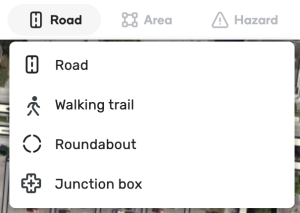
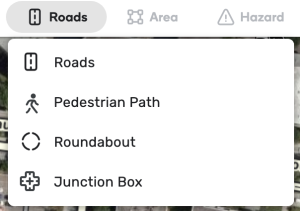
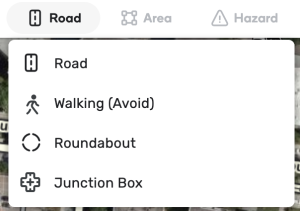
Pedestrian segments connect to drivable segments with a virtual node, which can be identified by its white dashed border. Pedestrian segments connect to each other through standard nodes.
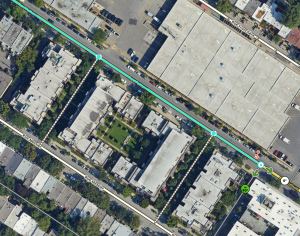
This segment has two virtual nodes that connect to pedestrian segments.
When a map editor drags the end node of a pedestrian segment to a drivable segment, the action automatically creates a virtual node. The virtual node does not cut the segment that it connects to but modifies it. The virtual node doesn’t allow routing between the pedestrian segment and the drivable road.
While pedestrian segments can also connect to the junction nodes of drivable segments, they are not required to do so.
In the client, pedestrian segments appear similar to parking lot roads but disappear before them when zooming out, so they are not visible at typical freeway speeds. The name of a pedestrian path is displayed in the client in the same way as local streets.
There are three types of pedestrian segments: walking trail (routable pedestrian path in US English), pedestrian boardwalk (non-routable pedestrian paths), and stairways.
Walking trail (Routable pedestrian path)
A walking trail is the only type of pedestrian segment that has an effect on routing and it is the only type that snaps users to it. This type should only be used where the map editor desires to affect routing.
If a destination is closer to a walking trail than to any other segment, Waze will send users trying to get there to the virtual node where that walking trail (or network of walking trails) attaches to a drivable segment. If this walking trail attaches at multiple virtual nodes, Waze will choose the closest one as measured by segment length(s). This operates similarly to how the routing algorithm treats a destination on parking-lot roads.
Because destinations snap to walking trails, these segments can cause confusion and routing errors. As you look at the example below, consider what would happen if the western fork of the walking trail did not exist. Users who wanted an ice cream would be routed far off course.
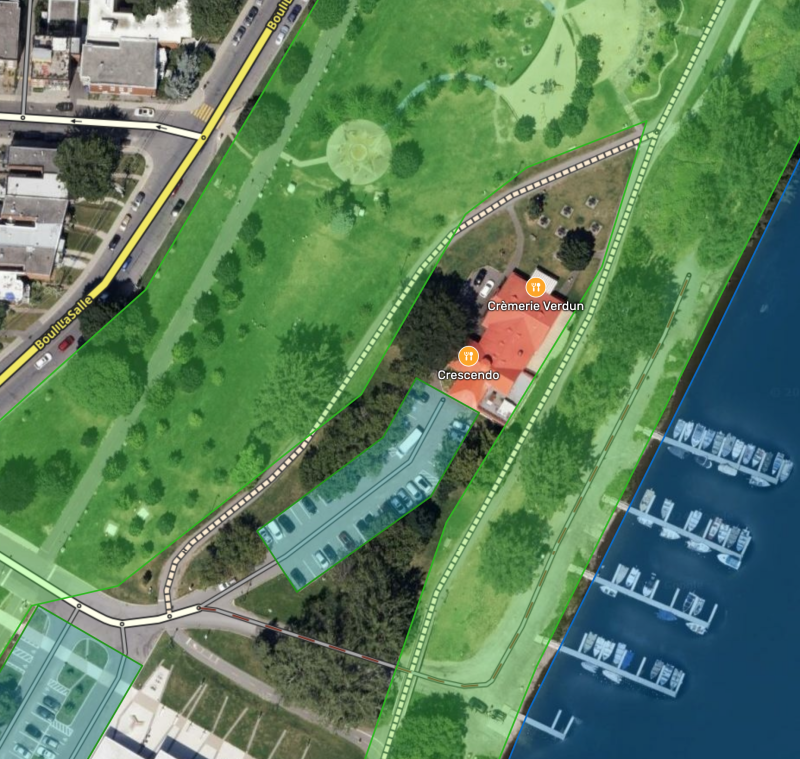
As a destination, Crémerie Verdun will snap to the walking trail through the park and users routed there will be sent to where that walking trail attaches to a drivable road instead of to the shop’s parking-lot road.
Only use a walking trail to direct users to a specific destination, when it will improve routing to and from destinations snapped to them. Never use this type for ordinary hiking or cycling paths. Nearly all hiking and cycling paths should not be on the map at all.
Examples of proper use
Walking trails (and networks of them) can bring drivers to destinations where otherwise Waze might fail to offer the best route, such as:
- a concert pavilion in an urban park accessed by a pedestrian path from a distant parking lot,
- malls with multiple entrances,
- a train station reachable from either side of the tracks but with no drivable road across them, or
- an address on a non-drivable footpath or roads forbidden to motor vehicles.
Here are some examples.
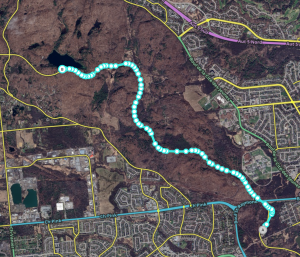
Walking trail near Lac Pink.
Lac Pink, a popular hiking destination in Parc de la Gatineau, sits next to Promenade de la Gatineau, a road that is often closed to traffic. Users wanting to go there when Promenade de la Gatineau is closed are routed to the residential streets south of the lake, the closest available drivable roads but which have no access to Lac Pink. Creating a walking trail along Promenade de la Gatineau intercepts the “snapping” of the lake to that road and diverts all routing to its virtual nodes, attached to parking-lot roads in parking lots that do offer lake access. When the closer parking lot is inaccessible due to road closure, Waze routes to the farther, available parking-lot roads instead.
Similarly, Rue St-Antoine Ouest in Montreal was closed for six months by a work site of trenches and fences. Not even pedestrians could cross from one side of the street to the other. Users reported that Waze was directing them to the wrong side of the street for a chosen destination. Walking trails “intercepted” the snapping to the side streets and enforced routing to the correct side of the closed street. Note that in this case, the walking trails were named “Rue St-Antoine Ouest”.

Users complained they were being sent on the south segment of Rue du Couvent for destinations on the inaccessible north side of Rue St-Antoine Ouest.
Residential developments sometimes use street addresses that are not on the actual street. Users wanting to go to those addresses can be sent t the wrong side of the complex or even to a completely different street. This residential complex in Edmonton uses walking trails to direct users to the correct parking-lot road for each address. This walking trail attached to Mackle in Côte-St-Luc, Que. prevents users from being sent to Lismer instead.
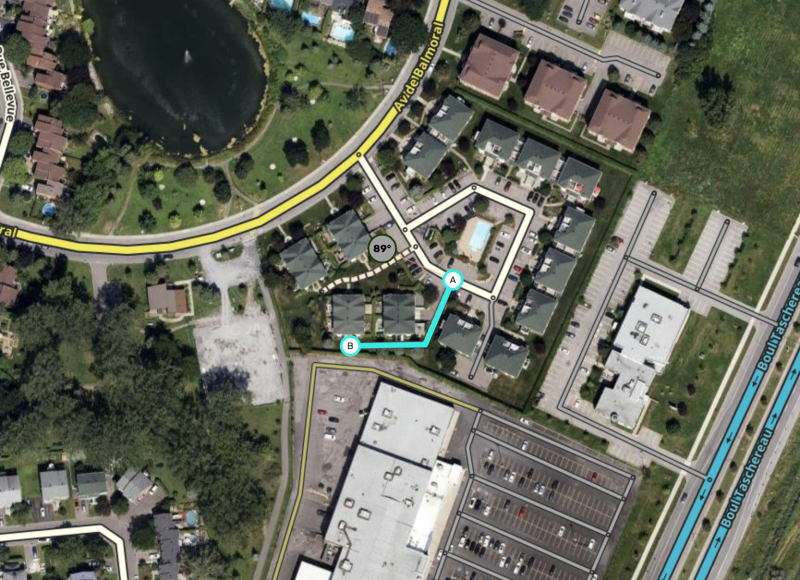
Here is a third example, which prevents navigation to these homes from using the parking-lot roads of the adjacent shopping centre.
Much like addresses, some destinations may snap to the wrong segment. A walking trail allows the Kondiaronk lookout on Montreal’s Mount Royal to snap to it instead of to the local streets literally a hundred feet below. Users asking for a route to the lookout will be sent to the appropriate parking lot, where the waking trail attaches.
This commuter-rail station in Brossard, Que. sits in the middle of a freeway. Without a walking trail, Waze would send users navigating to the train station to the closest freeway point. With a walking trail for the station to snap to, Waze instead sends users to the appropriate local/parking roads.
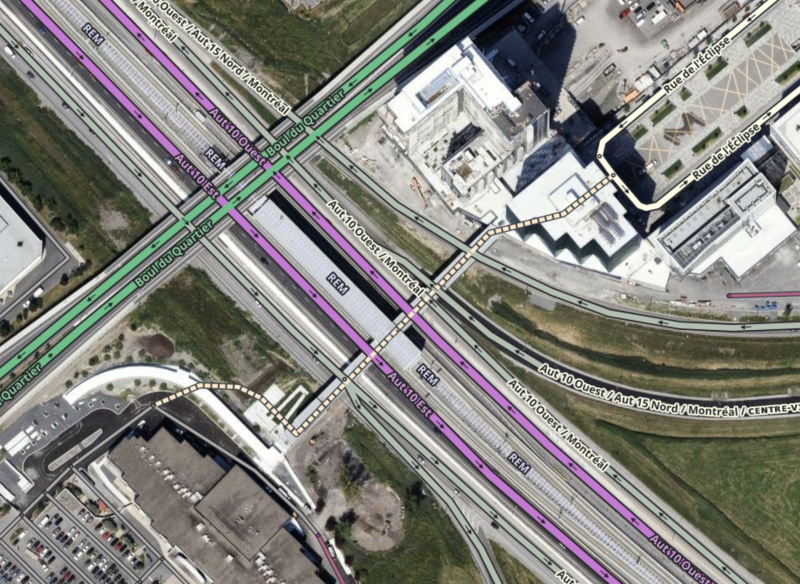
Don’t stop on the highway, ramps, or overpass to deliver passengers to the Brossard REM station.
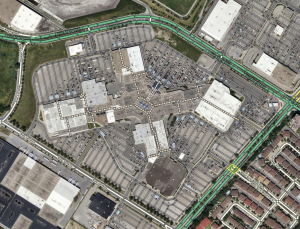
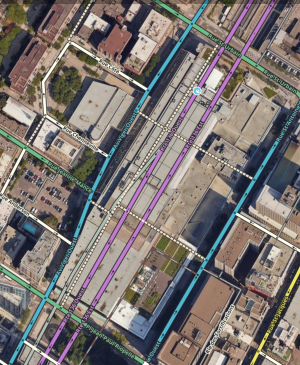
One clever use of walking trails is to mark the consumer walkways inside malls and other shopping complexes. Creating these walking trails and attaching them to the surrounding network of drivable roads will lead Waze to send users to the closest door to any destination in the mall. In this case, it’s important to follow the the mall’s paths as precisely as possible so that Waze can make an accurate distance calculation.
A basic example is Carrefour Angrignon in Montreal. Elsewhere in Montreal, the Palais des Congrès is a more complex example as this mall literally sits on top of an underground major highway. The walking trails inside the shopping area attach to the surface streets, which allows proper routing.
| Carrefour Angrignon | Palais des Congrès |
|---|
Waze™ things
When Waze uses destinations derived from other sources, like Google Maps, it geolocates the destination’s pin on the Waze map then navigates to that point. Waze’s map can override the pin from Google Maps by linking to that Google Maps place in the External Providers field.
However, when the destination in question is a large area place, Waze can continue to use the Google Maps pin in error. This can also apply if Google Maps has several pins for a single area such as an airport’s various airline desks, arrival doors, departure doors, etc. It is easy to miss these when linking them to a Waze place. But even if your linking is comprehensive and perfect, Waze can still opt for an incorrect gelocated point.
This error most commonly occurs for airports but is known to affect other large places too.
Map editors can use walking trails to compensate for this error. The first step is to open Google Maps and see where that places the pin. Let’s look at Montreal-Trudeau International Airport, which is known to succumb to this error. Waze would send users to the middle of this vaguely U-shaped airport, which is a hub for aviation businesses that offer no public access to the airport.
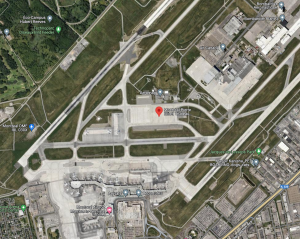
Montreal-Trudeau International Airport on Google Maps
The image above shows that the Google Maps pin is in the middle of a distinctive concrete apron. When routing to the airport, Waze would send users to the closest drivable road to that point, which is the western tip of Chemin de la Côte-Vertu, shown in the next image. That point is, at best, 15 minutes by car from the passenger terminal - a delay that can prove disastrous for travellers.
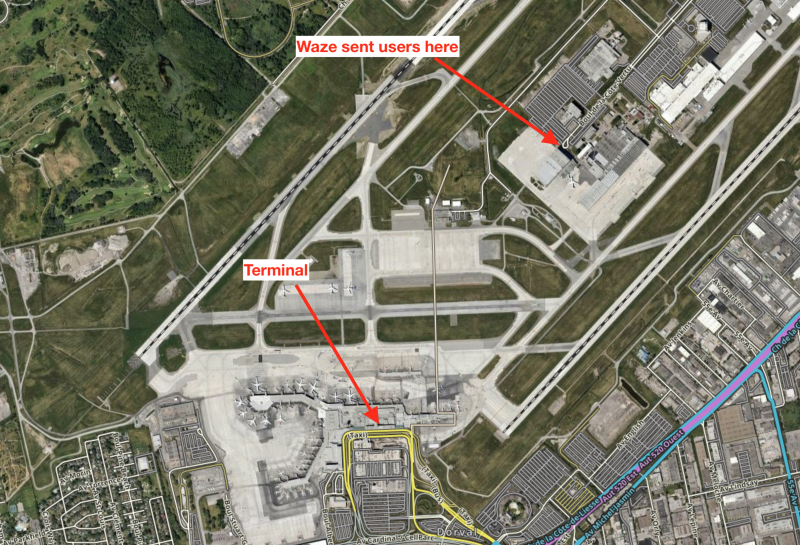
In that image, and in WME, you can see a walking trail extending north to that distinctive apron. That walking trail attaches at a virtual node at the airport road’s fork into areas for passenger arrivals and departures. That walking trail intercepts the snapping of the Google Maps pin and forces Waze to route users to that virtual node. You can see this hack at several airports around the world, including Cleveland and New Orleans.
This hack is not only used for airports. This one allows proper routing to Parc Marcel-Laurin, after users complained that Waze was sending them to surrounding roads with inadequate park access.
Keep this problem in mind. There is no rationale for it but it definitely happens.
Creating walking trails
Drawing a walking trail is straightforward. Like drivable segments, they must be assigned a name and city (or have None marked) to be queued for addition in a tile build. You may name them with any name found on signage or in official use. You may also not name them, although any with addresses should be named.
Make sure that the path is closest routable segment only to the desired destination(s) and that it is not the closest routable segment to any undesired destinations, either from Waze or an external provider like Google.
Pedestrian boardwalk (Non-routable pedestrian path)
Pedestrian boardwalks have no effect on routing. Other than the map displaying them, the various Waze algorithms and services completely ignore them. Waze will not snap users to a pedestrian boardwalk, so it is safe to use these segments to map non-drivable roads as navigational references or for other special non-routing purposes.
Pedestrian boardwalks have limited reasonable possible applications - as always, editors should consider not using them as the default choice.
Examples of proper use
Pedestrian boardwalks can be used to indicate significantly popular or historic paths: the sort of path that might be used as a destination on its own, yet does not have a single point that can be used as a destination.
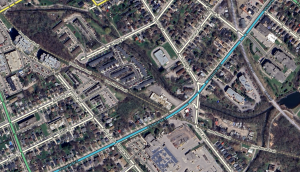
The Iron Horse Trail in Kitchener.
One example of this use is the Iron Horse Trail in Kitchener, Ont. Another is the P’tit Train du Nord in the Laurentian region of Quebec. Another potential use for a pedestrian boardwalk is to indicate a path on the map that is navigationally significant as a landmark. This may be useful in rural or wilderness areas. Because these are noteworthy, name these segments appropriately when you add them to the Waze map.
Always consider whether or not a potential pedestrian boardwalk benefits drivers. If it does not, do not add one.
Stairway
Stairways behave and appear in the client map exactly like pedestrian boardwalks.
House Numbers on Pedestrian Segments
All three types of pedestrian segments support the use of house numbers but navigation to them differs by type (like any other destination).
If a house-number destination is located on a walking trail, the user will be navigated to the virtual node closest to the destination on a drivable road.
If a house-number destination is located on a pedestrian boardwalk or stairway, the user will be navigated to the closest point on a drivable road to the destination. This may cause an unacceptable result.
Just as with drivable roads, pedestrian segments with house numbers must have a name and city set accordingly so that searching for the addresses will work.