Peno additional imagery layer slow to load

Is this a…:
Performance issue
Steps to reproduce this issue:
Turn on the peno layer, browse and wait for it to load. Loading the peno layer can take 10 to 30 seconds. And every time you zoom or move, it has to load new images again, which is where it really highlights how slow it is. I can tolerate 10 seconds to load the screen, but any higher than that is too much.

Does anyone else have any good examples of it loading really slow? As soon as I started to record it starting getting 10s load times instead of the 30s I had prior.

Environment where the bug occurs…:
ROW
Permalink:
https://waze.com/en-AU/editor?env=row&lat=-32.81831&lon=151.63868&zoomLevel=17
Browser name and version:
Chrome 142.0.7444.176 (Official Build) (64-bit)
Are you using scripts? Please detail which ones.:
No scripts.

2 Likes

I have noticed this as well.

1 Like

Hi @LostInMyMaps,

Thank you for reporting the problem. I have filed an internal ticket for this case and will keep you posted on any updates.

Regards,
Nataliia

Works fine for me, I pan, zoom, and images load in less than a second.
Using chrome 142.0.7444.176


I think it’s more of an issue where it lags when rendering, compared to base imagery. When you pan, base imagery is loaded and the additional imagery layer visibly loads in tiles as you move.
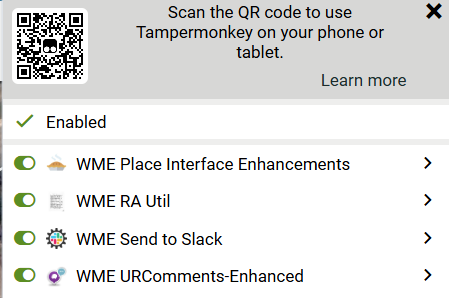
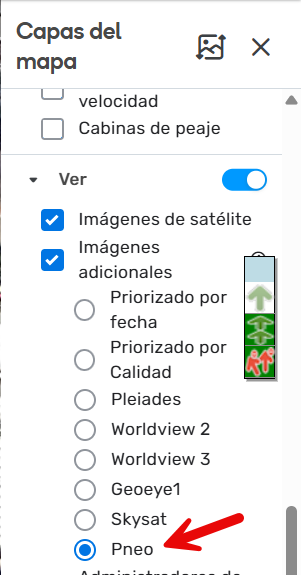
That is nice and fast! I wonder if it is a server location issue? I feel like it used to be that fast but has since slowed down.

Hi Everyone,

Thank you for your comments. The team is still addressing the case. I will keep you posted once they share any insights.

Regards,
Nataliia

1 Like

Hi everyone,

Could you please update me on whether this issue is still happening? I tested it on my side, and the imagery loads normally for me.

Thank you in advance!
Nataliia

Still slow for me, but not as slow as it was.

2 Likes

Thank you @LostInMyMaps

Regards,
Nataliia

1 Like