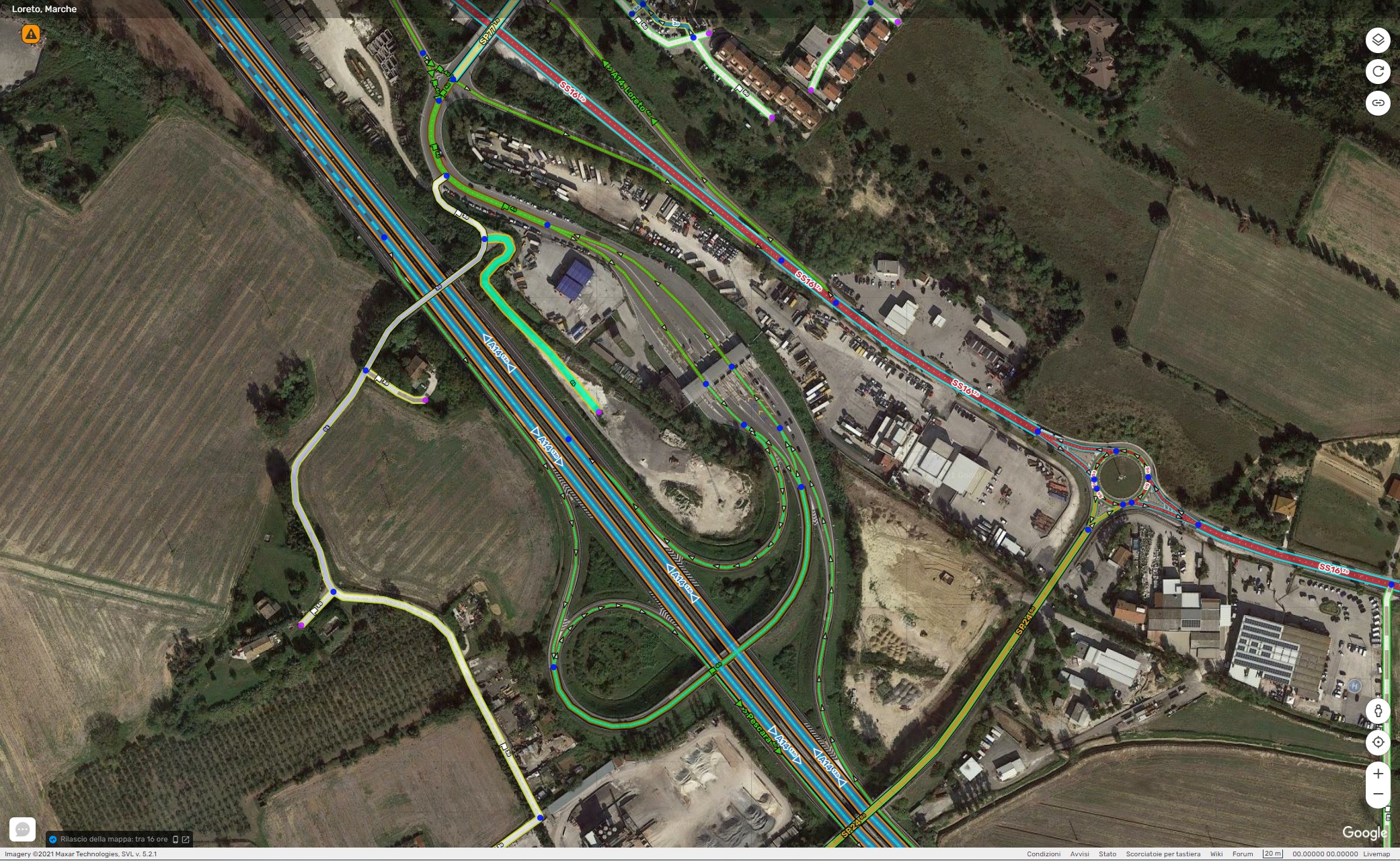
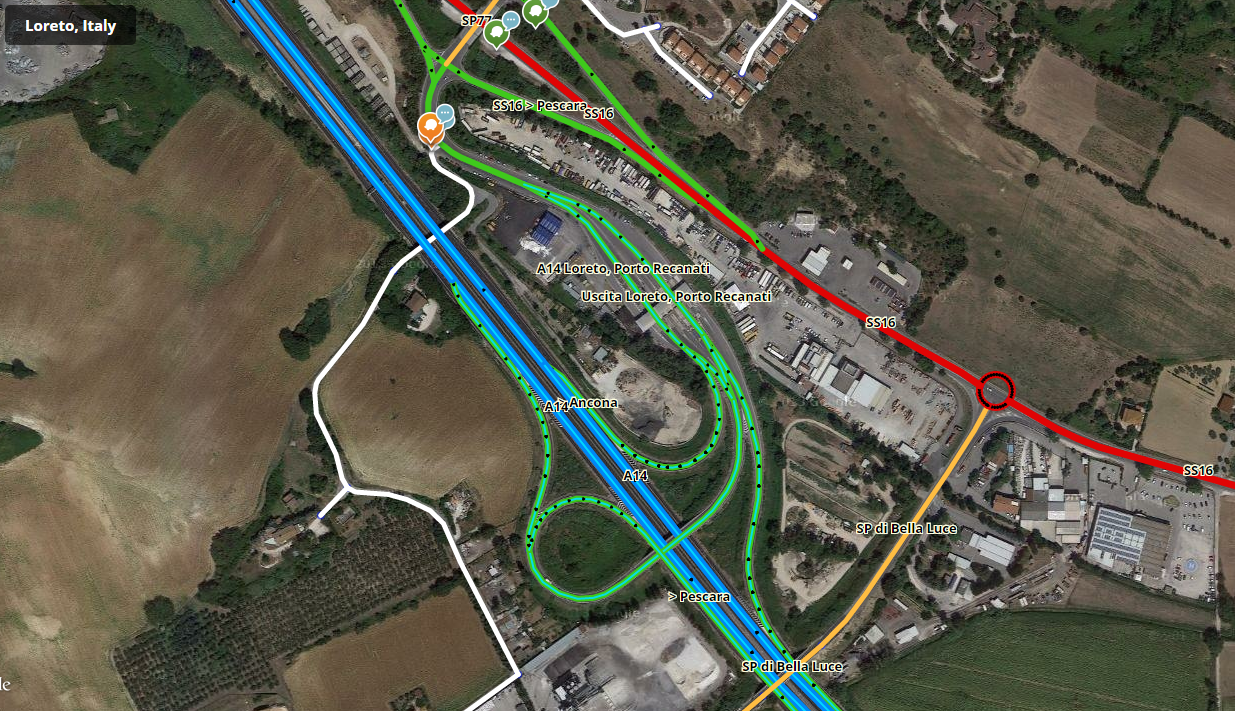
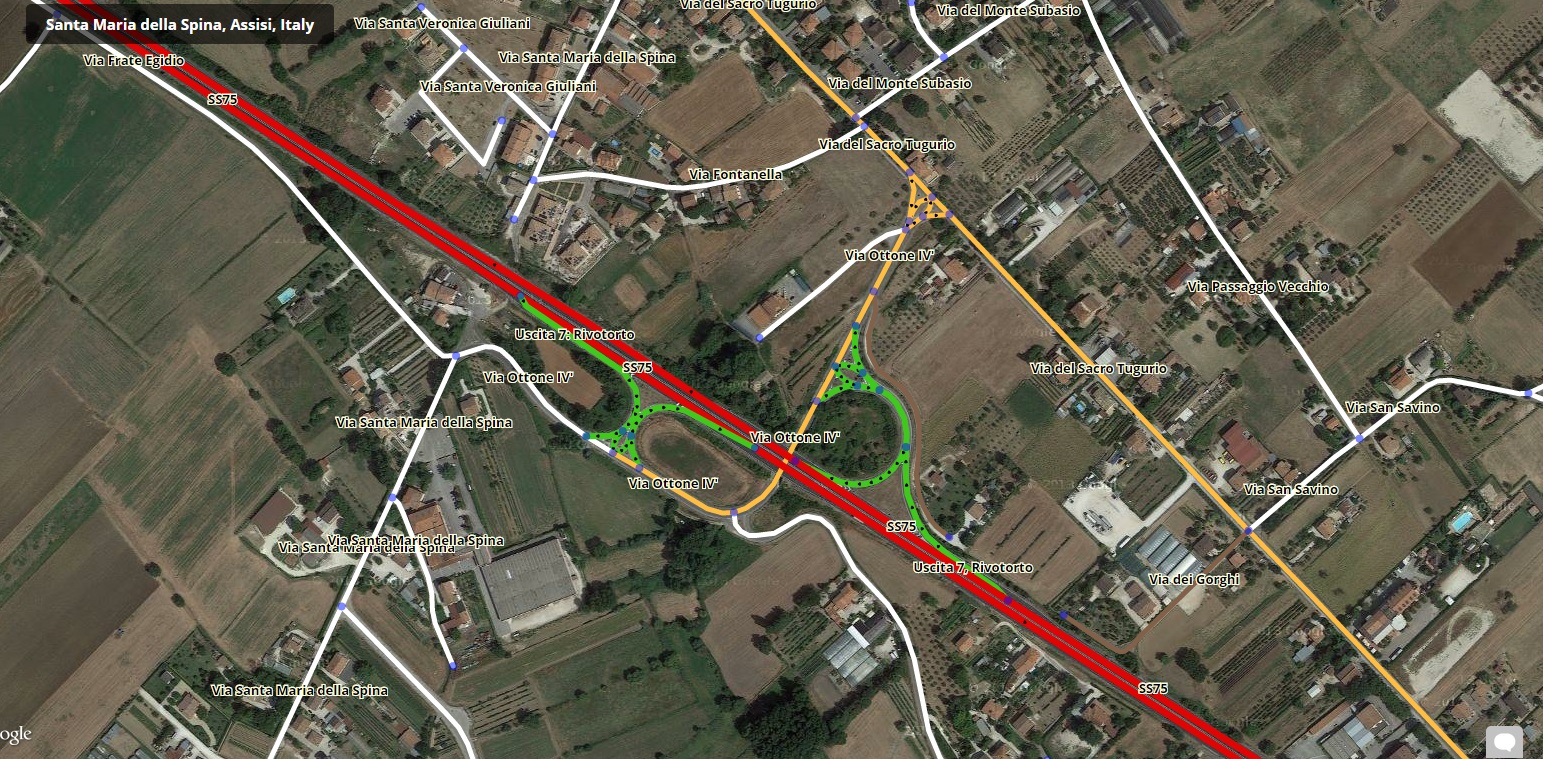
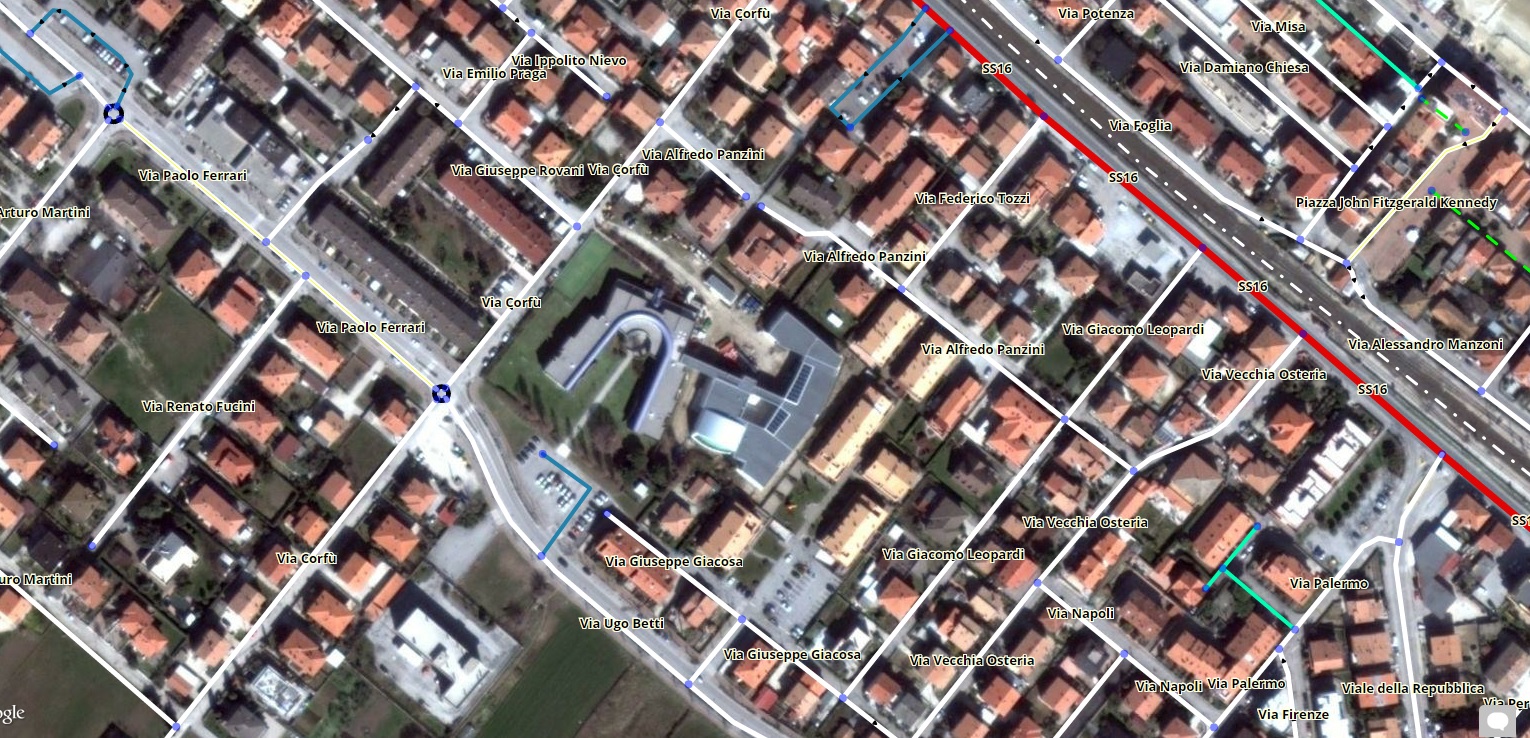
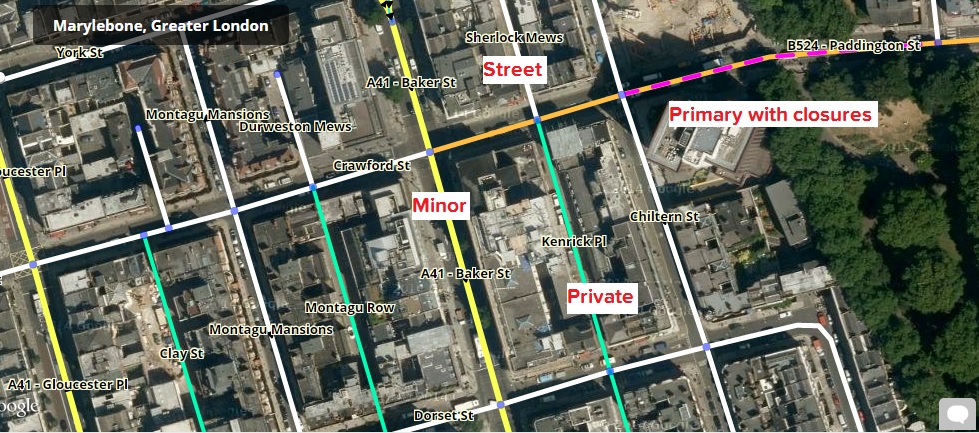
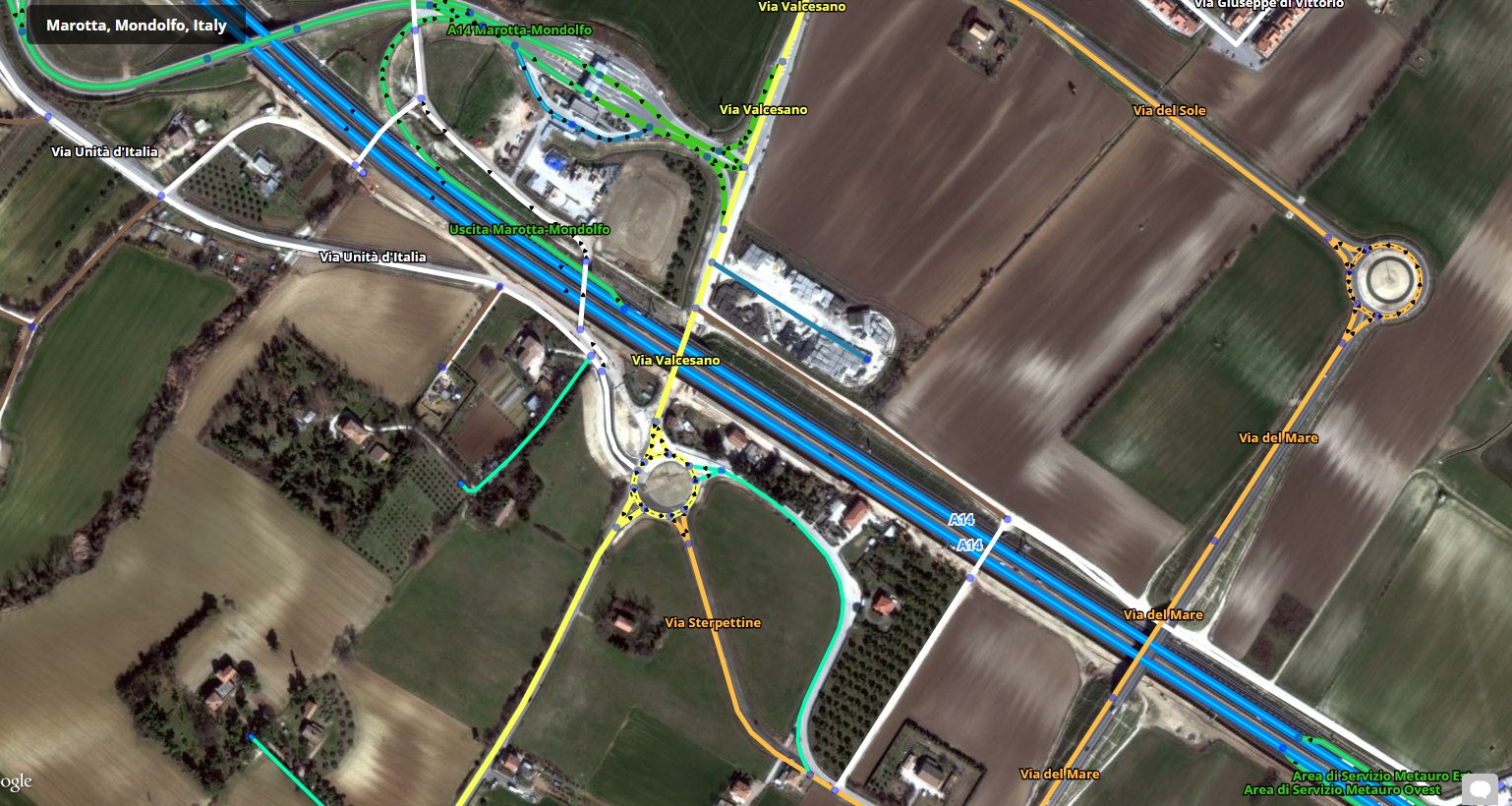
The Road layer for the editors, made by editors. Please click here to install it (new Repository since 11/03/2021, v. 5.1.5)
Edit: New screenshots
(unavailable attachment: Pasted image at 2016_06_18 04_28 PM.png)
(unavailable attachment: Pasted image at 2016_06_18 04_29 PM.png)
As some (or most) of the people here is not liking the new Road layer (incl. me), I’ve asked to myself:
Why does Waze have to choose which colors we like? Wouldn’t it be nice to let the user choose? Wouldn’t it be better for color-blind people to choose colours they can distinguish?
Unfortunately this is not possible with the current tiles, as they are generated on a Waze server and we just download them.
In order to do so, the tiles has to be generated by our browsers.
That said, after one afternoon of work I’ve created this vector layer.
Pros:
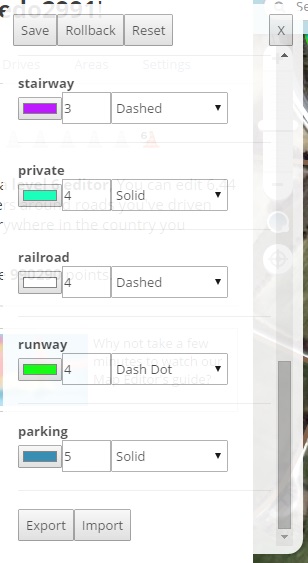
It’s possible to customize it (color of the road, size of the road, …)
It keeps working if the tile server is down
Saves bandwidth (i guess not much, but better than nothing).
What you see is what you can edit. When the elements are loaded they are drawn. No more clicking on segments that can’t be selected.
You don’t have to save to see the edit, segments are redrawn when you move/delete them (less confusion when deleting/moving segments).
Tries to take the good things of the old and new layers and puts them together (mostly old colors for street, primary and highways and new colors for non-drivable/dirty/parking lot streets, plus restrictions and toll).
If the segment is closed a purple dashed line is shown on top of it.
Cons (so far):
Makes your CPU work a little bit more
Names placements is not as nice as in the new road layer but, as far as I know, with this version of OpenLayer, is not possible to do better. Names might overlap.
Some screenshots:
Some (edit: OLD) screenshots:
– OLD –
The script is currently in “alpha” status. Some things still needs to be fixed or improved.
Let me know what you think about it, so I can see if it’s worth keeping developing it.
If you would like to try it, please send me a PM, I’ll let you know in the following hours/days when I have something usable.
– OLD –
So long as Waze continue to keep their heads stuck in the sand apparently not listening to any of the (mostly valid) criticisms of the new road layer, then this script could become very important to quite a few editors, myself included, and it’s something I would have almost certainly ended up trying to write myself if no-one else had done so. So I’d say it’s very definitely worth continuing with, and if there’s anything I can help out with please don’t hesitate to get in touch. PM has already been sent
Quick update, the script is available for the one who request it.
I still want to improve it before making it available for everybody.
So far I’m quite proud of the result, seems to run rather smoothly also in dense places like London and Rome.
Very nice! Perhaps a little decluttering of the road names
Looking forward to the color change panel.
Also, I know not everyone likes this feature of the new road layer, but it would also be nice to have the road name text match the road type color (as an option), especially if it’s not possible to make OpenLayers show the text at an angle along the road.
At zoom level 3 the streets are not shown. I understand why (you cannot fetch the data), may be by scanning at zoom level 4…
Street names hide arrows to many times (on ortogonal, regular, cities.)
Would be nice to be able to change the width of the roads.
Overal looks great! (I hope this will help me with the problem I have with openlayers tiles ,not only on Waze map, that for an unkown reason my computer sometimes fails to download)
I was aware of that but I forgot to write it to the Known issue. Nevertheless I’m glad to say that the issue is fixed.
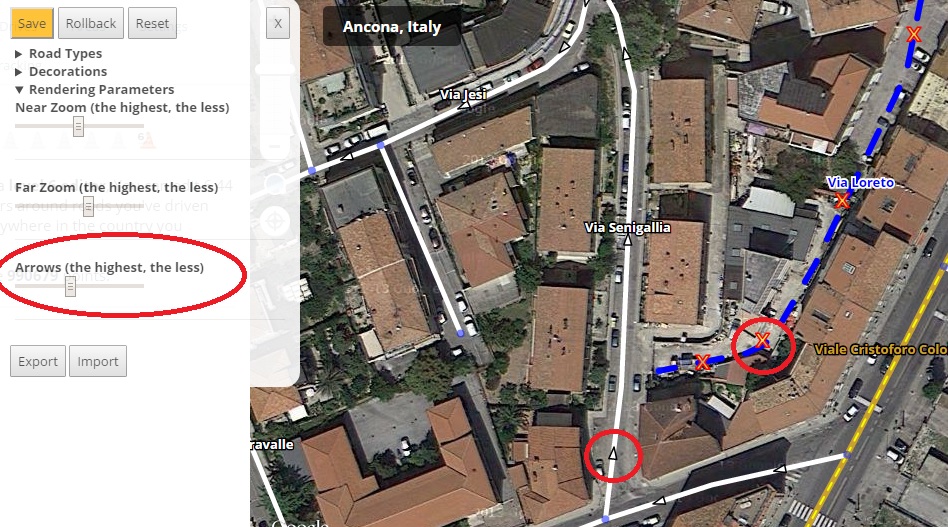
When that happens, two extra arrows are generated. The problem is when the street is horizontal, in that case the name may still cover the arrow.
Version 0.3
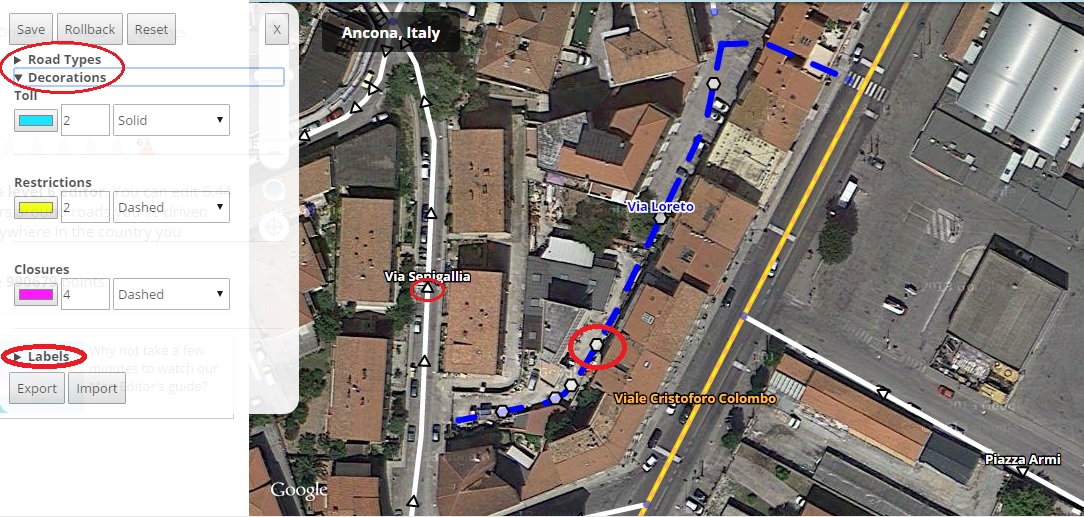
It’s possible to open the preference windows also by clicking on the scale line, that is shown also when the Imagery are turned off.
Extra arrows when label covers the only one.
New style for arrows.
Maximum road thickness is increased to 15 instead of 10.
The problem is that the vector layer is not so suitable for far zoom editing. The more elements you’ll have to draw an the map and the slower it will run.
For this reason I’m already limiting the number of features that get drawn at zoom level smaller than 5 (No arrows, no extra decorations like toll, etc…)
Another option would be to automatically fallback to the normal layer when the user zooms out (1, 2, 3), but I personally don’t know if it’s worth it (at least the normal layer shows the city names too).
What do you think?
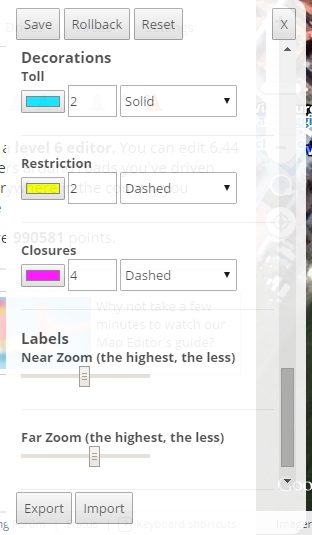
Is possible to customize how many labels will be shown at “Near” (>= 5) and “Far” (< 5) zoom using the sliders in the preference panel.
It is now possible to style unnamed roads too.
It is possible to customize streets decoration (toll, restrictions, closed)
Preference panel is not covered by the header anymore when not in fullscreen.
Import and Export buttons are always visible
Improvements in the preferences panel styling Important!
The previous settings will have to be reverted to their default value. At the first run the script will allow you to make a backup. Copy the string and import it afterwards if you’ve made any change. The process might fail, let me know how it goes! :?
Roads with direction “Unknown” used to have a random direction displayed, now hexagons are shown instead of arrows.
Labels are shifted slightly toward north, in order to see also the arrow below the names and the labels don’t cover the segment if it is horizontal.
The preference panels has been divided into sections to make it clearer.
When you edit something in the preference panel the save button becomes orange to remind you to press it.
Know issues
Nodes sometimes not shown/shown under the segments
When renaming a segment it is displayed as a red segment until you pan or zoom in/out.
Thanks all of you who are giving me valuable feedback and encouragement
New: Support for streets that are pending for validation. (only available in few places at the moment, for example here).
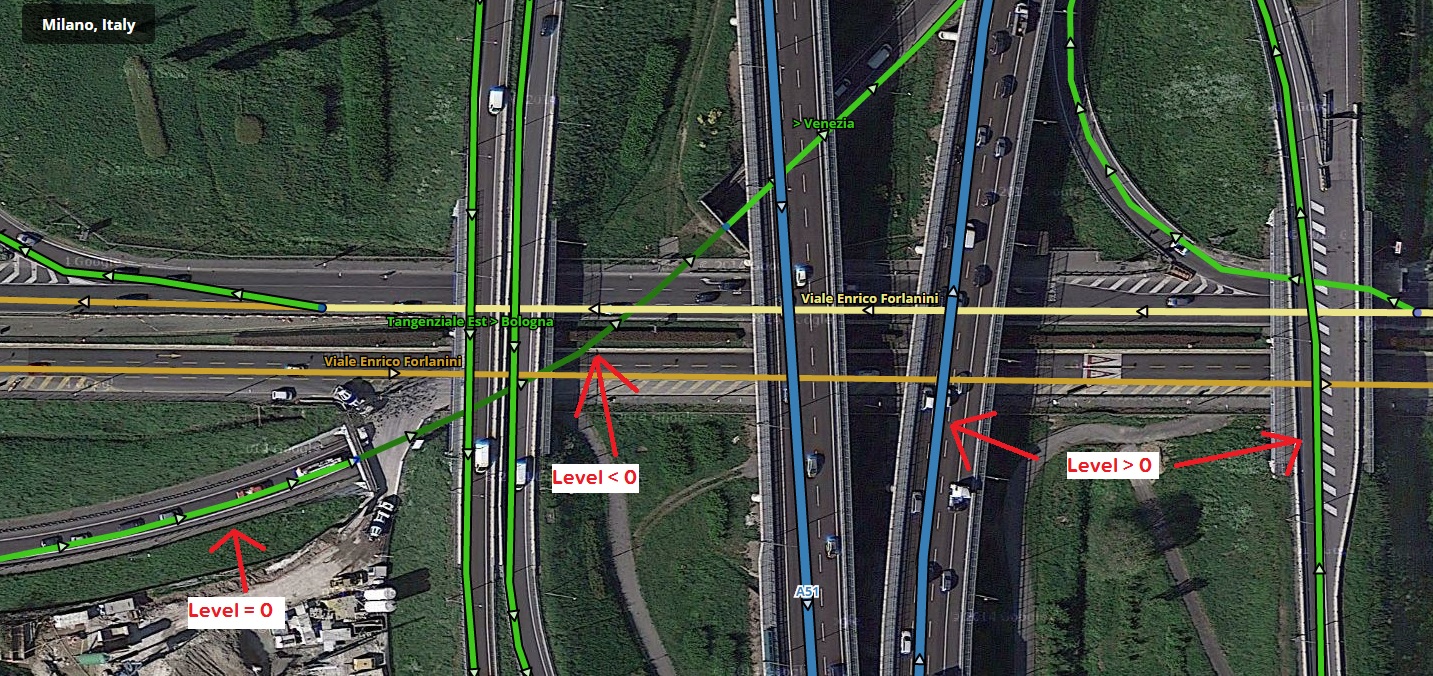
New: Elevation! Bridges (elevation > 0) and tunnels (elevations <0) are rendered differently. For bridges they have a black border, tunnels are darker than the normal streets of the same type.
Changed: Default colors for primary, highways and freeways are exactly the same as the old editor (“Reset” from the preference panel to apply them, if updating from an older version).
Fixed: when renaming a segment is displayed as a red one (as unnamed).