[Script] Turn Instruction Surfacer v0.9 (20251116)

Prompted by a request from a fellow Champ, here’s a simple script I knocked together to help locate turn instructions containing user-defined text. Once installed, it will quietly sit there in the scripts sidepanel, scanning the available map data as you pan/zoom around, and generating a clickable list of any suitable TIs.

e.g.
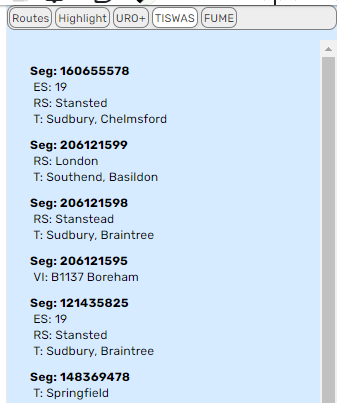
Each turn instruction is listed individually under the segment ID to which it’s associated. There are 4 possible types of detail listed for each TI, indicated by the “ES”, “RS”, “T” and “VI” line prefixes - these correspond to the text defined for Exit Signs, Road Shields, Towards and Visual Instructions. If a detail type is not listed, this means the TI contains no user-defined text within that type.

Notes:

TI data is only loaded by WME at zoom level 17 and above.

As noted above, the script only looks for TIs containing user-defined text, as these are the ones where typos and other similarly hard to find errors can occur - there may therefore be additional TIs within the current map view which do not get listed.

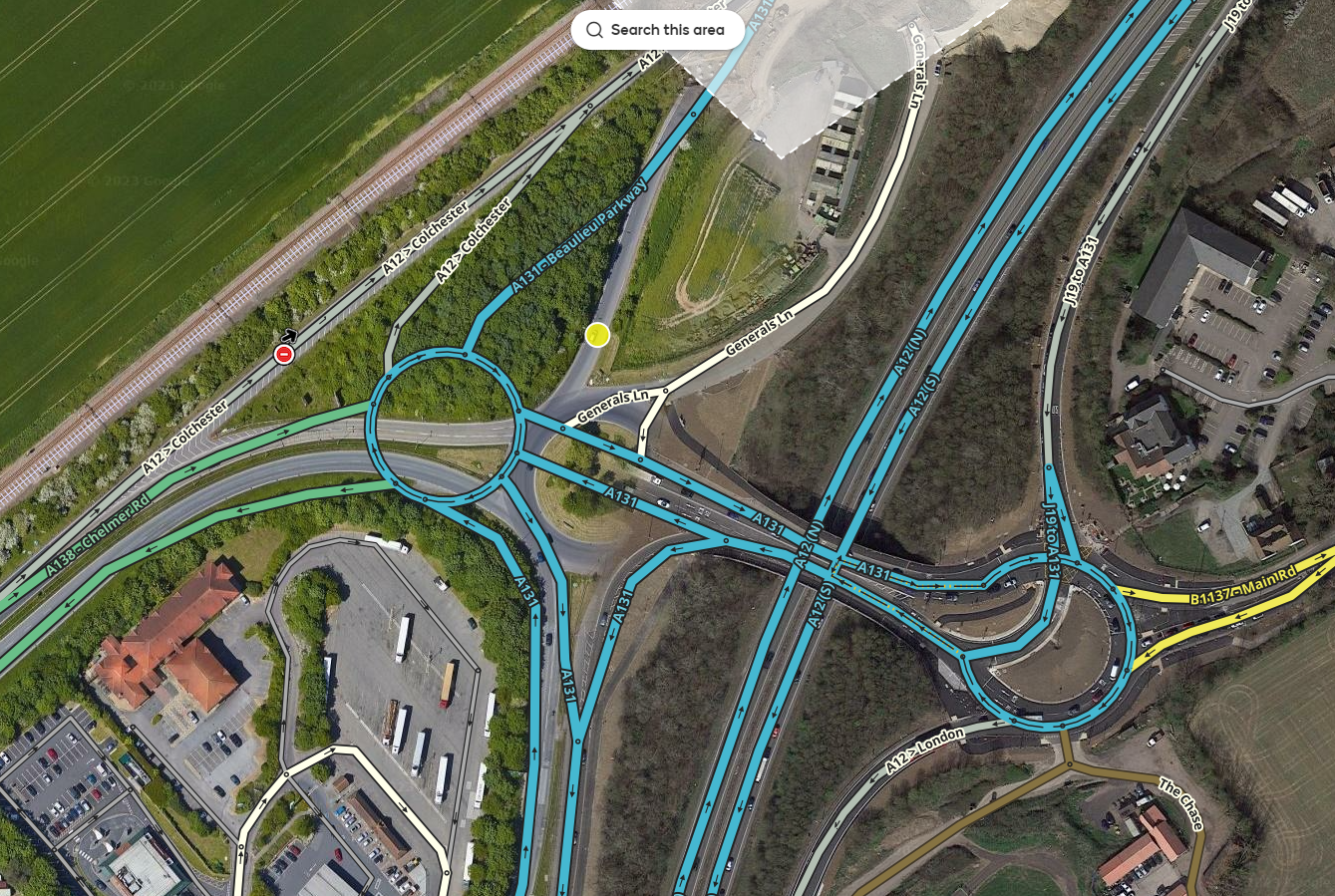
As an example of why this script exists, this is the area of the map which generated a UR complaining about a mis-spelled destination name (Felixstowe) in the driving instructions, and which prompted the Champ request. Good luck finding it by hand…
Or, alternatively, let the script do the initial search, leaving you to simply scan down the list until you spot the typo…
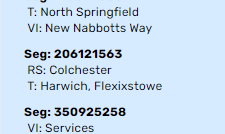
…then click on that entry to have the offending segment highlighted and centred in the map view.
And for anyone wondering why the script name is abbreviated to TISWAS instead of just TIS, its full name is the “Turn Instruction Surfacing WME Addon Script”, which entirely coincidentally abbreviates to TISWAS, which entirely coincidentally just happens to be the name of a TV show I used to watch when I was a kid, many, many, moons ago…

1 Like

Brilliant! Thank you @Twister-UK .

Love it, thank you :ugeek:

I noticed when the Towards starts with a shield, the script lists RS+T under RS. Example permalink:

Thank you for making this script. Once again a great idea turned into an outstanding script.

Sean

Yeah, that’s due to the way shields are handled within the data model - in this case the Towards instruction contains only a reference to a road shield, so as there’s no additional user-defined text specific to the towards instruction, the script doesn’t list a T entry here.

As this reference does then however associate a road shield with this TI, it’s within the Road Shields part of the TI data model where the user defined text is stored, hence why it gets listed under RS instead…

Very nice! Thank you so much. Greatly appreciated.
I was expecting it to take me to the segment when I clicked on the segment ID. It only works when clicking on either of the other two lines.

0.4 stops the segment ID from inhibiting the expected onclick behaviour…

https://greasyfork.org/en/scripts/483357-tiswas

By request, 0.5 adds a freetext filter option to show only those TIs containing the entered text somewhere in their definitions.

https://greasyfork.org/en/scripts/483357-tiswas

0.6 stops the script disabling itself if WME starts up with the userscript tab open - apologies to anyone caught out by this problem, I’d fixed it a few months ago in my local copy and then completely forgot to update the Greasyfork copy :oops:

https://greasyfork.org/en/scripts/483357-tiswas

Thanks for the update!

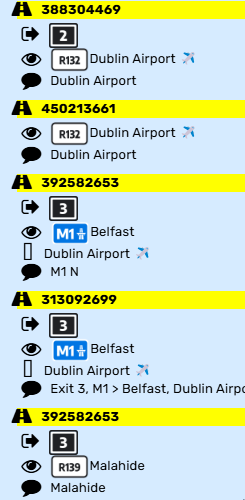
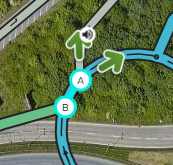
0.7 now surfaces TTS overrides, fully renders road/exit shields rather than only displaying their text, and replaces the English abbreviations for each type of instruction with icons:

Exit arrow = exit signs
Eye = visual instructions
Curved arrow = towards
Speech bubble = TTS override

3 Likes

I might have identified an issue with the exit shield shown in the left panel.

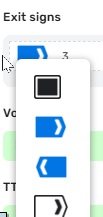
It insists using the Black square, but all of these use the blue/white arrow.

I’ve got a suspicion the black square being the first option in our exit shields list might be playing a role:

1 Like

Thanks for the heads-up on this. As a regionally specific thing, I hadn’t seen any TI data that used an exit instruction image other than the black square, so the script doesn’t currently support selecting the correct one whenever the TI data does indicate the need to do so, and therefore will always use the black square regardless of whereabouts it sits within any localised list of options.

If it helps, the data structure looks like this:

                    turnGuidanceObject.exitSigns.push({
                        'text':roadShieldText,
                        'type':2166
                    });

And that <type> is what you need in the URL instead of your 4032

1 Like

0.8 uses the correct exit image in all regions

2 Likes

Awesome! :sparkler:

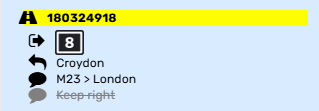
0.9 now surfaces the pre-defined TTS overrides set via the voice prompt drop-down list, rather than only surfacing custom overrides…

e.g.
image

Where a turn has both types of TTS override, the pre-defined one will be shown greyed and crossed-out to indicate that it itself has been overridden by the custom override, but that it remains present on the turn and would therefore re-appear if the latter is removed…

e.g.

1 Like