Any update on this?
The update is as noted above - the counts aren’t broken, they now just take significantly longer to be displayed than was the case prior to migrating to the SDK and having to accommodate its limitations/restrictions.
Sorry, I meant about the “None” MTE override: [Script] UROverview Plus v4.18 (20251103) - #2377 by Twister-UK
No, as due to repeated reminders from HQ as to the need to get our scripts migrated as much as possible over to the SDK, right now and for the forseeable future, my only focus scripting-wise is working on SDK migration of all my scripts.
For the problem with the cursor not on the Description field when you are creating a new closure, this seems to help:
On line 5240 that ends with “click();” [might be 5238 depending on tampermonkey tweeks], add the lines above and below so that it looks like this:
 const curFocus = document.activeElement;
 mteDropDown.children[0].click();
 curFocus.focus();
Works perfectly. Thank you! It will come in handy as I run into this daily.
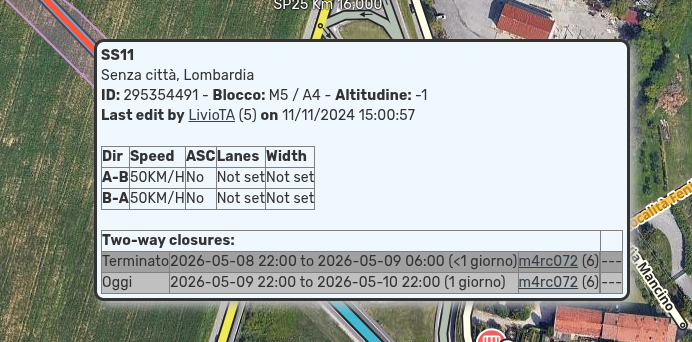
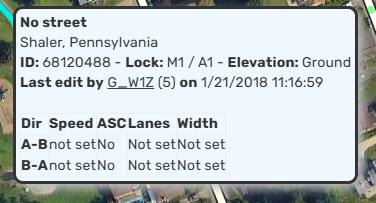
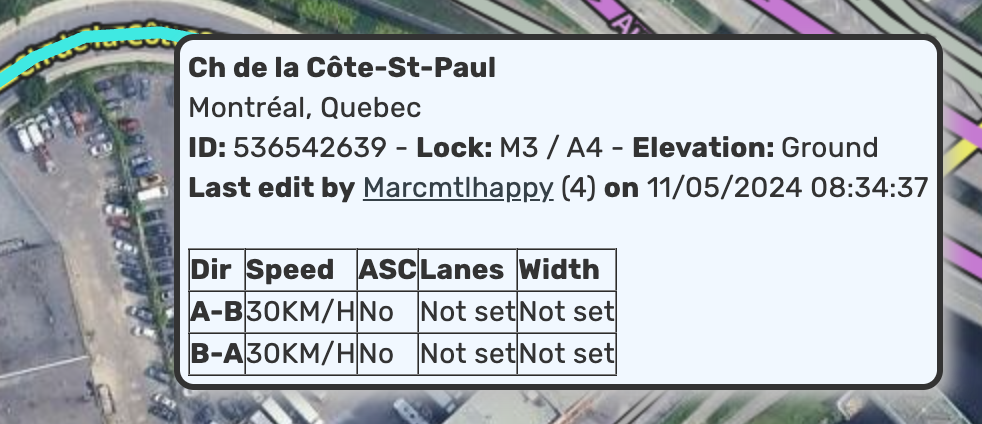
On another PC, I still have them. Not sure what changed.
I disabled all other scripts and extensions and still don’t have them. Trying to look through the settings.
@Twister-UK - any insight you can provide?
I have encountered the same issue as you. Actually, if you zoom in on your screenshot, you will see that the border is still there. The problem is that the color is almost invisible, so you cannot see the border clearly.
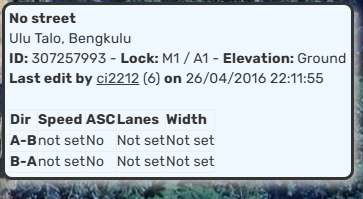
above is the screenshot of URO+ on chrome
This is a Chrome issue that appeared after the recent update. When rendering CSS, the inner and outer borders of the table are rendered with an almost invisible line.
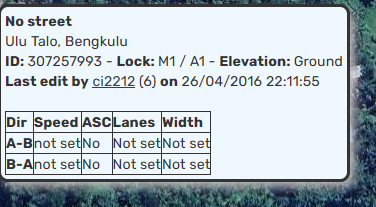
above is the screenshot of URO+ on firefox
If you want the version that forces the inner and outer borders of the table to be rendered with a visible line on chrome, you can use the attached file.
That did the trick. Thank you so much!
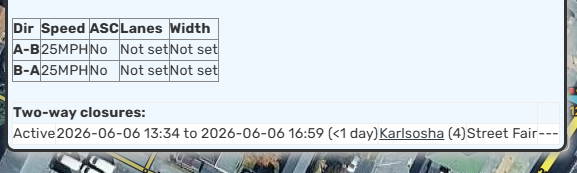
No problem. The code at the same link above has been updated to include an improved closure table rendering for Chrome. That should make the A-B closures section show visible lines as well.
All of this happening because border=“1” is a legacy HTML attribute, browsers are free to render it differently. Chrome recently changed how it applies default table styles, so the old implicit cell borders that used to show are now much less visible or effectively invisible.
Unfortunatey, this adjustment brings back this cursor issue: [Script] UROverview Plus v4.18 (20251103) - #2376 by G_W1Z
@Twister-UK - there hasn’t been a new release of URO+ in 7 months. I assume it has to do with migrating this to SDK?
The modification to the userscript code is not related to the cursor problem you described. The modification is only on the style side and not in the business logic.
Since I do not handle MTE often, I cannot see the problem you are experiencing. However, if there is MTE available within my editing area, I will check the symptom. I hope that I can see the cause and offer a temporary fix until the original author comes back to maintain the script.
Yes, the lack of any visible updates is related to the SDK migration work - URO is the most heavily impacted of all my scripts in this regard - with my real world job also requiring far more of my time and energy in recent months which has caused a significant slow down in getting the migrated code to the point where the new version is in a useable state.
Thanks to everyone who’s continued to report bugs and provide patches - where applicable I’ll be taking these into account in the SDK’d version once that’s finally ready for release.
Thanks for checking. It relates to adding a name for a closure, not the MTE part of closures.