Is the red menu square suppose to be on left now? I got so use to the right side that it’s missing with me everytime I need to use it.
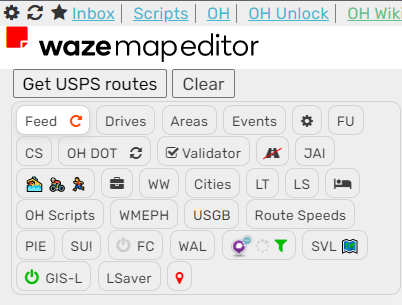
Yes, that was the only easy way to fix the problem with settings not being applied properly in WME Beta…
ah ok
Hello
Don’t know if it’s just with me or if it’s already identified: when I’m in street view mode and drag the window of SV to outside the influence area of the WME map, the icon of the SV is not reappearing. I think that the normal behavior was (is!?) it to reappear, allowing a quick way to reposition the SV where we want it, right?
See the following GIF’s (all other scripts were disable): with FUME …

… and without FUME

Best regards
1.19.257 changes:
- Restores correct operation of the SV and centre on my location icons when streetview panel is open
https://greasyfork.org/en/scripts/435828-wme-fix-ui-memorial-edition
This is what we may classify as efficiency 

Thank you very much.
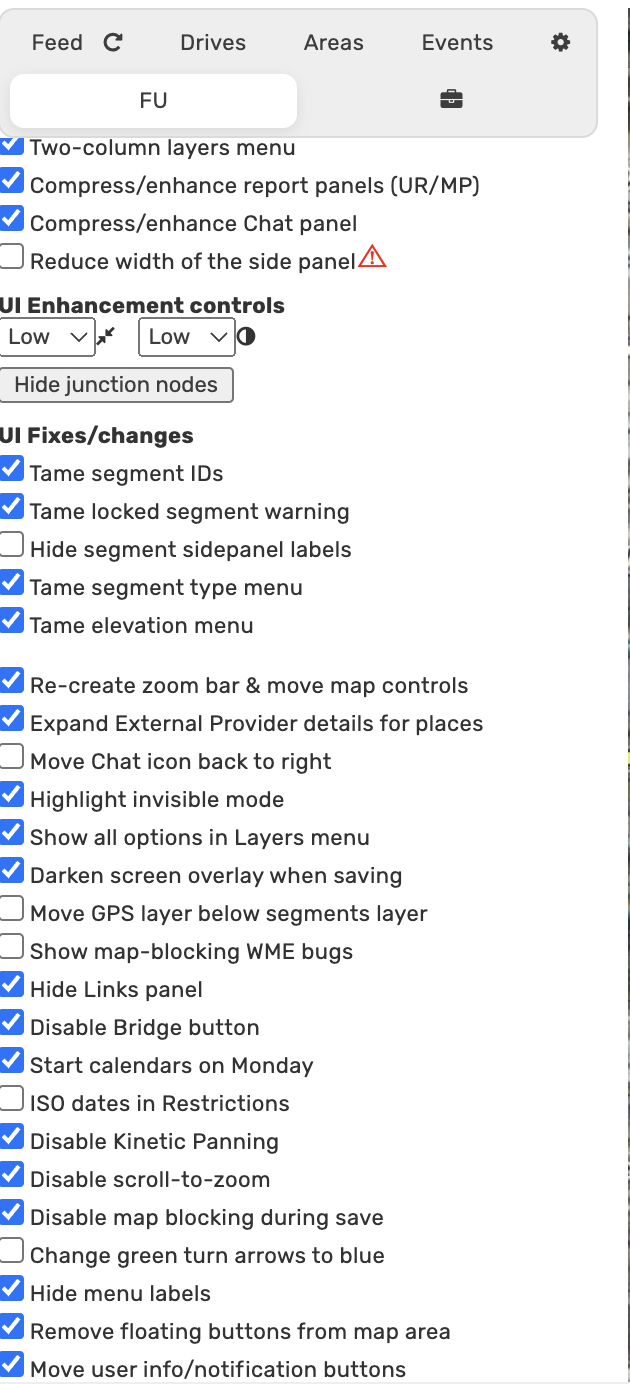
Good morning, I’m not sure what is happen this morning but floating buttons and the zoom button are persisting on the right side of the screen even when those options are checked. Attached are screen shots with FUME as the only script running, although the TB extension is also on. Thanks for all the hard work.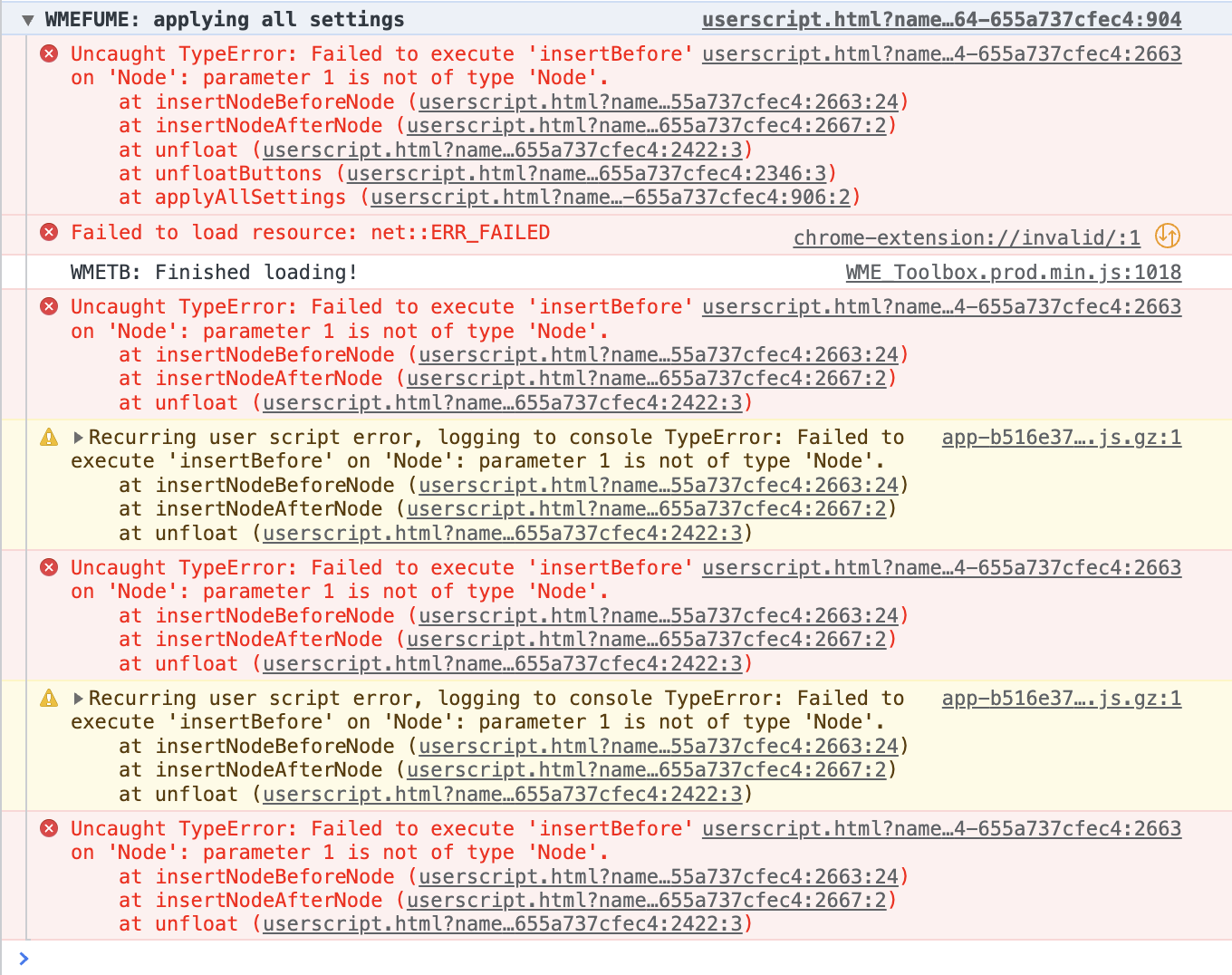

edit: looks like while i was troubleshooting this staff has finally pushed a forum post for updating WME this morning. i suppose that is the culprit for my woes.
I noticed if I toggle the recreate zoom bar check box it will work but only until the screen is refreshed again.
The Compress/enhance side panel contents feature is not sticking for me upon refresh. I have all other scripts/extensions disabled.
I tick the box for Compress/enhance side panel contents and it puts the grid like lines/boundaries around the different scripts/tabs. When I refresh, those lines/boundaries around those tabs are gone. The box for Compress/enhance side panel contents is still ticked. If I untick/tick, it goes back to having them but doesn’t stick upon another refresh.
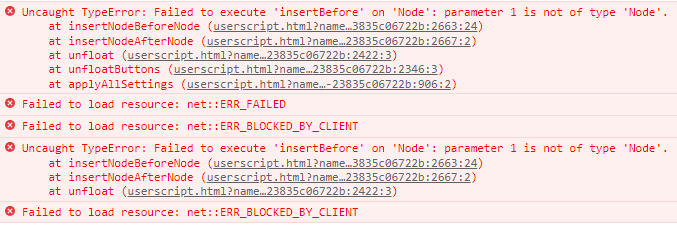
This is my console: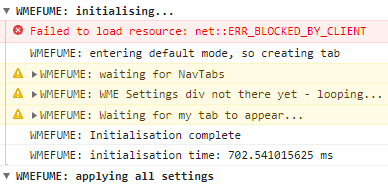
I’m also not getting this version’s feature to run: https://www.waze.com/forum/viewtopic.php?p=2258335#p2258335
This is probably related to the new production version of WME released today.
Disable scroll to zoom also doesn’t seem to work unless I uncheck it then check it again.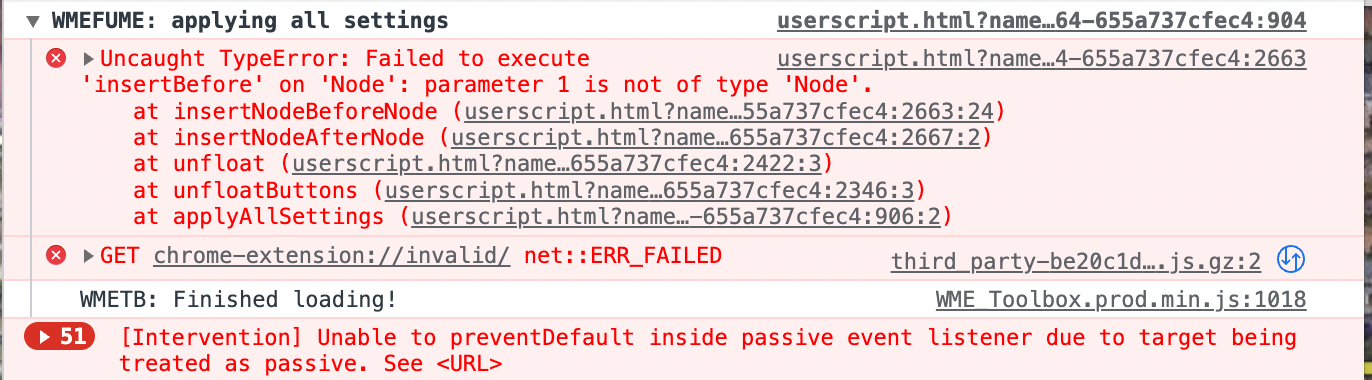
(unavailable attachment: Screen Shot 2022-08-10 at 10.24.12 AM.png)
edit: here are all my settings
(unavailable attachment: Screen Shot 2022-08-10 at 10.23.04 AM.png)
Twister-UK stated on Discord that this FUME problem is being caused by having the “Remove floating buttons from map area” option selected - with that deselected, the compress/enhance side panel option is working as expected.
Based on the console output and additional reference to needing to “turn it off and on again” posted by Ojlaw, I suspect it’s the same issue with the disable zoom option - having the “Remove floating buttons from map area” option selected will cause the script init code to fall over fairly early on when it tries to apply that setting, giving the impression that a sizeable slew of the script functionality is broken simply because it’s not being given the chance to initialise as usual, though if you then do the off-and-on dance on a per setting basis you’d be able to recover all that functionality until the next time the script reloads…
1.20.257 changes:
- Restores correct operation of the “Remove floating buttons from map area” option
https://greasyfork.org/en/scripts/435828-wme-fix-ui-memorial-edition
Hello
Not a major problem  … but just to inform that the option “Hide menu labels” is not hiding the “area” label

The problem here is that, rather than using the same class as the other toolbar labels, this one uses the same class as the labels in the drop-down menus opened when you hover over those other labels, so it doesn’t get hidden when FUME adjusts the visiblity of the class used by those other labels.
This doesn’t mean it’s not possible to hide this label, it just makes it a bit harder and more involved than it could have been had all those toolbar labels been given a consistent class, or at least not been assigned a class that was also used by the entries within the drop-down menus…
Okay, so don’t worry with that … I thought it was something that had gone unnoticed, and I was just alerting to it
Thanks for your feedback.
I don’t want to give you extra work, mainly because I’m aware that the “monthly pay check” from Waze is systematically late :lol:
–
One (more) thing that I’m “annoyed” with, is that when you select a landmark/POI the ID isn’t shown in one line, as when you select one street.
I think that this is happening because the drop-down menu is occupying/conflicting with the same space.
Again, this is just an alert and not a “you must ‘solve’ it”
Thank you for your time

The ability to zoom out to zoom level 4 is now available in production WME. The zoom slider control in FUME needs to be updated for this new range.
1.21.257 changes:
- Zoombar now deals with the extra zoom levels
- Tweaks positioning of the “zoom in to see items in your feed” message, to take account of any extra tabs the user may have installed via scripts
- Option to re-enable the sidepanel at the wider zoom levels where WME natively disables access to it all
With thanks to phuz for providing the core code for the first two changes.
Note: if you select the sidepanel re-enable option then it will immediately take effect, however If you then decided to deselect the option then it will only take effect the next time you reload WME.
https://greasyfork.org/en/scripts/435828-wme-fix-ui-memorial-edition
1 Like
A couple of bugs involving the “Share location” button –
Steps:
- In FUME settings, enable “Remove floating buttons from map area”
- Select any segment.
- Click the link icon for the “Share location” dialog; this will be tucked away on the status bar in the very far bottom right corner of the window.
This causes the segment selected in step 2 to be de-selected, and its segment ID is removed from the permalink. Also, it is impossible to focus on the text in the permalink field.
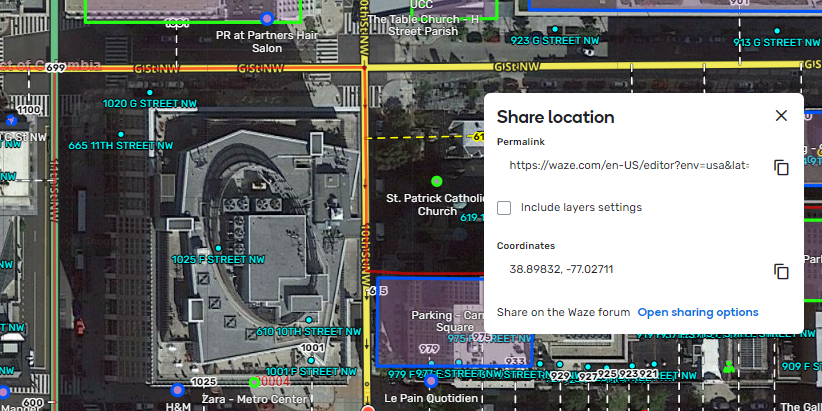
Image 1 below shows the Share location dialog without the FUME option enabled; the segment ID is included in the permalink, also I have clicked in the permalink field and moved the cursor to the end to show the segment ID. In image 2, the FUME option is enabled; I can’t focus in the permalink field so I can’t show the end of the text, but if you copy and paste it you will see that the segment ID is missing (also, the segment is visibly not selected in the image).
Image 1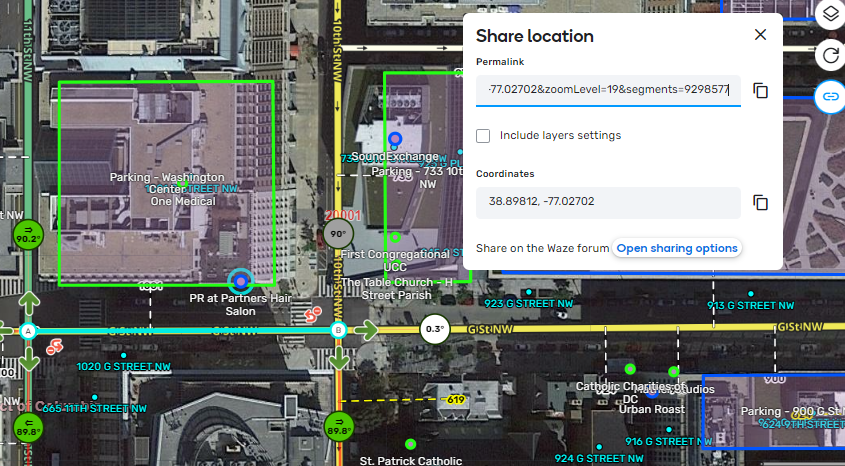
Image 2
Is it possible to make the add point link text bigger, or at least match in text size the entry point name? I find it easy to skip over the add point link because of how small it is compared to the other links around it.