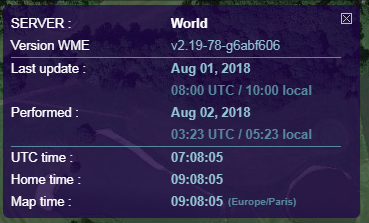
Sebiseba, script does not show green/red highlight with Russian interface https://www.waze.com/ru/editor/
With Latvian interface only words updated/created are highlighted.
https://www.waze.com/lv/editor/
Sebiseba, script does not show green/red highlight with Russian interface https://www.waze.com/ru/editor/
With Latvian interface only words updated/created are highlighted.
https://www.waze.com/lv/editor/
Also if update was done 23:25 UTC, script says 26:25 at local time (UTC+3)  Should says 2:25
But main bug remains with other language interfaces… please? ;d
Hi Olestas, yes I know 
My next job will be about your 2 last posts
Script update (v1.20) :
Script update (v1.22) :
Script update (v1.23/1.25) :

Script update (v1.26) :
Script update (v1.29) :
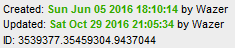
Hey, can you add an option to not have the status window appear when loading WME? I currently have to manually close the window each time. Other than that, great script!
Hi gohamstergo,
Status window appear only when there’s a map update (with green background), otherwise not.
I can add an option but I don’t know where. I don’t want add a tab only for this.
Oh, gotcha! One idea: You could add a simple variable in the script itself and the user could change it from 0 to 1, or vice versa.
Either way, thanks for the reply!
It’s an idea.
Also, you can mute line 223 like this (It’s a check when the script start) :
// setTimeout(Back_Info, 2000);Hello @Sebiseba,
It’d be very nice if the script shows red/green highlight of Junction boxes as it does for the segments, so we can know when a Junction box is updated.
Thanks for your helpful script.
Script update (v1.30) :
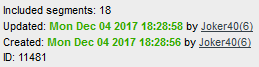
Hi there.
With the latest update, the element with class olControlPanZoomBar no longer exists. Since that’s the element to which you add the Info_div element for the script, it means that div no longer gets created and the button doesn’t appear on-screen.
I’m currently experimenting to return the zoom bar but the method I’m using doesn’t work well with Info_div when the screen is resized. Anyway, there will be plenty of people who don’t use my script, or who use it but won’t recreate the zoom bar.
So you’ll probably need to update the script to place Info_div somewhere else. It might work well if you place it below the WME Bookmarks button or you could place it with the default WME zoom buttons. When I add the zoombar back, I can then account for it from there. 
FYI, my working code for WME FixUI, which I’m aiming to release tonight, will deal with WME Map Update in the following way:
If my new zoombar is turned on, then the Info_div will be successfully created and attached to it. I then detect the Info_div within my zoom bar and reattach it to the native WME map controls with the following code:
document.getElementById("overlay-buttons").appendChild(document.getElementById("Info_div"));
document.getElementById("Info_div").style.marginTop = "10px";
document.getElementById("Info_div").style.marginLeft = "4px";
That lines it up nicely below the Waze controls. An added bonus is that, if you then deactivate my zoom bar, the Info_div remains in existence and drops down to the bottom RH corner along with the Waze controls.
So if you want to attach it directly as above, I reckon it will look fine. 
Script update (v1.32) :
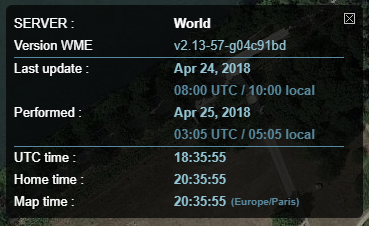
Ian, it’s ok with v1.32 and fix UI ?
I don’t know. I have just come to the forum to get ready to post an update for WME FixUI. I guess I should check first. :lol: :lol:
Ok. I do have minor problems with it, but I can work around them.
It looks like you’re inserting the Info_div element as the first child element of overlay-buttons-container. This creates two minor problems before I do anything to it.
Problem 1: overlay-buttons-container is a map-blocker - its a rectangular region where you can’t select any segments underneath it, even though they are visible. By adding Info_div there, you make the map-blocking region bigger.
Problem 2: When you open Google Street View, the original GSV button gets hidden. That means Info_div shifts down - and when you close GSV it jumps up again.
Because of these I would suggest you add Info_div as a child of overlay-buttons, one level “up”. That will reduce the map-blocking, and if you add it as the last child, it will also have a static position.
The version of FixUI I’m about to release should work fine with MTU whether or not you make this change - if I find Info_div and I’m moving the map controls, I will move it to the being the last child of overlay-buttons anyway.
Script update (v1.34) :
Script update (v1.35) :