WME POI Event Updater — Bulk-update POI names & descriptions per event via Excel
Version: 0.28 — 18/05/2026
Greasy Fork Download Link: WME POI Event Updater
Description:
This userscript is designed for advanced Waze editors who manage POIs whose name and description need to change depending on ongoing events (races, festivals, sporting events, etc.).
Instead of editing each POI one by one in WME, you prepare an Excel file in advance with all the variants — and the script applies the changes in just a few clicks directly from the WME sidebar.
How it works:
- Load a
.xlsxfile where each sheet = one event (e.g. Race Event, Music Festival) - A dedicated Off Season sheet stores the neutral/default state of your POIs
- Select the event to apply from a dropdown menu
- The script automatically preloads all POIs for the selected event: it iterates through each permalink, centers the map on it to force WME to load the venue into memory, and shows a progress bar in the sidebar
- Once preloading is complete, the map returns to its original position and zoom
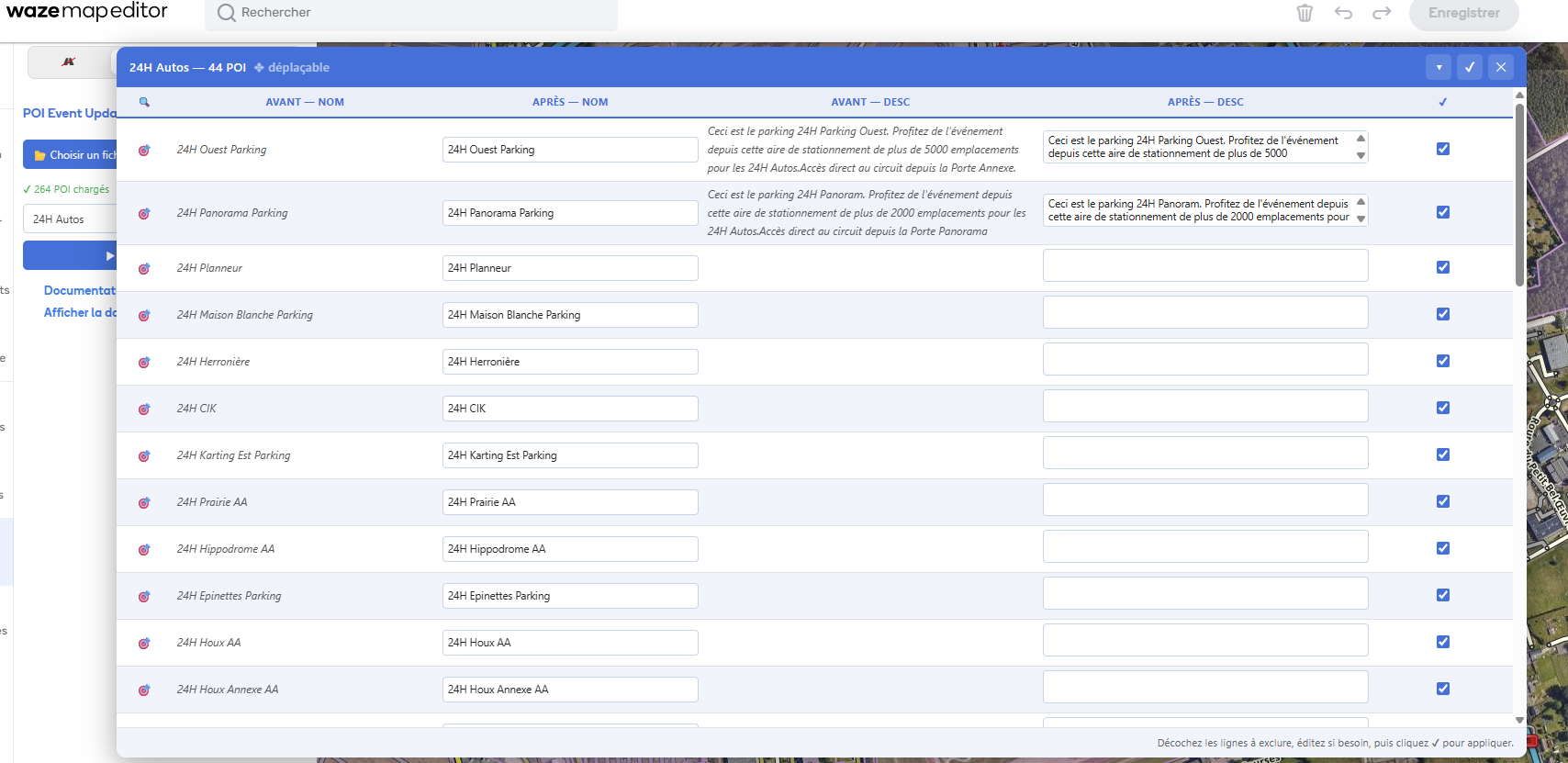
- An always-complete Before / After comparison table shows current and new name & description for each POI — no empty cells
- Edit name and description inline before applying if needed
- Use the
 button to center the map on any POI
 - Check/uncheck each row to include or exclude specific POIs from the update
- Draggable and minimizable panel
- Changes go through WME’s native action system — fully undoable with
Ctrl+Z
Requirements:
- Tampermonkey installed on Chrome (or compatible browser)
- Advanced editor rights on the relevant POIs
- An Excel file following the template format (see attachment)
Excel file format:
Each sheet must have 3 columns, with a header row on row 1:
| A — POI Permalink | B — POI Name | C — POI Description |
|---|---|---|
| Full POI URL from WME | Name to apply | Description to apply |
The permalink is obtained by selecting a POI in WME and copying the URL from the address bar.
Feedback, bug reports and suggestions are welcome below!