he doesnt do anything there since start 2024 as i see it.
That’s why Dave suggested you add a pull request on the linked page. Then your fix can be added to the code a new version will be released.
What do you do when there is nothing to do? 
Could your fix the problem I reported in October? I cannot minimize the Roundabout Utility popup. When I click the top-right button, nothing happens, only “#divWrappers” is added to URL.
i did add an pull request. Your Roundabout angle calculation was wrong, so there were things todo 
i created a pull request for this fix too.
Instead of just saying that the angle calculations were wrong, I would recommend at least giving a little more details as to why you are saying they were wrong. 
They aren’t my roundabout angle calculations. It was the incorporation of a previously abandoned script.
I am 100% not merging these changes. You changed a massive amount of formatting, snuck in changing changes to the roundabout segment colors (was not mentioned in the PR), and I don’t even know what else because of the amount of reformatting in general.
The only change to the angles (on a brief look) that I can see is you made them based on 90 degrees, instead of how it has always worked which is 90-offset. That I know of, no one has requested this change and I’m not comfortable approving this since the script has worked this way for over 10 years with no complaints. If you can explain how the calculations were wrong, I can then incorporate the change.
Looks like bootstrap might have been removed from WME. This is fixed, along with the bad centering caused by other WME changes.
1 Like
I did not change huge amounts of formatting. It’s likely just vscode and plugins we use. Look at previous prs, they incorporated the same formatting. The colour system was my own, forgot to remove it. But did you use the script? What I did: I just used the roundabout segment’s of Waze and the middle point of it. The lines are just connecting.
@HeeroML Common knowledge in DACH is that we don’t use bad language or call people names on the forum. Please refrain from doing that again as it will not be tolerated. As for the claim about the script being broken, as a DACH member, this is the first I’m hearing about it.
1 Like
Thanks, Confirming that it works. Sorry for previously, i was to emotional and did not find the right words.
Hello, I’m using version 2025.02.02.01 and when I try to move the roundabout (newly created), the geometry is not moving correctly, another detail I noticed is that in WME beta, at certain times the script goes into Debugger mode (I don’t know if this is intentional or an error).
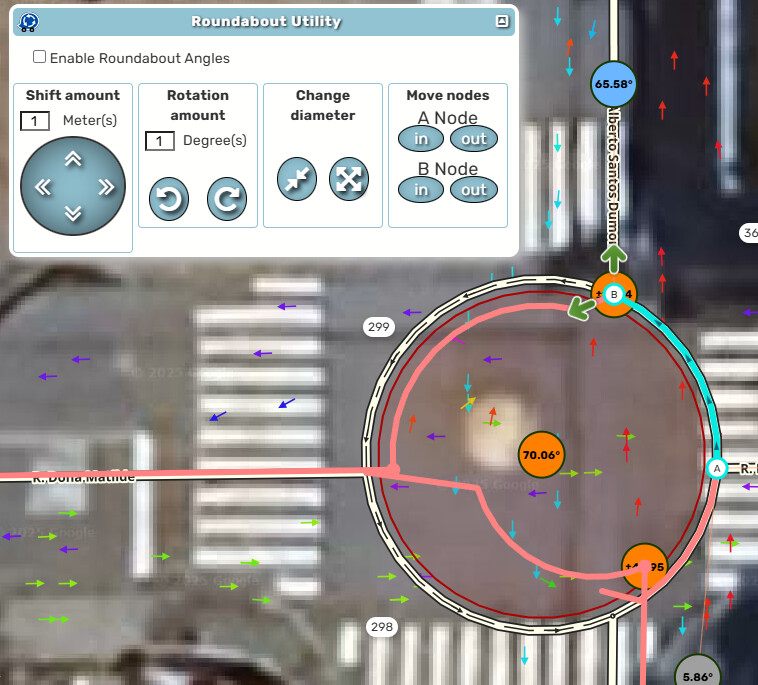
Can you record a video of the issue? I tested and can’t get anything like that to happen.
Disregard ~ I was able to duplicate it.
I noticed you have a HN on your roundabout (we don’t normally have them), so I tried it with a HN. Sure enough, I see the bug.
The roundabout was recently created, it is not yet on the map, another editor created it, but it did not align correctly, I tried to solve it and the error appeared. Is it expected that this happens in a newly created roundabout? Follow PL
I use to have this happen quite often but not so much recently. If a refresh didn’t fix it then the RA needed to be redone (I use toolbox so quite easy).
We don’t have HN in roundabouts (roundabouts don’t have street names). It turns out that in Brazil, the numbering base is imported this way, all wrong. When we create a roundabout, this numbering is very close to the node. Maybe that’s the problem.
I did a separate test by creating a roundabout, giving it a name and inserting HN, and it worked normally.
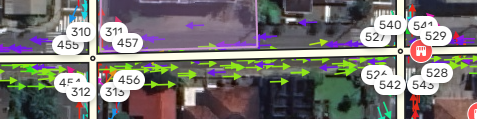
The roundabout and north/south segments in my video were created less than 30 minutes before testing.
The only previously existing segment was the east/west segment.
actually, when there is numbering close to the node (bad numbering, imported from the Waze base map), the roundabout moves this numbering very close to the node, causing this behavior in RA Util.
1 Like
Just tested, working fine for me.
2 Likes