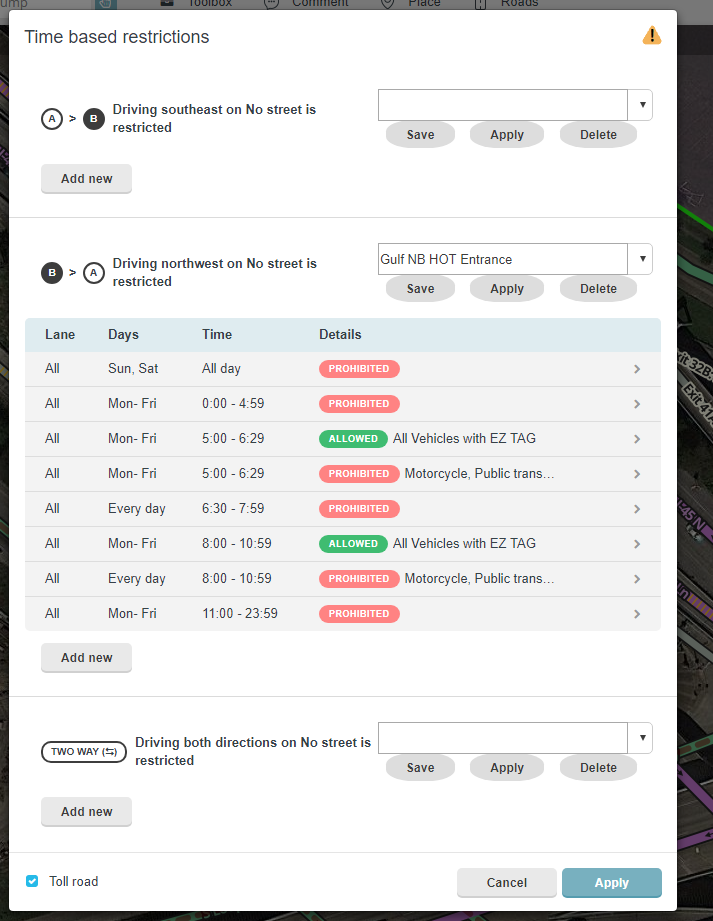
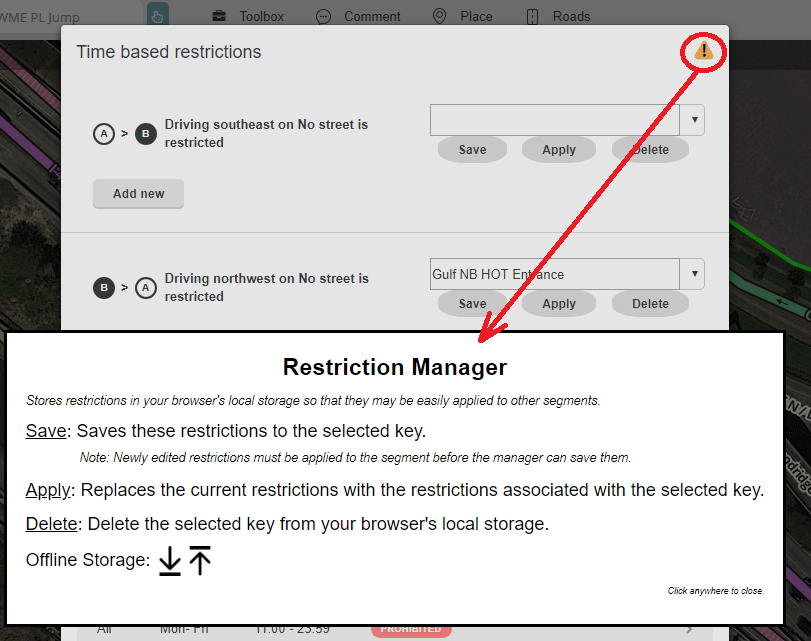
To use the script, select a segment then click on ‘Edit restrictions’. New buttons will appear that enable an editor to save the restrictions present on one segment then apply them later to another segment.
The script does not recognize new, or edited, restrictions that have not been applied to a segment. You’ll need to click on the Apply button and then click on ‘Edit restrictions’ a second time before you can save those restrictions to your browser’s localstore.
The direction of the restrictions is not stored. As a result, you can save the A->B restrictions on one segment then apply those restrictions in the B->A direction on another segment.
Clicking on the icon in the upper right corner will display basic instructions and controls for exporting, and importing, saved restrictions.
This looks like it could be extremely useful - thanks
It would be even better if you could find some way of displaying the start and end dates of the restriction on the initial window. Where there are restrictions that vary in time throughout the year, they’re very difficult to manage easily without that date range information being visible.
This sounds great and like something that we’ve been talking about needing for quite a while!
Could you add some screenshots of the implementation to the initial post? This way we can see what the implementation looks like and what to expect once the script is installed.
Also, it should be noted that the restriction has to be applied to the segment before it can be saved - I tried adding a restriction to a segment and saving it before hitting Apply and it was not saved.
This looks like a great help. However, it seems to work only for segment restrictions, not turn restrictions. The script’s controls (sometimes) appear while editing turn restrictions, but applying a saved restriction doesn’t seem to do anything.
I knew this script would come in handy someday, and it sure did! I just added the newly-opened I-77 Express Lanes north of Charlotte, and this made the process of adding the restrictions much easier, plus ensured the restrictions were consistent on all restricted segments. Thanks!
Thanks Sebiseba for the clue to make the script work when WME isn’t using English. To be honest, I still need to figure out the correct way to add I18n for the script’s own labels.
awesome!
But I found a problem:
I saved a restriction for (taxi, motorcycle, and private) but when I apply it to another segment it applies only to taxis
Can you provide a PL to the segment whose restrictions were saved? I’d like to check whether this issue is in the code that saves the restriction or in the code that applies the saved state to a new segment.