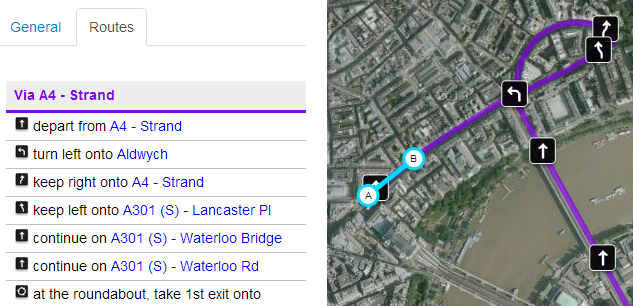
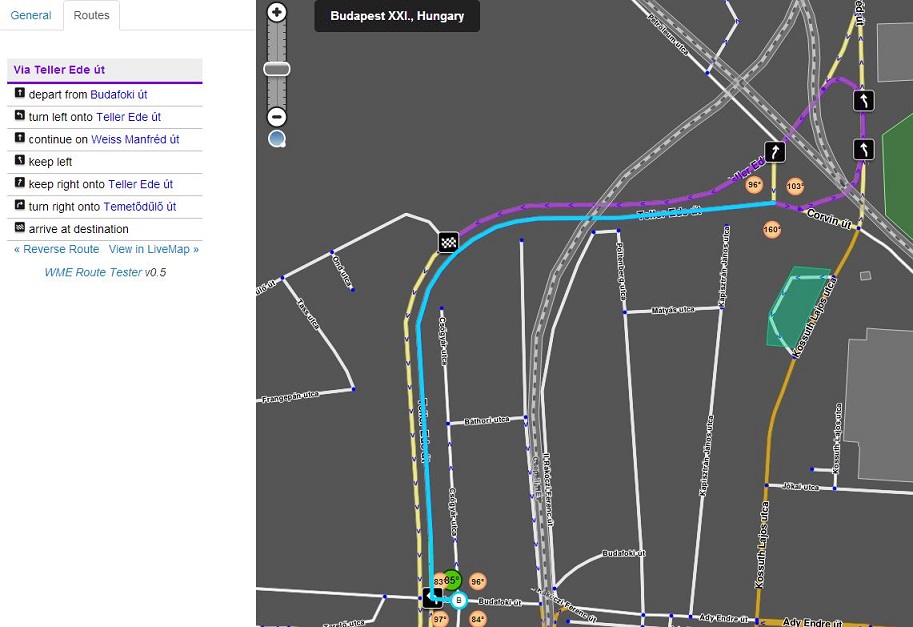
Replacing the defunct Livemap Navigation script, this script allows you to see the current navigation instructions in the editor. Simply select two segments, and choose your desired settings in the section that appears on the left (above the segment details). Then click on the purple link to “Show routes between these two segments»”
:arrow: WME Route Checker: Userscript or Tampermonkey for Chrome.
Tested in Firefox and Chrome. Will not work in beta editor. Routes are based on LiveMap data.
One question, if it’s based off the livemap data, why won’t it work in WME Beta (i.e. if the routing is coming from the livemap, why does it matter what editor you are using)?
It’s because the beta editor is on a separate domain, and browsers don’t like you loading data from another domain for security reasons. I’ve asked Waze for some help with the matter, but there’s a lot going on with the websites at the moment, so we’ll have to see…
Hi!
I welcome this very useful extension. I have a little problem. When I check a route where a one way segment (especially a highway separated to two one way route) affected, the destination is the other side of the selected segment.
Could be possible see the editions and the new instructions at real time?
Now is really useful, but if you no have to wait for NA and INTL server updates would be better.
Could you add the Israeli server as well?
I checked it, and all you have to do is, in function getRoutingManager, use il-RoutingManager/routingRequest for Israel (I do not know the country code…)
Also, could you make the route lines clickable, so they act as links to the correct junction?
Question: Are you going to add the Chrome version to the Chrome Store (for when Google makes it even harder for someone to add an extension via anywhere other than the Store)?
This is great. Didn’t we ask Waze for something like this ages ago?
One small note. You may want to caution editors that it will only show routing changes after an edit goes live. While it was not much of an issue before when your tool worked with Live Maps, using it with WME, many people may expect it to reflect their edit changes immediately.
For the past couple of days I’ve been having issues, often it just sits trying to retrieve the route. Before that it was working fine. Is there a known problem?