You are the best, thanks. Could you post your link and post here too?
https://www.waze.com/forum/viewtopic.php?f=819&t=213930
Done. Thanks!
Release v1.1.46 (MapOMatic fork)
HUGE thanks to JustinS83 for finding a fix to get the draggable markers working again!
Thank you both for your hard work getting this script functional again, It is greatly appreciated.
Bug…it calculates the time of the route, but does not highlight the route
I am not able to reproduce the issue you mention.
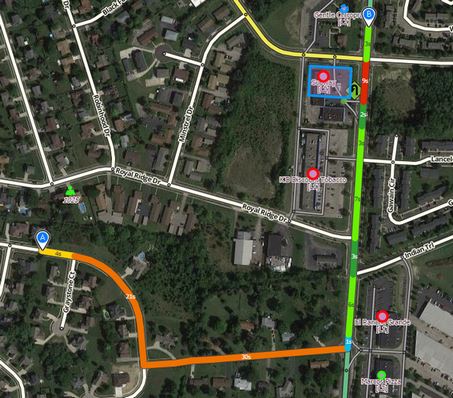
This means you have unchecked Route speeds layer in layers ;]
I have stumbled across this before…
Is there a minimum distance to produce a route?
I seem to be unable to get shorter route and if I do, only one option is showing, even when there are more than one and the script setting is set to show up to 3/4/5.
Hi,
Thank you for getting it working again.
The only problem I have is it doesn’t work in Chrome. It was a PIA getting it working in Firefox, but that appears to be fine now.
Is anyone else suffering from this?
Cheers,
Dave
MapOMatic / JustinS83
the script is not doing anything on WME language interfaces other than English… can you fix this?
For example Latvian or Russian interfaces
Spams console with error
Uncaught TypeError: Cannot read property ‘layers’ of undefined
at loopWMERouteSpeeds (eval at <anonymous> (:2:297), <anonymous>:1846:23)
loopWMERouteSpeeds @ VM303:1846
As a test, lines 815-820 & 844 start with:
I18n.translations.enTry replacing the above with this
I18n.translations[I18n.currentLocale()]and let me know if this fixes your problem.
The end result should look something like this:
I18n.translations[I18n.currentLocale()].layers.name["__DrawRouteSpeeds1"] = "Route Speeds";In the script you need to replace the 6 occurrences of
I18n.translations.enby
I18n.translations[I18n.locale]Then it works in all WME languages.
EDIT: Oops, sorry for the double post. Seems I was a bit too slow. 
Always good to have someone else that knows the fix, though 
MapOMatic will be publishing the fix for this shortly.
This fix has been applied in v1.4.7. Thanks for reporting it. Let me know if it works.
Yay, fixed!
MapOMatic and others…
Is there a minimum distance between the two selected segments, in order to receive more than one route?
I get 2 or more route when the segments are far from one another and only one, when they are close, although there is more than one valid route.
This script is merely using the routing engine to determine the routes. Just like if you were to use livemap or the app, if your start and end are too close the routing engine will only have one route that it determines is the best.
I appreciate the answer.
If this is the case, could you or someone else explain the context of 4th and 5th “Alternative routes”, which are not available in LiveMap (max 3 are shown).
The same question goes to the “try more” option. How is this functioning.
I didn’t write this script, but from reading the code it looks like it is requesting the routes from livemap and there is an option for how many routes to receive. Livemap must be limiting the number of routes to a max of 3 whereas this script allows showing as many as it receives (doesn’t always receive as many as it requests).
Hey MapOMatic - just got your forked version and it fixes what was broken.
Noticed when trying to link to it, though, that you haven’t updated the links within the Route Speed tab to point at your fork. When clicking “WME Route Speeds” it points to the old version’s GreasyFork page.
Just thought you might want to fix that.