The code for that is a bit weird. All event listeners seem to be located at the layer drawer element and will therefore need to check whether the click event they’ve received is actually useful to them. This probably also makes it a bit harder to find out how it decides what is a subelement of a certain group of layers.
To get that to work, I’d just add a listener to the parent checkbox and act accordingly when it is changed. Just make sure you allow the event to propagate through the DOM tree, otherwise the other layers won’t be changed (though I think that will be default behaviour).
I just realised I still hadn’t adjusted this script. It’s a bit later than expected, but I’ve released version 0.6.1 now to put the Street View layer inside the Display group, where it fits better indeed.
I’ve also made the layer hide itself when you disable the Display group as a whole. There are some cases in which it still displays, but it will probably be fine enough as it is.
Version 0.6.4 has just been released. This is a technical release that replaces the internal Waze object with W, as the Waze object will be removed in about two months.
Does anyone have information if they have found a solution to the TB problem? It does not work to select whole street, multiple selector (M), and many more. This is causing many inconveniences. :?
Not only the problem is in the WME, other scripts are presenting problems or have stopped working[/i]
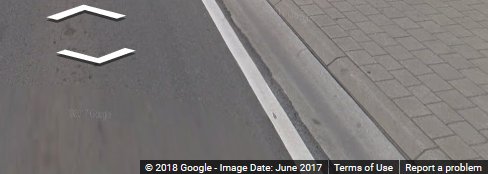
Version 0.7.0 has just been released. This version makes Google Street View show the date on which the imagery was acquired at the bottom. It seemed logical to add that to this userscript. This is done in such a way that it shouldn’t intervene with other scripts that do this as well.
No other changes were made.
Yeah. The way this was implemented is basically just asking Street View to also show the date of the data. I only had to flip a flag for it to work. For Waze this would only be one line of configuration.
I’ve sent in the suggestion (+ code) to Waze in the beta forum to adjust this.
EDIT: oh, the image loads now. Weird that the date isn’t showing up. Has the script been updated and the page refreshed? Which browser are you using (and which version?).
The only thing that might be causing problems on an older browser would be the Proxy object I’m using to change the properties of Street View. This should work fine on Chrome 49+, Firefox 18+, Edge 12+, Opera 36+ or Safari 10+ though.
Also please check the browser console for any error messages.
I’m afraid that image isn’t loading. What exactly do you think isn’t working? If you are expecting to find a date at the top left like the toolbox does, I’m afraid I’ll have to disappoint you. That is something Toolbox added itself, while I’m letting the Street View show the date the way it normally would (at the bottom in the copyright statement).
Also, I’ve checked with the toolbox code and there is no exact day available in the data. It returns things like “2017-05”, which are then transformed to “May 2017” by the code.