I wonder if you’re missing the SM role (I don’t think it was simply rank) with your account issues.
That must be the answer. Thanks.
We need some of those roles edited for India. I had added comments on the spreadsheet shared but there has been no update.
Anyone to reach out to who could help with rank/role edits for TB?
Thanks.
Release v1.9.19
- NEW: Map highlighting speed improvements. We applied some grease to a few gears and ball bearings (and other mechanical bits), and suddenly, highlights appeared faster on the map. Maybe you notice it; maybe you don’t. But trust us, it’s faster.
- FIXED: Copy segment attributes should actually copy segment attributes instead of what it did before, which was not copy segment attributes.
- FIXED: Splitting a 2-segment loop sometimes created a soft turn. No one likes those, apparently.
- FIXED: TB sometimes doesn’t load completely. This may not be 100% fixed yet, but it’s more than the % fixed it was before this release.
- KNOWN ISSUE: The property editor may not work properly, and could cause issues when saving – especially for address changes. If you prefer that your saves actually work, you may want to avoid the property editor for now.
Here is a video and my settings for the toolbox issue since about 23 Jan.
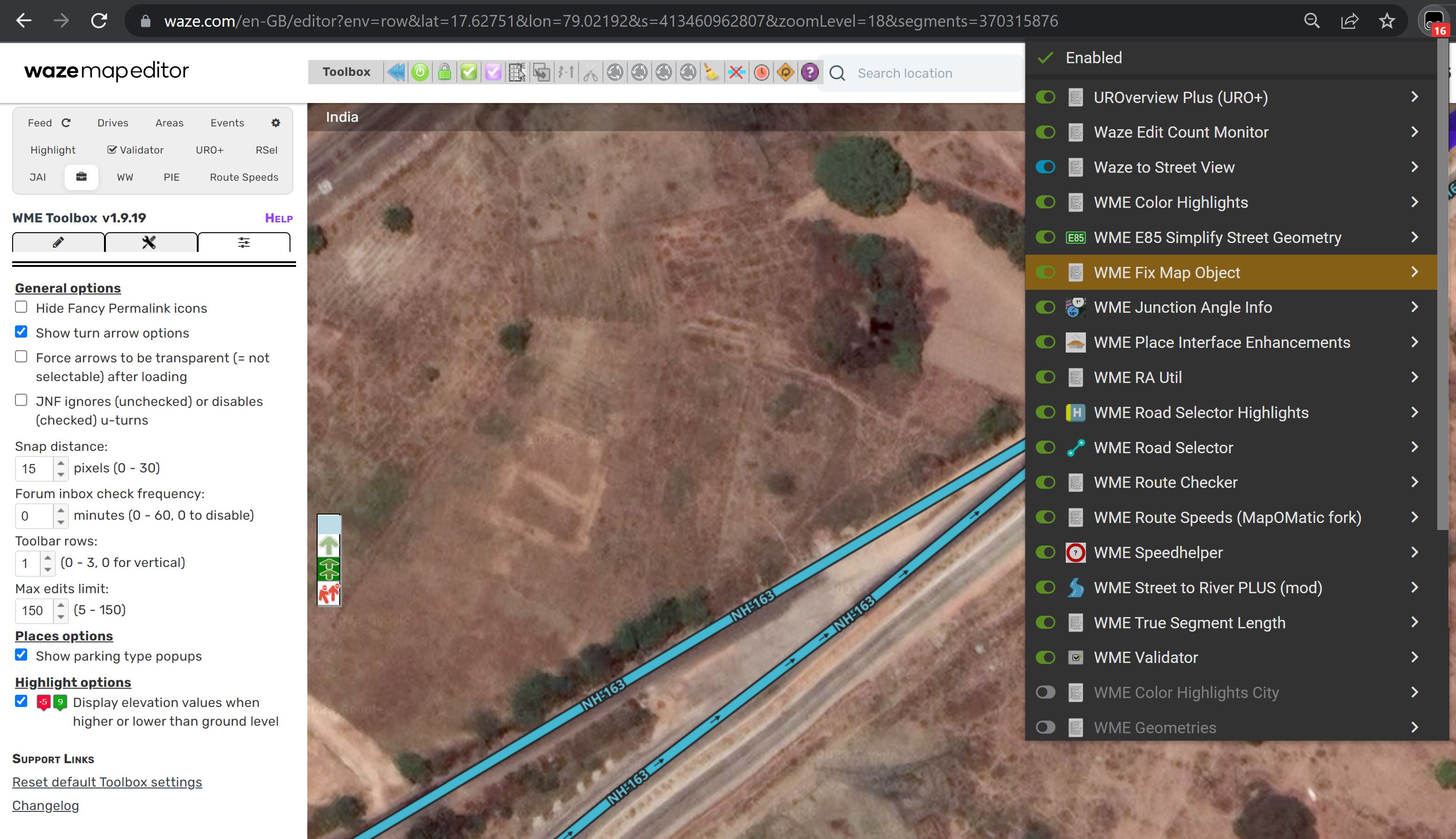
I haven’t been able to reproduce those issues. I tried running with those scripts (except Waze to Street View) and also tried in India.
- Are you editing in Chrome?
- Try with all scripts but one disabled (TB needs at least one TM script running). I would suggest leaving Waze Edit Count Monitor since I know that should not cause any issues with TB. Also disable any other extensions you might have running.
- If the above doesn’t work, type Ctrl+Shift+J to open the Console window (I’m assuming Chrome on Windows). Refresh WME and repeat one of the actions that isn’t working for you. Take a screen shot or video of any red errors that don’t start with “[Report Only]”
Lately all segment with phantom nodes are marked as simplifiable segment? I assume that’s a bug?
Very likely. Can you send a PL to one? I’ll check it out.
The update is also highlighting all u-turns at dead-end nodes, which is technically true but they are usually hidden.
https://www.waze.com/en-GB/editor?env=row&lon=-1.70710&lat=52.49061&zoomLevel=16!Screenshot 2023-01-28 at 11.09.11.png|412x535

I am thinking this is because of how the native WME handles phantom nodes.
You can see in my GIF that the segment does not have geonodes on it at all.
It is not highlighted as simplifiable.
I add a non-routable pedestrian pathway and save and now the segment is highlighted as simplifiable.
I clear the geometry and the highlight goes away.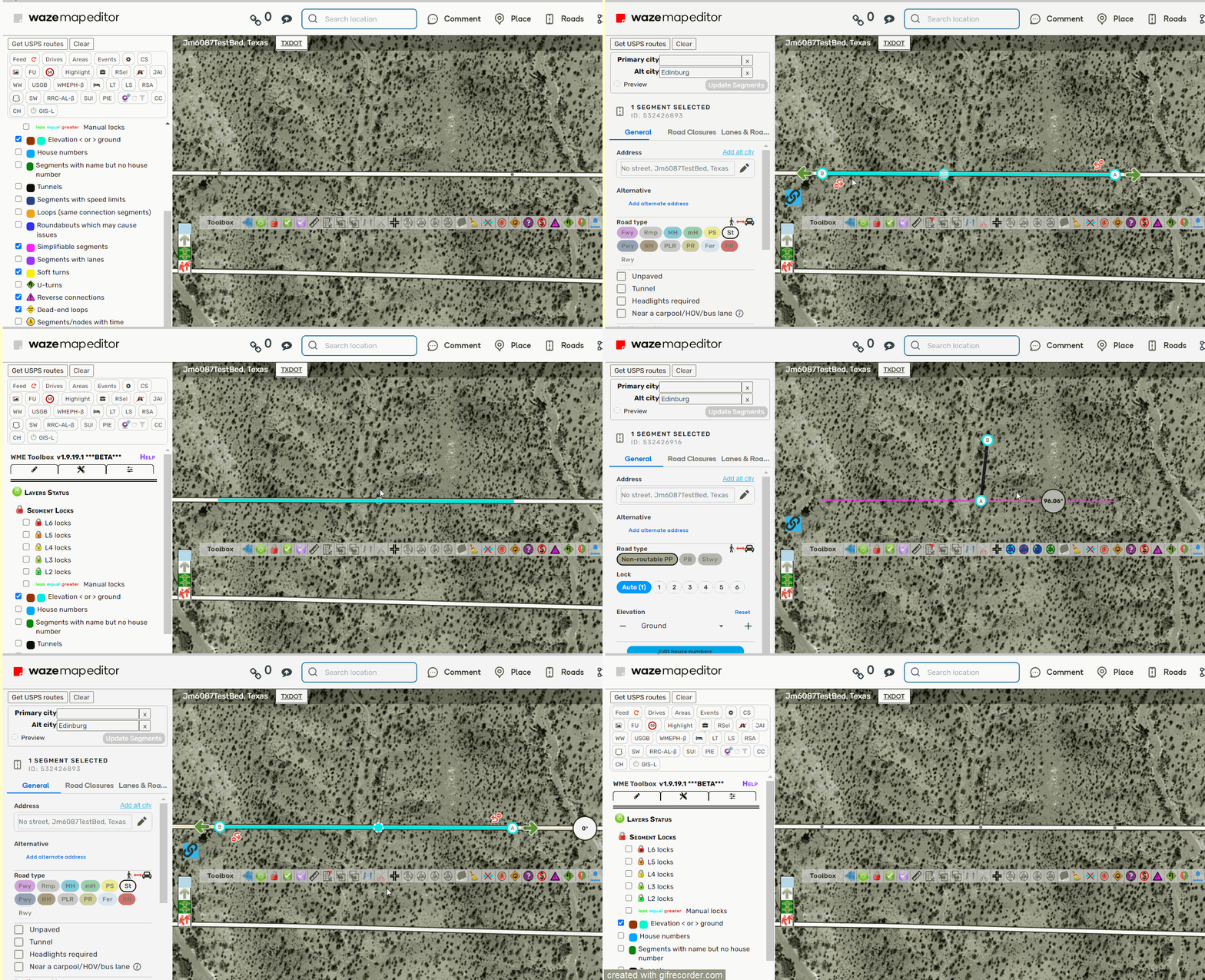
You know what happens when we rush through beta testing to get someone’s (no names) pet fix into production? Bugs. Bugs are what happens.
I’ll try to get a fix for those in the next release: v1.9.mulligan
Bug with v1.9.19. When a segment is one-way the speed limit is not displayed. (most of the time)
The function symplifiable segments is down
Thanks,
Yes, editing in Chrome.
Keeping one script abled and one disable didn’t change the issue.
Yes, chrome on Windows.
With Console Window, below is text of red error and screenshot,
Uncaught TypeError: Cannot read properties of undefined (reading ‘id’)
at uroWazeBits (wme_uroverview.3.147.user.js:11316:40)
at WMETB_MainInitialise (WME_Toolbox.prod.min.js:885:111)
at WMETB_wait_JqueryUI (WME_Toolbox.prod.min.js:10:360)
uroWazeBits @ wme_uroverview.3.147.user.js:11316
WMETB_MainInitialise @ WME_Toolbox.prod.min.js:885
WMETB_wait_JqueryUI @ WME_Toolbox.prod.min.js:10
setTimeout (async)
WMETB_wait_JqueryUI @ WME_Toolbox.prod.min.js:10
setTimeout (async)
WMETB_wait_JqueryUI @ WME_Toolbox.prod.min.js:10
WMETB_load_JqueryUI @ WME_Toolbox.prod.min.js:12
tbSecStart @ VM371:16
eval @ VM371:16
setTimeout (async)
tbSecStart @ VM371:16
eval @ VM371:16
setTimeout (async)
tbSecStart @ VM371:16
eval @ VM371:16
setTimeout (async)
tbSecStart @ VM371:16
sec.WMETB_Init @ VM371:17
(anonymous) @ WME_Toolbox.prod.min.js:894
(anonymous) @ WME_Toolbox.prod.min.js:894
WME_Toolbox.prod.min.js:838
[img]
Try disabling the URO extension if you have that installed. I have a fix for that conflict with URO, but it didn’t make it into this release.
My TOOLBOX is back…off with it for the repairs.
Have a good weekend!
Neither are an issue for me in Chrome.
There are several highlighting issues in this release:
One-way speed limits: highlights are not showing up on some, depending on if the opposite direction has a speed limit assigned (even though it’s not displayed in WME).
Simplifiable segments: highlights only appear on segments with a virtual node (connected to a pedestrian path), instead of excluding those segments. The button to simplify segment geometry is still working correctly, regardless of the incorrect highlights.
U-turns: U-turn highlights appear on some dead-end segments.
These issues will be fixed in the next release.
Release v1.9.20
- FIXED: Did we rush that last release through beta testing and break a few highlights in the process? You bet, and thank you for asking such a great question! Will things like that happen again in the future? Well, now you’ve blown it with a dumb question
 . Anyway… highlight issues for simplifiable segments, one-way speed limits, and dead-end U-turns should be fixed now.
 - FIXED: The property editor is fixed, so let the editing of properties commence! At least the editing of segment address properties, since that’s all it’s really good for. Hey, we all have our little niches in life. (That’s what we tell it to help it feel better about itself.)
- FIXED: Toolbox had a conflict with the URO extension. We pulled Toolbox aside and gave it a stern talking-to. It promised to resolve its issues without conflict in the future.
- UPDATED: We traveled to Iceland, India, and Ukraine to find only the freshest country permissions to serve you. Bon appétit!