today i tried to use the “suppress unneeded nodes” to get rid of extra junction nodes created by the base map import (Mapraid india) but the function doesnt seem to work. or am i doing something wrong?
All of the segment attributes must be exactly the same to be able to remove the JN. Zoom level can also be a factor.
Sent from my SM-G930V using Tapatalk
i checked. name, alt name, speed etc all the same. no problem deleting it manually. what am i doing wrong?
I’ve found that Toolbox sometimes doesn’t load right and certain functions don’t work properly until you restart the web page.
An extra space between the name and St/Ave/Dr makes a difference too. Copy segment attributes tab comes in handy to be sure that they’re all the same.
Sent from my SM-G930V using Tapatalk
I’ve found speed limits to usually be the issue, even if they are displayed correctly. Clear them out, reapply, then save. That almost always solves the issue for me.
I’ve also had it not delete the JN with TB or manually. I had to drag the JN to the next one and set it on top, effectively deleting the segment between them. I wouldn’t do it that way if there’s house numbers associated with the segments.
Sent from my SM-G930V using Tapatalk
Please try to be as specific as possible when reporting any issues you encounter with Toolbox. A post like “this and that function is broken” alone does not help much, as we have no idea at which circumstances you tested. Please try to give concrete examples (permalink/s) where something does not work for you, and don’t forget to mention which browser you are using.
it’s locked ?
Has anyone mentioned that the “Snap distance” option under “Toolbox configuration panel” has no effect? I’ve tested this on Chrome 55.0. I’ve tried setting it lower, higher, and 0 but the segments still snap at the same distance. Note that the snapping would not occur if it’s dragged to a segment higher than your editing level.
That’s a known issue. No fix yet 
Send from my S7 with a crappy Tapatalk version. (in case my reply takes ages, I didn’t get any notification for it  )
)
If the function is blocked per country or level, you wouldn’t see the button/option.
Send from my S7 with a crappy Tapatalk version. (in case my reply takes ages, I didn’t get any notification for it )
@ PimvdG : for me, usualy, it’s caused by a U-turn (JN not suppressed by TB but manually ok with suppr or trashcan).
Today I noticed that the lock level overlay is not working in production WME. Other overlays such as SL, Loops and Elevation are working without issues. The lock level overlays appears to still be working in Beta WME. I’ve disabled all my other scripts and the issue remains.
Hm, it’s working fine for me…
And for me I get this, on FF
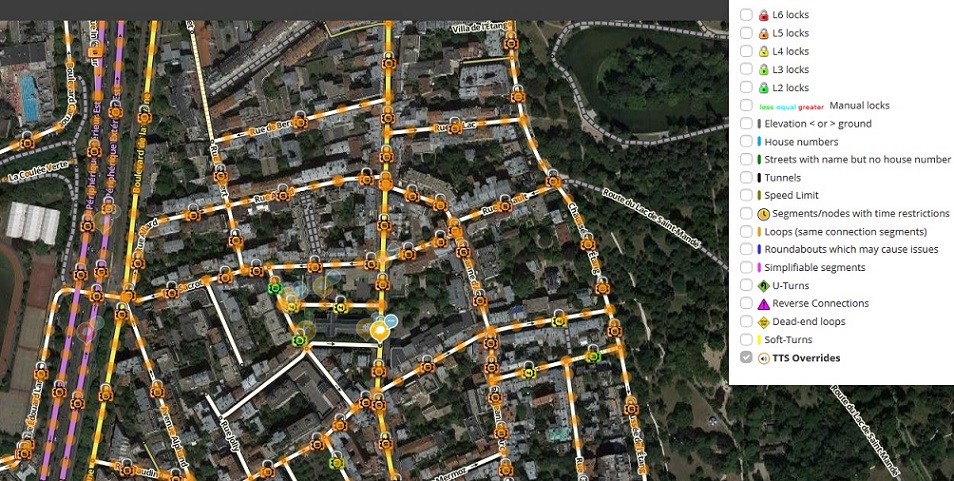
I was now able to reproduce the issue in the US. I’ll investigate.
Well, then again, after switching back on the lock highlights, I also see them in the US. :oops:
Just to be extra sure: do you see this icon in the toolbar:

Or - to put it the other way around: if you see this one:

you need to click it. :geek:
[
Thanks BellHouse it looks like that was my problem. I must have clicked it by mistake. :oops:
Now I know a new way to enable/disable to lock level overlays. Thanks again.
Toolbox 1.7.4 is released for Chrome and Firefox:
1.7.4  (20170206)
New: Dashboard at the botton left of the map, indicating the status of the arrow toggles (transparent arrows, spread arrows, show all red arrows) and multiple selection setting (#13)
Fix: The segment and place lists did not preserve all selected columns over a WME restart (#369)
Fix: Patched strings for function keys F1 - F24 in WME's keyboard shortcuts dialog
Update: Updated PM handling for FP unlock requests for Indonesia (#370)
Known issue: Firefox extension does not launch on Firefox 45.x ESR. So far we have no clue why this is (not) happening.