Still getting CSP error in Chrome

Steps to reproduce this issue:
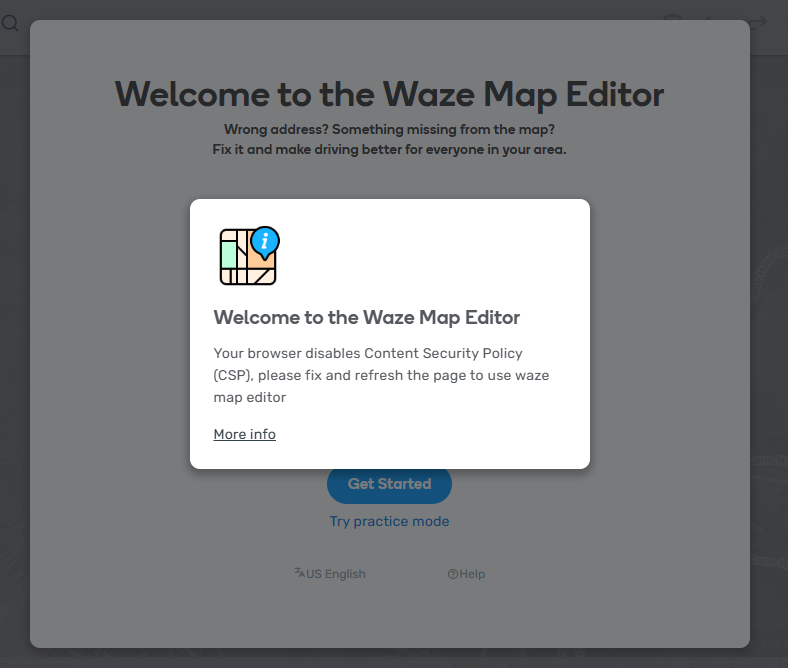
Opening WME in chrome give Content Security Policy error. The guidance talks about adjusting scripts, but I’m not using any. I had been able to follow links from Discord to WME, and they would work until I refreshed the tab before giving the CSP error. Now even that doesn’t work.
Switching over to a different profile in Chrome or to a different browser (Brave) seemed to fix the problem…but I can’t clear all cookies in Chrome…too many that I need to keep.
Initially installing Brave, I copied settings from Chrome, and that broke it. I had to install and not copy settings, so there must be something in Chrome that has just recently gotten confused.
(Permalink not relevant, but it was required.)

Permalink:
https://waze.com/en-US/editor?env=usa&lat=21.59711&lon=-157.89656&zoomLevel=17
Are you using scripts? Which ones?:
No.


I hit Refresh (F5) 17 seconds into this clip.

I wonder if it is possible that you have another extension installed that is disabling the CSP setting.

Can you take a screenshot of your Content Scripts in the Console?

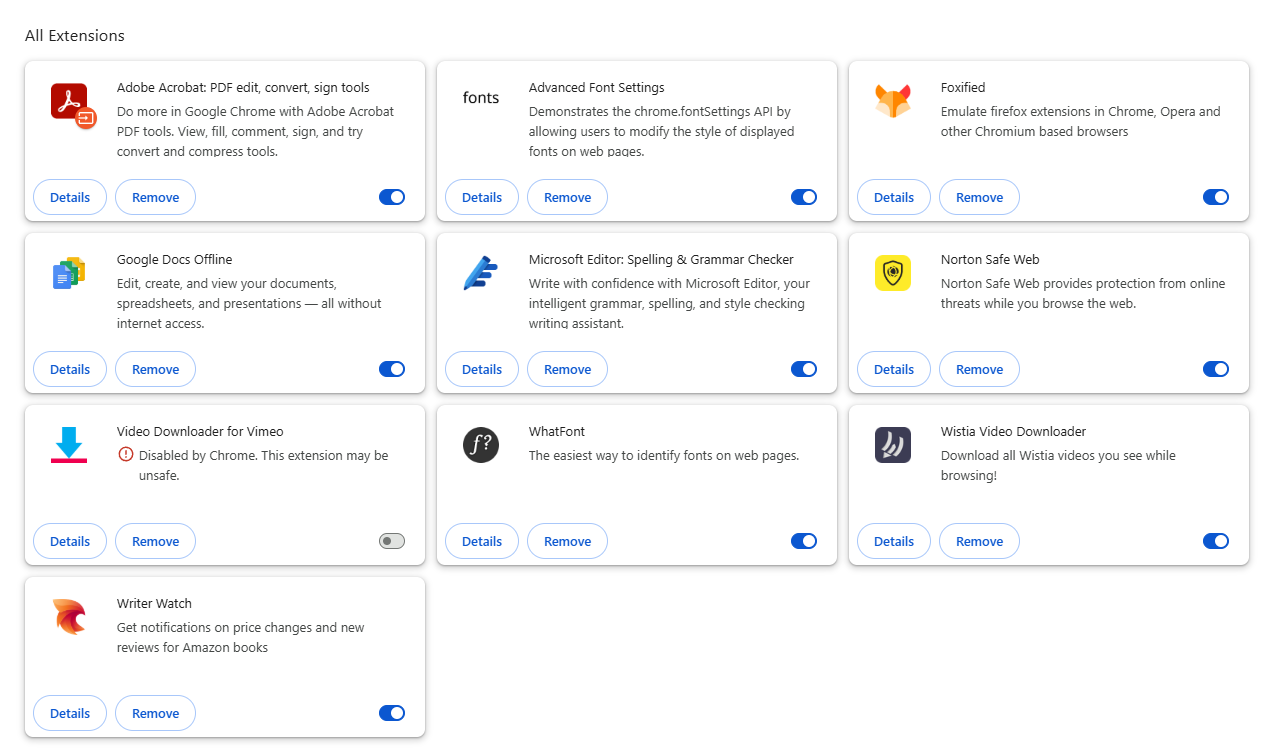
Or give a list of extensions you have installed chrome://extensions/

Additionally, Do you have the same issue in incognito?

Took me a moment to find “Content scripts” as I had the left pane squished down too far.

I haven’t tried Incognito in Chrome…yet.

Seems to be fully functional in Incognito.
Somewhere there’s a setting or cookie that I need to clean up.

Maybe try turning off each extension one at a time to see if any of them could be manipulating your CSP settings.

Hi WestletStark,

Thanks for reporting and apologies for the inconvenience.

Can you please try to turn off all your extensions and re-launch WME?

This way, we could discover if there’s any of the extensions trying to bypass CSP.

Let me know if that works.

Thanks John for also jumping in!

1 Like

Excellent idea.
I turned them all off, then refreshed a WME tab I had open…it worked fine!
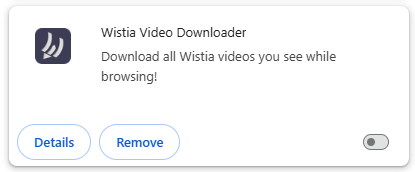
I started turning them back on (even the ones I hadn’t had on earlier), and finally found the one that was causing it:

It’s not really one that I need, so I’m just going to leave it turned off.

Interesting that it just now started being a problem…It’s been there and running for quite some time. Probably the latest WME update forced the issue.

Thanks for helping out!

2 Likes

Awesome. Glad we were able to figure it out.

1 Like