I tried to report this as an error in the app and after jumping through multiple hoops, I was kicked to the curb by Waze-Customer Support and given a link to a list of options that didn’t actually address the problem.
When mapping from my location to Stanford Hospital at 300 Pasteur Dr., Palo Alto, CA, the navigation instructions actually take you the the emergency room on Quarry Rd instead of 300 Pasteur Dr. This is significant as it made my client 15 minutes late for his appointment because we had to back track and find our way to the main hospital entrance.
Here are the answers to the questions I was asked by customer support:
- I’ve searched two ways for this address. I’ve put Stanford Hospital in the search and chosen the 300 Pasteur Dr. option. I’ve also done it by typing in 300 Pasteur Dr.
- The time that I reported the error was prompted by my search on February 25th at 4:45 AM
- 300 Pasteur Dr.
- I was expecting to be directed to the main hospital at 300 Pasteur Dr., I was told that it was navigating me to 300 Pasteur Dr, and didn’t know that it was taking me to the wrong place until we got to the end of the instructions.
- 300 Pasteur Dr. - Main Hospital. Where I was sent was to the emergency room on Quarry Road which is on the back side of the hospital and not accessible to anyone other than emergencies. This made us late for the appointment.
Please pass this information onto someone who gives a rat’s behind and fix the damn problem.
Hello,
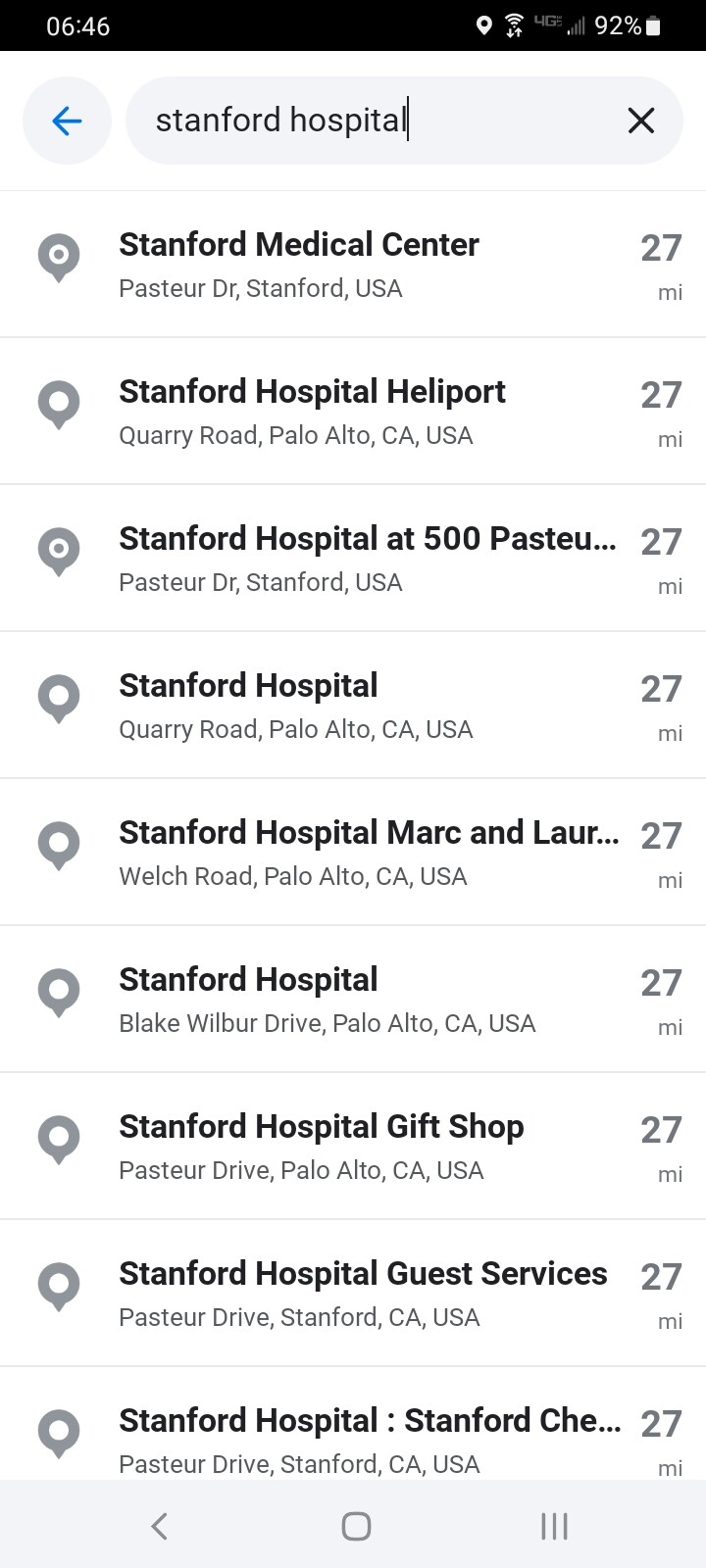
I did a search by tapping My Waze at the lower left and typing in Stanford Hospital. I do not see a search result that says “300 Pasteur”. Please see attachment Search for Stanford Hospital.
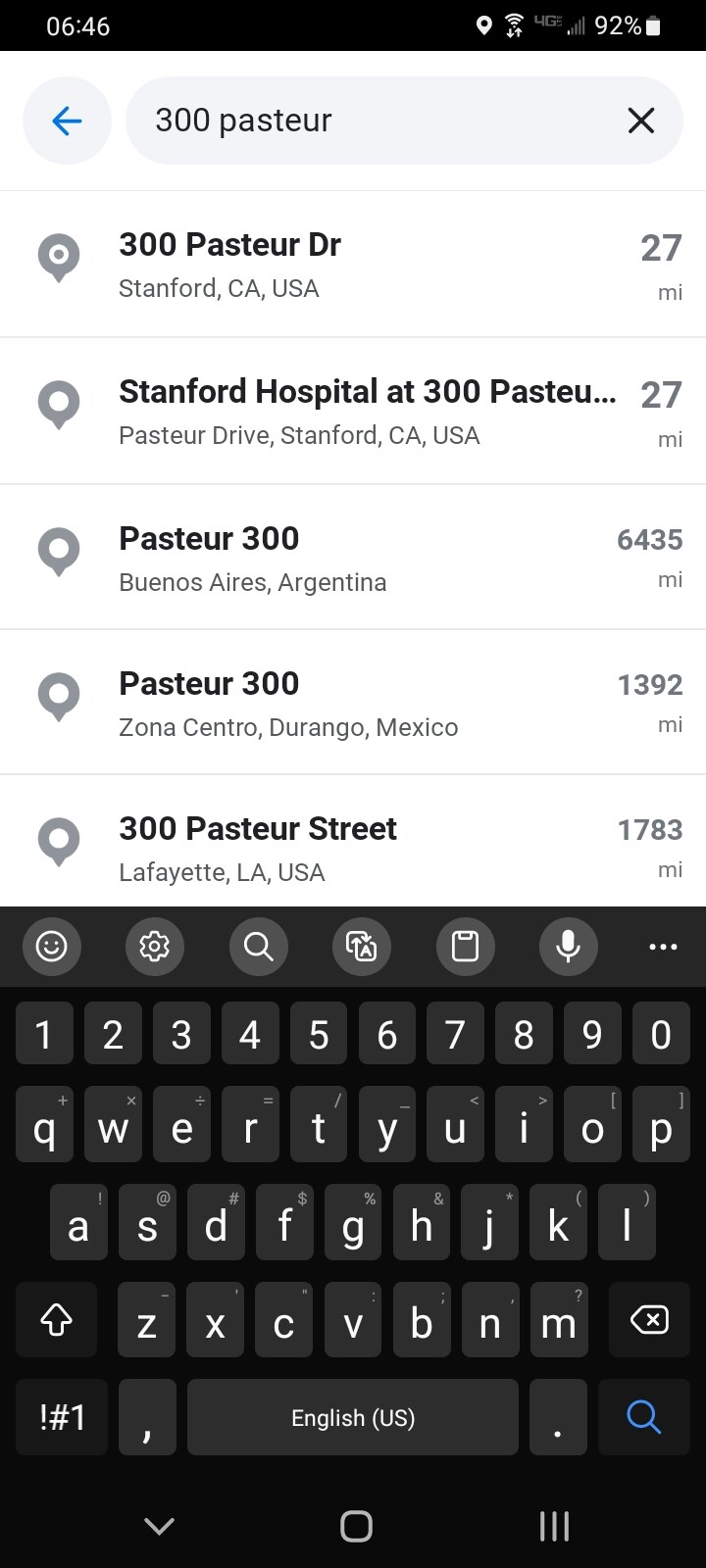
I searched for 300 Pasteur Drive next. As you can see in the attachment Search for 300 Pasteur, I do see 2 search results.
I first tapped on 300 Pasteur, and I get the attached search result (attachment Search Result for 300 Pasteur), and got a route (attachment Route to 300 Pasteur). As you can see, I get a route to the entrance of the hospital on Pasteur.
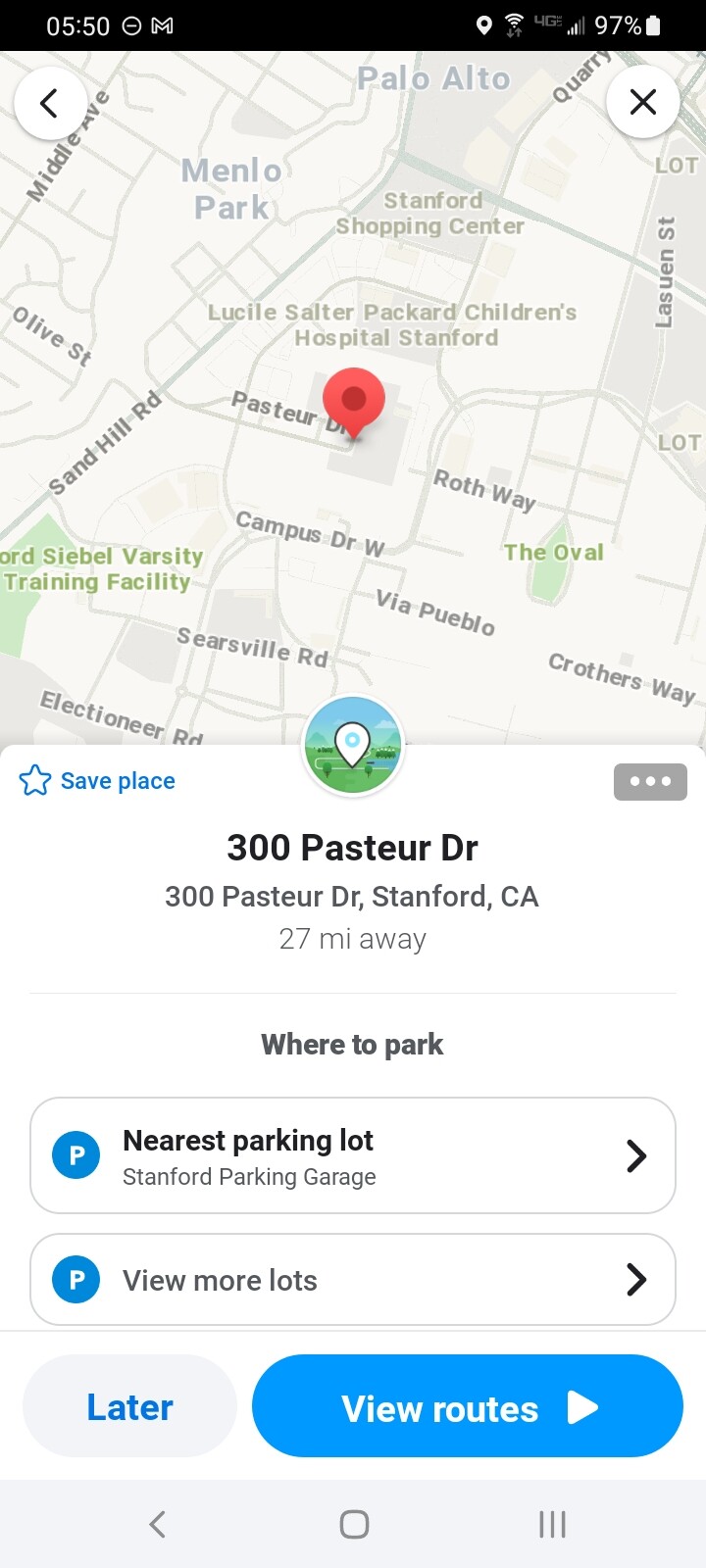
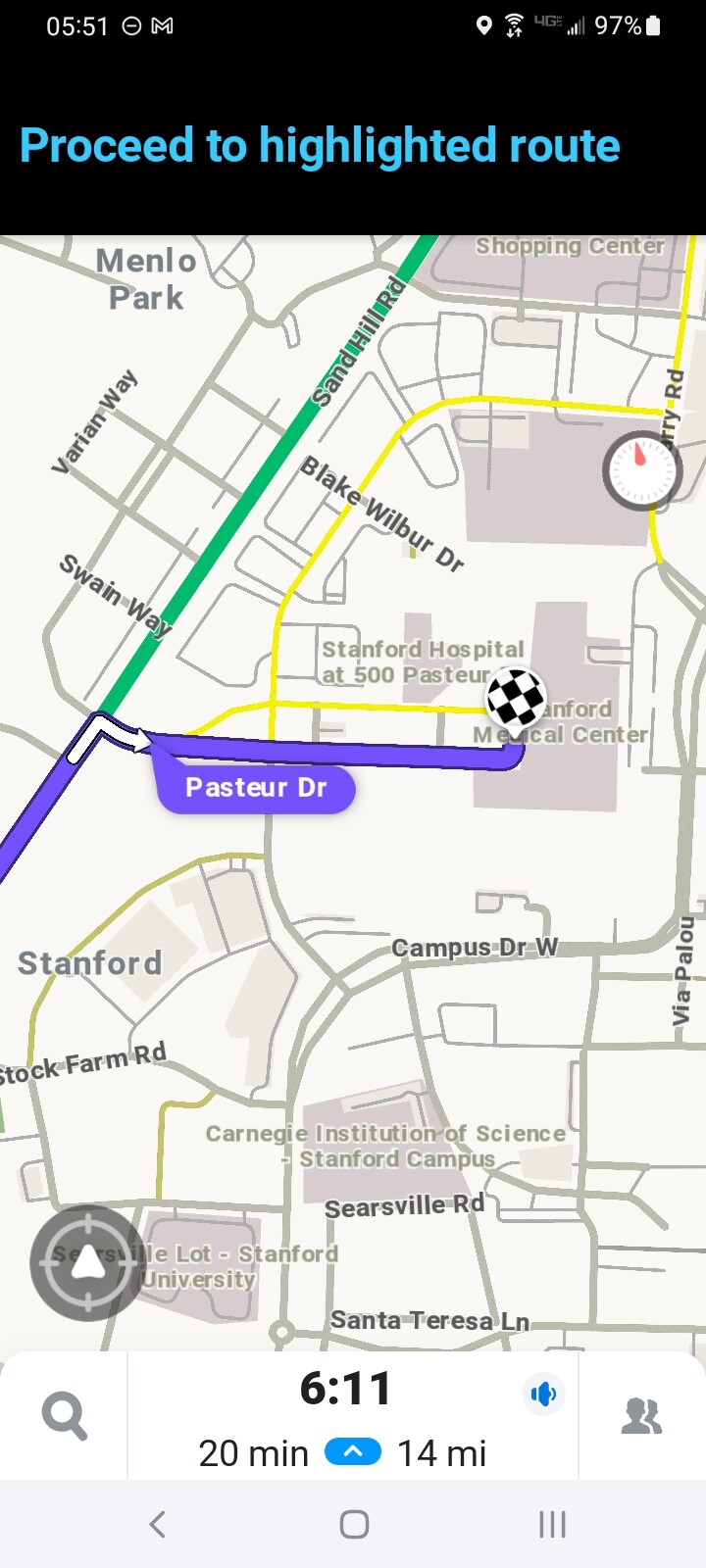
Next, I selected Stanford Hospital at 300 Pasteur. As you can see from the attached search result (attachment Search result for Stanford Hospital at 300 Pasteur) and route (attachment Route to Stanford Hospital at 300 Pasteur), I am routed to the entrance of the hospital on Pasteur also.
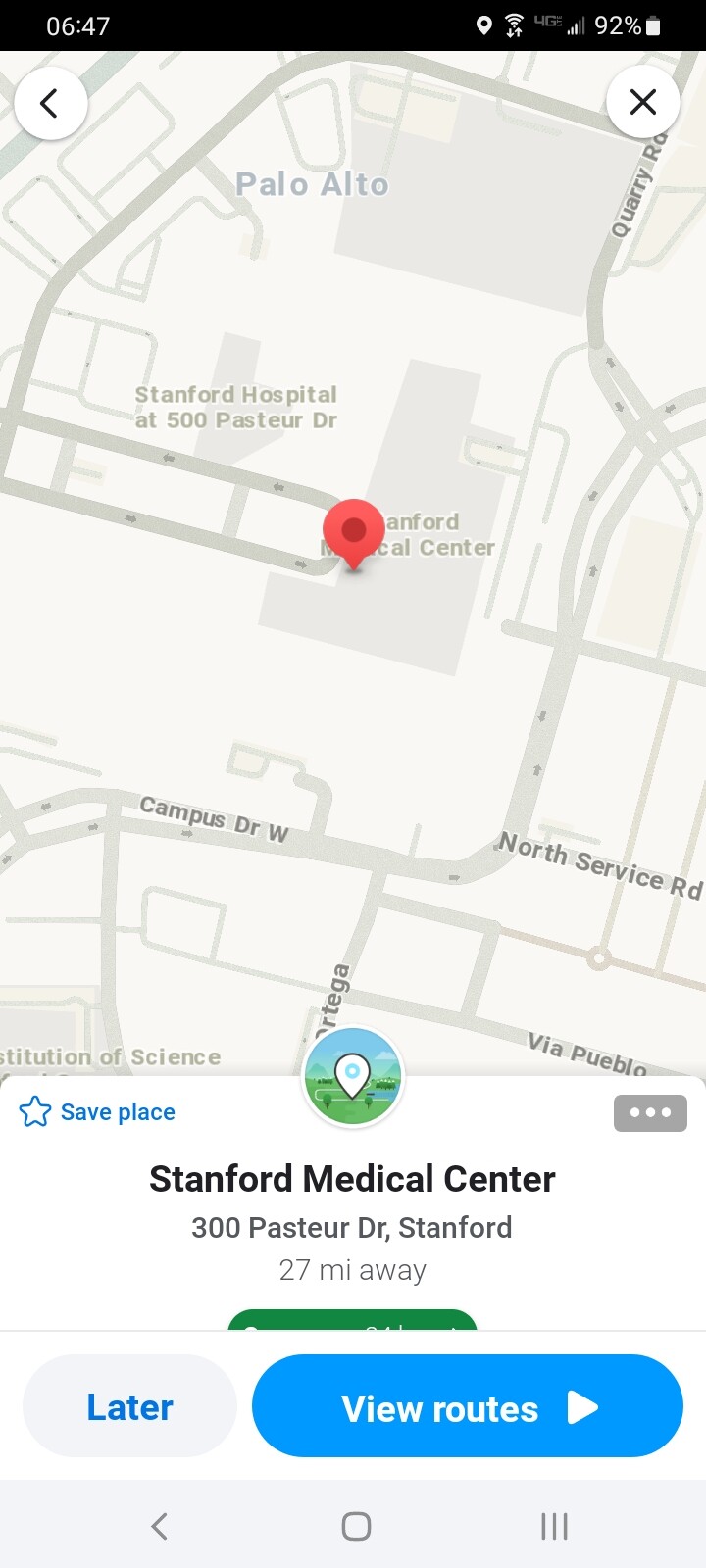
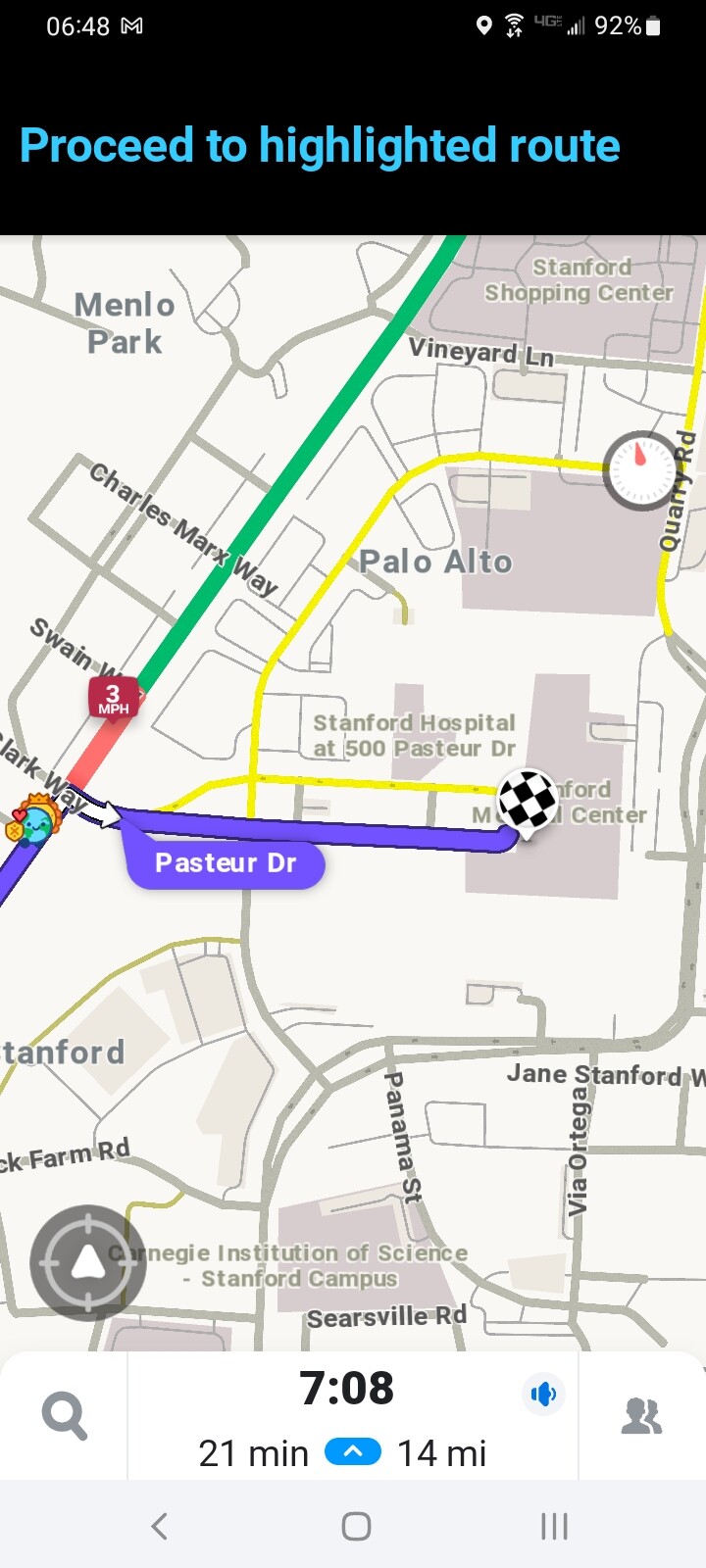
I suspect that you have a “corrupted” location stored on your phone. To get rid of this corrupted location, please do the following:
- Delete all instances of 300 Pasteur or Stanford Medical Center or Stanford Hospital or equivalent from your recent searches by tapping My Waze on the lower left, scrolling up until you see the location, tap the 3 dots on the right, and select the trashcan to delete it.
- If you have set this location as a home or work or saved place, please delete this also
- Please tap My Waze in the lower left and tap the “Where to?”. Type in either 300 Pasteur or Stanford Medical Center to do a search again. You should see a teardrop shape on the left. If you see a star, that means that the location is still in your saved places list and it needs to be deleted. If you see a clock, that means that the location is still in your recent search list and it needs to be deleted.
Thank you.