Why do you use landscape mode? The reason I ask is, you’re driving forward, not sideways, and all landscape mode seems to do is limit your view of the map in the direction you’re heading while giving you a better view of the places you are not heading. :mrgreen: I really do want to know, despite half-joking about it.
because of the car dock… If I turn it then the phone might fall out :lol: Also if I turn the car dock, the cable that is plugged in the back gets pulled sideways and that overtime can cause connection issues.
So your dock is made to hold the phone sideways only? What dock is it?
edit - And why isn’t it this one? hehe http://www.amazon.com/gp/offer-listing/B004O7S7Z0
My dock is like this. http://www.amazon.com/Motorola-DROID-Vehicle-Navigation-Charger/dp/B0068W6MTC/ref=sr_1_2?s=wireless&ie=UTF8&qid=1357173906&sr=1-2&keywords=Droid4+cardock
The cable comes off the bottom (in the middle) when in landscape. The cable is connected to the holder (So I don’t have to connect the cable to the phone each time, I just place the phone into the cradle and then it is connected to power and stereo.
Yes it works both ways, but I don’t like putting tension on the cable sideways. I have had cables and docs fail because of the tension on the cable connection.
When I don’t have a doc (the other car), I connect the cable to the side of the phone so then I would be in Portrait mode (with more view of whats coming).
Ah, I see.
Because I like the landscape view better. I know what is straight ahead I can see it quite clearly, what I can’t see are what the side streets I might be looking for are. I also keep my Waze zoomed all the way in. I will acknowledge that waze makes portrait more and more appealing with the crap they keep throwing on the screen. I don’t need an opaque bar telling me every time I’m going to get a candy for 500 edits (I get several per drive). But I stick with landscape because I like it.
People use it in landscape mode because Garmins and Tomtoms are landscape.
The same reason why some people hold their phone in portrait mode when they shoot video…because they think it’s the natural way to hold the phone.
[youtube]http://www.youtube.com/watch?v=Bt9zSfinwFA[/youtube]
Because my tablets are naturally designed to be used in landscape mode. Having it with a keyboard attached and trying to use it in portrait like a book would be a disaster waiting to happen too.
On my normal phone, I use portrait, but I had to switch back to my old one, the G1:

I use it in landscape for several reasons:
- First my phone holder would no longer hold the phone, the arms would not lock. In landscape, my phone fitted exactly between the arms in the maximum spread position.
- my phone holder broke eventually, so now I put the phone against the dashboard on top of the steering wheel case, using the ODO reset pin and a suction cup to keep it in place. This might be possible in portrait mode, but that would block the power port.
- With the small screen size, and therefore small soft-keyboard size, I like to use the hardware keyboard to input search and gas prices.
My cell phone I use the vertical mode. My 10 inch tablet I use landscape mode. If there is something ahead on the road, landscape mode helps me locate alt routes around me better than the normal vertical mode does. Also since my tablet is so big, it doesn’t block my view in landscape.
For a while, I had a broken windshield mount, from which the phone cradle could be separated. The cradle, with my phone in it, fit perfectly sideways within the lid of the storage compartment below the radio in the Prius I had at the time. I couldn’t justify spending $$ on a new mount at the time, so I used it like that for a while. It was pretty far from my line-of-sight, but it looked like it belonged there.
Because I live in a place where suction cup ring marks on your windshield, and evidence of dash mounts are an invitation to break the Window. My phone sits nicely on my console in landscape, and I don’t want to drive around looking at my phone in portrait, sitting in a cup holder.
Here is a 1000 words why Waze needs landscape display orientation option, especially on an iPad:
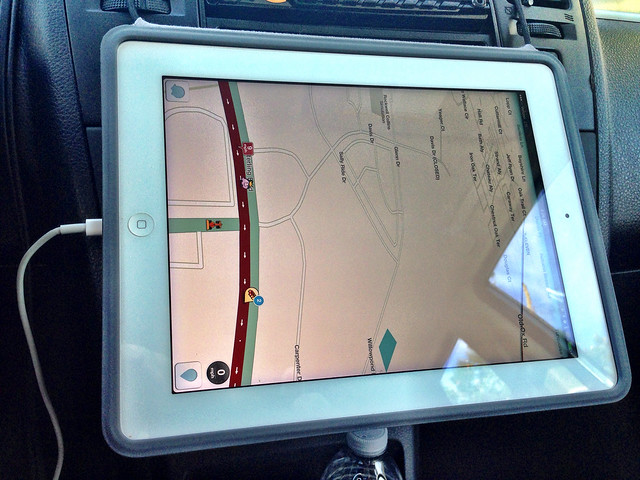
Waze is useless without landscape. I am going to have to use something else until this feature is added.
After shutting the iPad down and bringing it back up Waze rotated into landscape mode. Yay!
That’s odd that it hadn’t switched to landscape mode. Waze does support landscape and has done so for a very long time. Maybe switching the iPad’s rotation lock on and then off again would have fixed it.
I think I would answer the subject with another question: why wouldn’t you?
Specially now that double DIN Radios like the Pioneer AppRadio are getting more common, along with similar only-screen-Radios Waze should be actually designed to be able to use it 100% landscape.
I’ll probably search for or open – if nonexistent – another thread in the Waze App subforum to ask for Waze being able to work all the time in landscape mode. It is just awful when you are using it in landscape and it goes back to portrait/vertical when you want to navigate or give some specific alert.
Bear in mind ALL AVIC/Navigation radios are using landscape and that is not the future, but already our present time. And Waze should adapt to it, not the other way round.
Actually you aren’t using your phone directly anymore, but the phone works like an externally hooked up notebook which does the math and the radio is your mouse-keyboard-screen-combo.
Personally I prefer portrait, but I use landscape as I also use my phone as a blackbox, so the video is much better recorded in landscape.
Does Waze do this? I used to use Waze exclusively in landscape (some time ago) and I was able to do just about everything in landscape mode. It’s been a while, maybe it’s new bugs, or maybe it’s specific to App Radio.
Thank you sketch for asking this… I actually found out it has to do with how the AppRadio manages the phone’s screen. The solution is pretty simple: you have to have the “rotate screen” activated on the phone. If not, the radio “forces” Waze into landscape, but as soon as you need to type or choose some specific option it goes back into portrait mode.
So actually this only happens when using Waze with AppRadio. Just activate “rotate screen” on the phone and everything works like a charm!
Cool! Glad you got it solved.