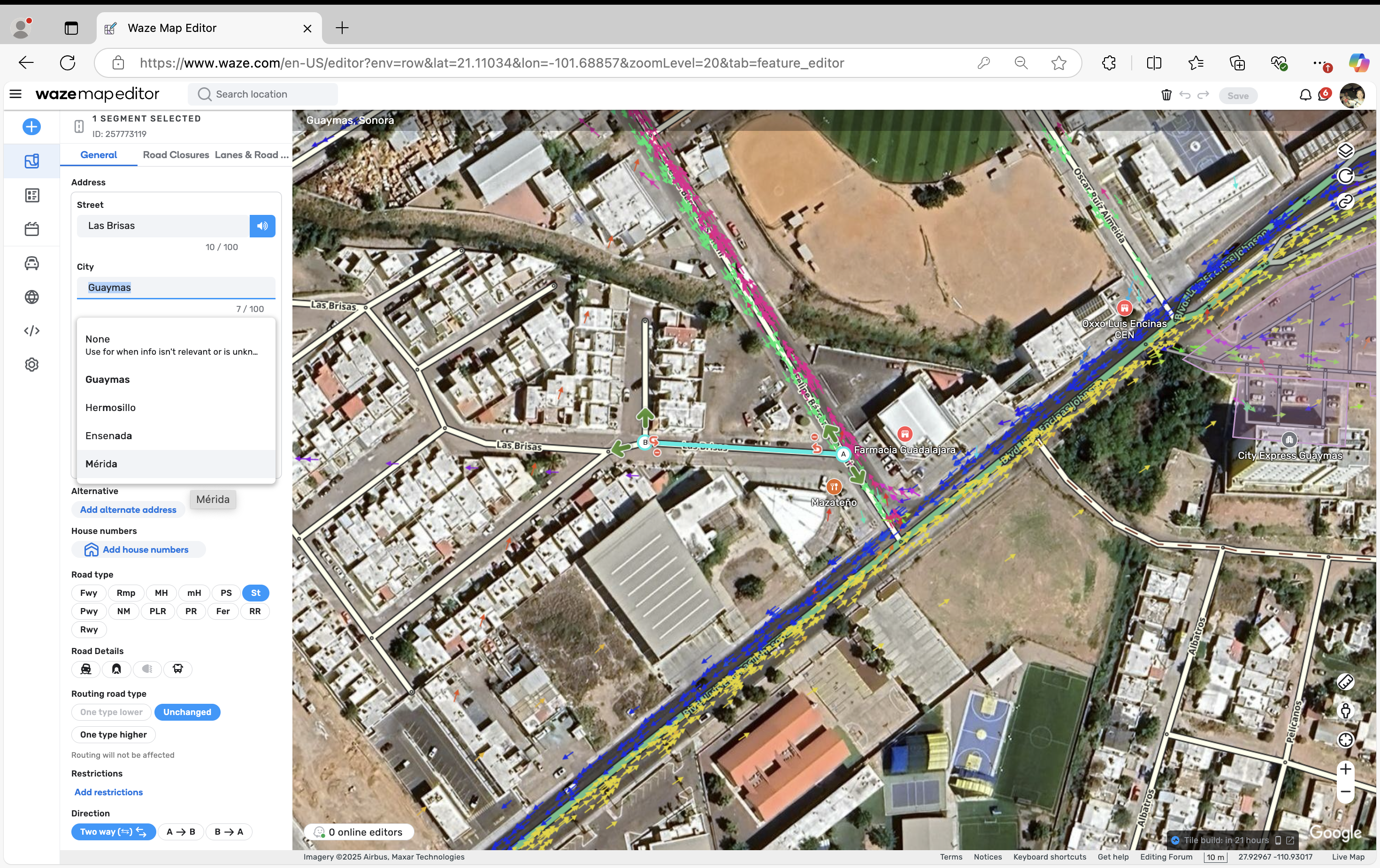
Steps to reproduce this issue:
After editing for some minutes, the WME suggests cities in Mexico that are far away.
In the screenshot, I am editing in Guaymas Sonora (Google Maps) and the city field suggests four cities: Guaymas (correct city), Hermosillo (130 km away), (700 km away and not in the same state) and Mérida (2,500 km away).
I hope you are doing well.
Whilst trying to reproduce this issue, I noticed that when I zoom out extensively and then zoom back in, WME pulls up a longer list of distant places which doesn’t really correspond to the bbox I’m in. However, after a map refresh, it gives the correct result only. Do you observe the same behavior on your end?
It’s not just with the Zoom issue — it also happens when you use the issue tracker at a very low zoom level, because the information from all the cities you’re resolving, like PURS for example, stays on the screen.
After extensive testing, I can confirm that the issue is also related to PURs when the issue tracker includes all of Mexico. That is, if you’re editing in city X and there’s a PUR from city Y visible in the issue tracker, when suggesting a city in the segments, it considers as city options all the cities present in the PURs shown in the issue tracker.
I’ve tried to reproduce the issue with these steps but selecting the whole country in the filter doesn’t seem to make any difference on my end; I can replicate it only when I zoom out to cover a bigger area.
I might be missing something, so if you could record a video showing the steps from your last comment, I will appreciate that.